
11 Google Ads Assets (Extensions) That Boost Your CTR
By Terrence Chung, Co-Founder · Updated 14 July 2026 · 8 min read
Jump to section
One question always comes up from learners in my digital marketing course: “Why do my competitors’ ads look so detailed and eye-catching?” Many are curious about how to design ads that take up a large portion of the screen?
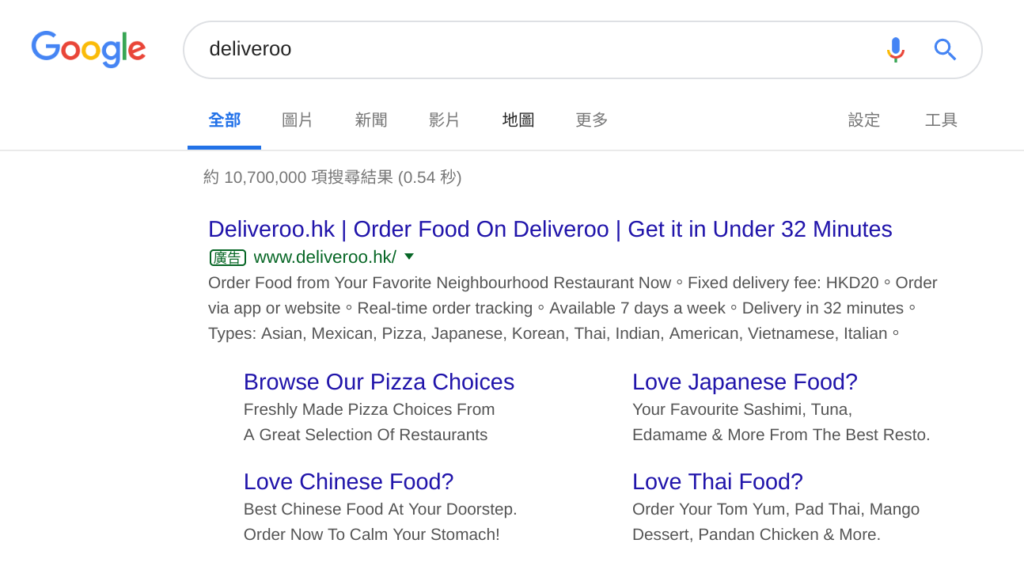
or how to include business addresses in their ads?
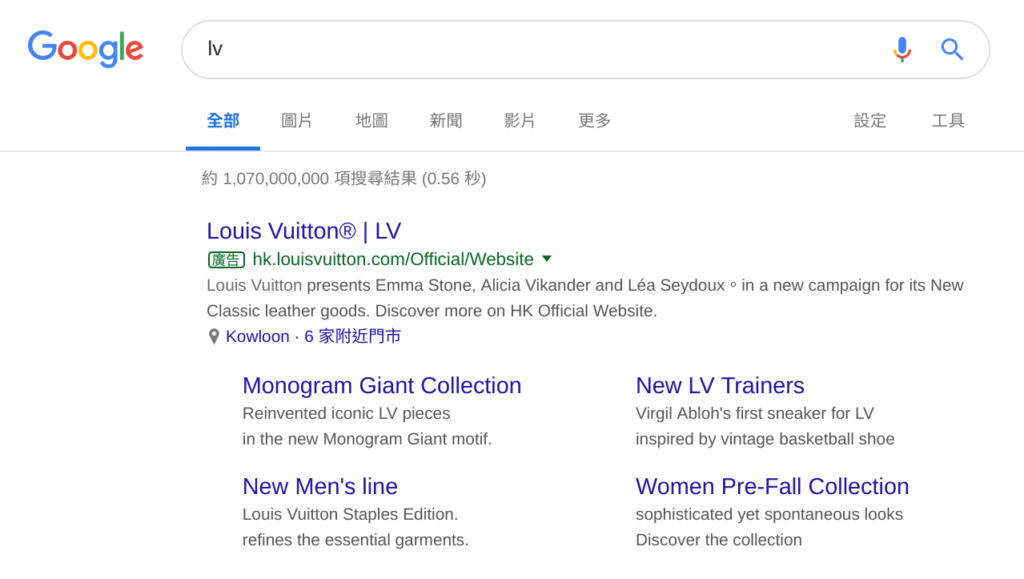
A Responsive Search Ad lets you provide up to 15 headlines and 4 descriptions, of which up to 3 headlines and 2 descriptions show at a time. Additional information, known as Ad Assets (previously named as Ad Extensions), can also be added. Before I introduce the 11 Ad Assets I frequently use, let’s first understand what Ad Assets are and how they can improve your ad performance.
What are Ad Assets?
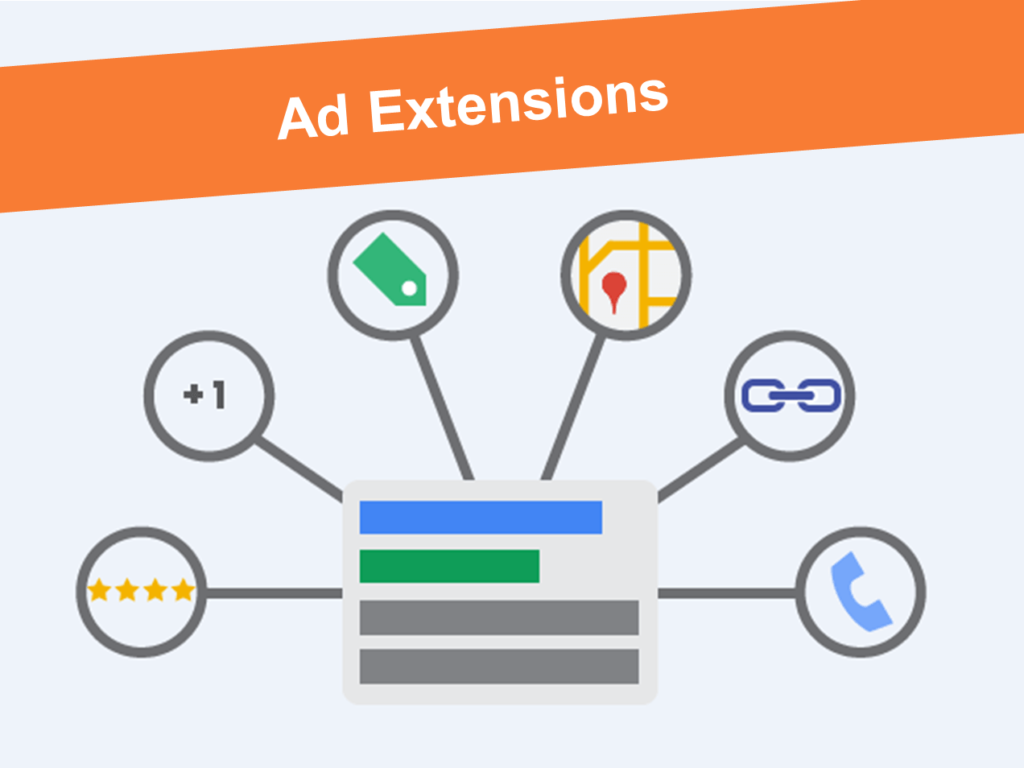
In Google Search Ads, besides the basic 3 headlines and 2 descriptions, you can add more information about your business. These can include site links, phone numbers, addresses, call buttons, reviews, discounts, and customer testimonials. We call these additional features Ad Assets.
By using different Ad Assets, you can provide more details to potential customers, making your ad more appealing and encouraging clicks, which helps boost your ad’s ranking. However, adding Assets randomly won’t guarantee better results. It’s essential to know which Assets fits best in which position for optimal performance. Don’t worry—I’ll cover each of these in detail later.
Now that you have a basic understanding of Ad Assets, let’s explore how they can benefit your ads.
Why Are Ad Assets Important? (How Ad Assets Affect Ad Rank and CTR)
When specific ad Assets are used well, they can meaningfully lift the click-through rate (CTR) of your ads. These Assets not only provide more relevant information to potential customers but also encourage them to explore further or take immediate action, thus increasing your ad’s CTR.
How to Set Up Ad Assets (Extensions)?
Go to Ads & Assets > Assets
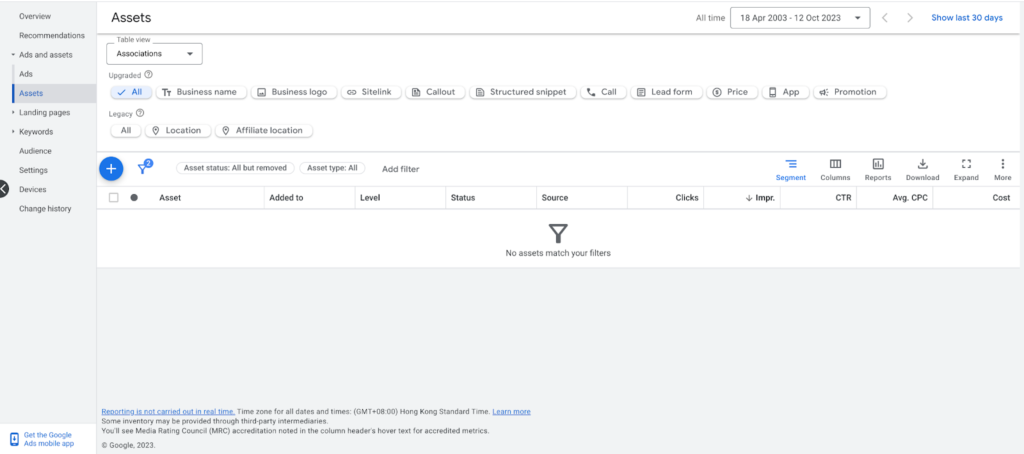
Click the “+” button, and you will see 13 different types of Ad Assets
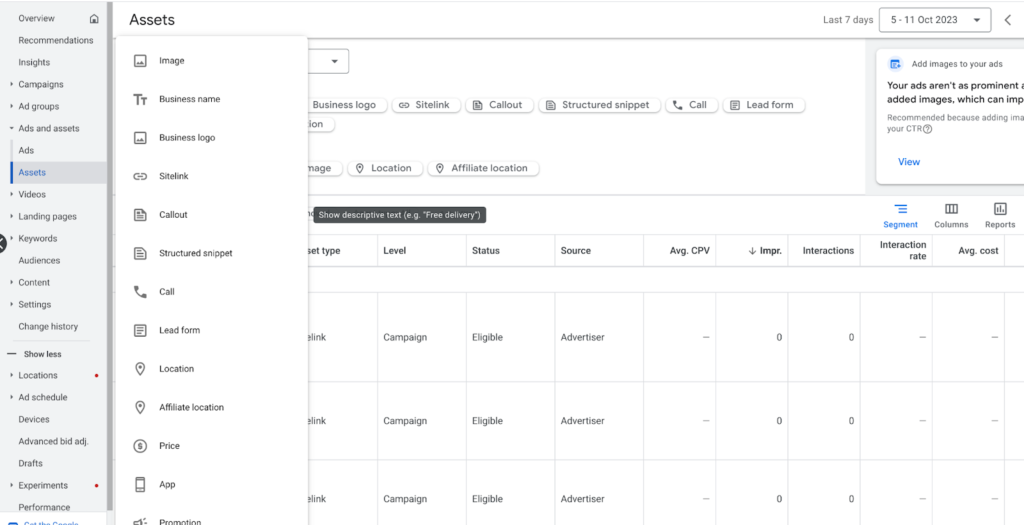
11 Ad Assets At Your Disposal
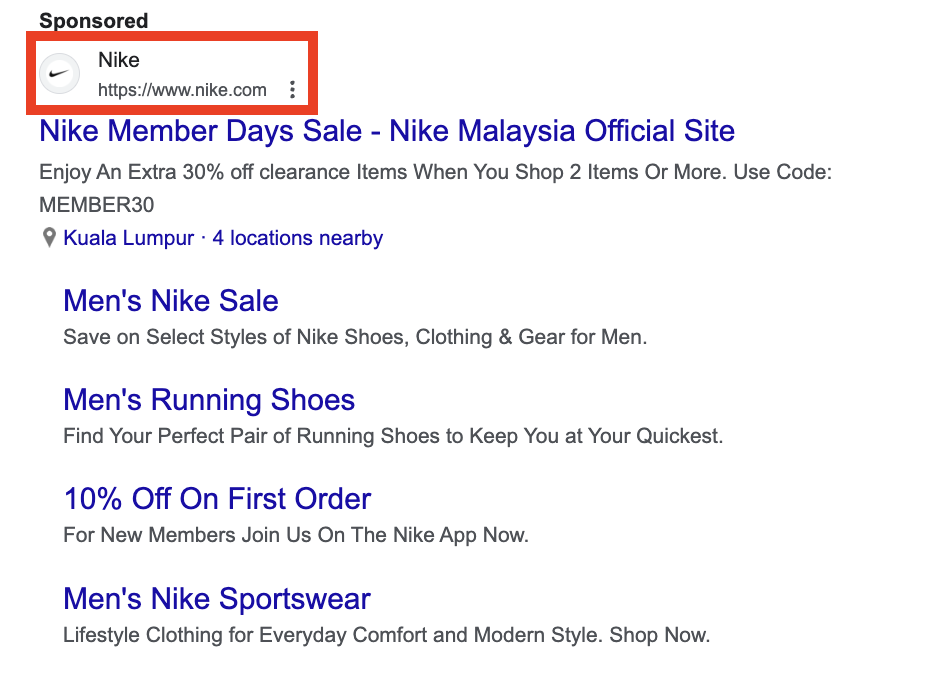
Business Name and Business Logo
How to set up?
In the Assets tab, click on Business Name and Business Logo to set them up. Make sure your Google Ads account is verified before setting the business name and logo.
Image
Images in text ads can boost CTR, especially on mobile devices.
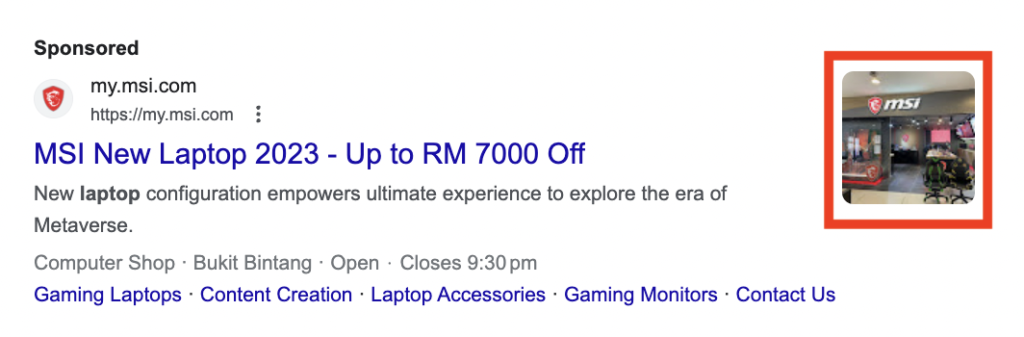
How to set up?
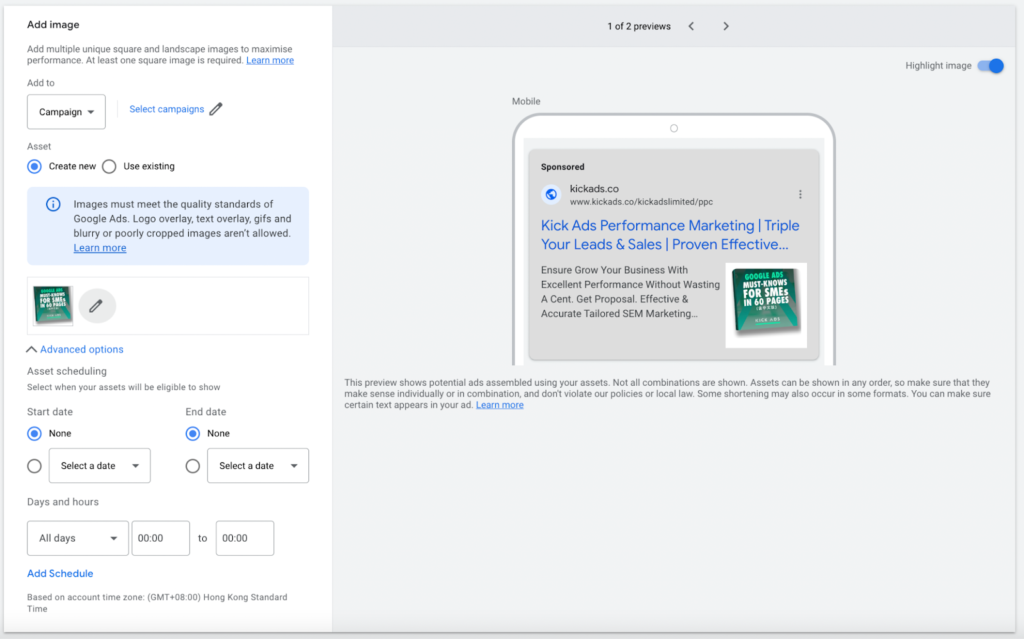
In the Assets tab, click on Image and upload a suitable picture. This could be an image of a product, service, or even a promotion. If it’s a promotional image, you can also set the start and end dates for when the image will be shown.
Sitelink
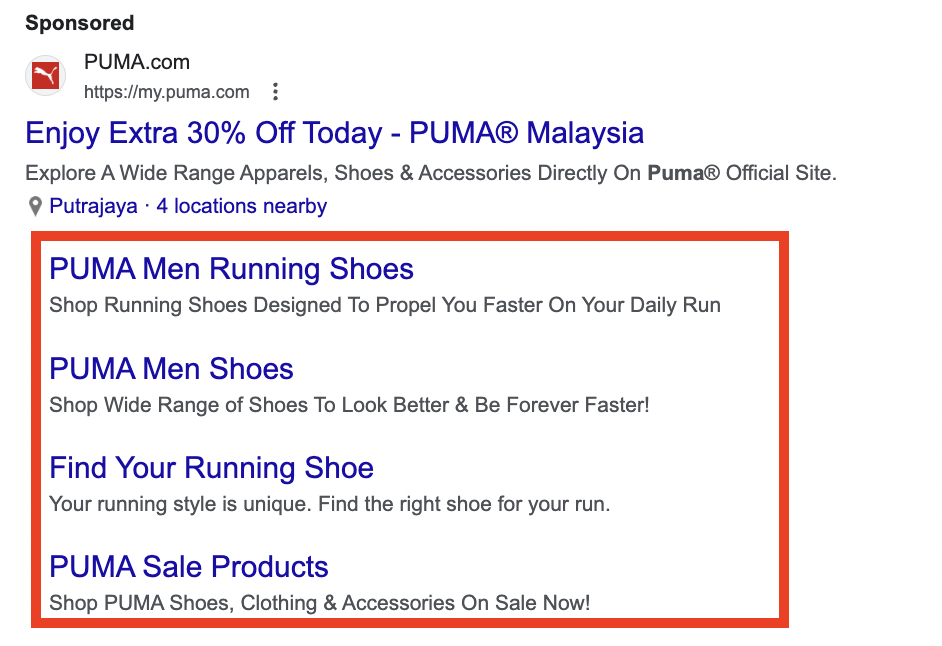
Sitelinks are considered one of the most effective and commonly used Assets. They allow users to navigate directly to specific pages on your website, such as promotions, sign-up pages, or contact information.
How to set up?
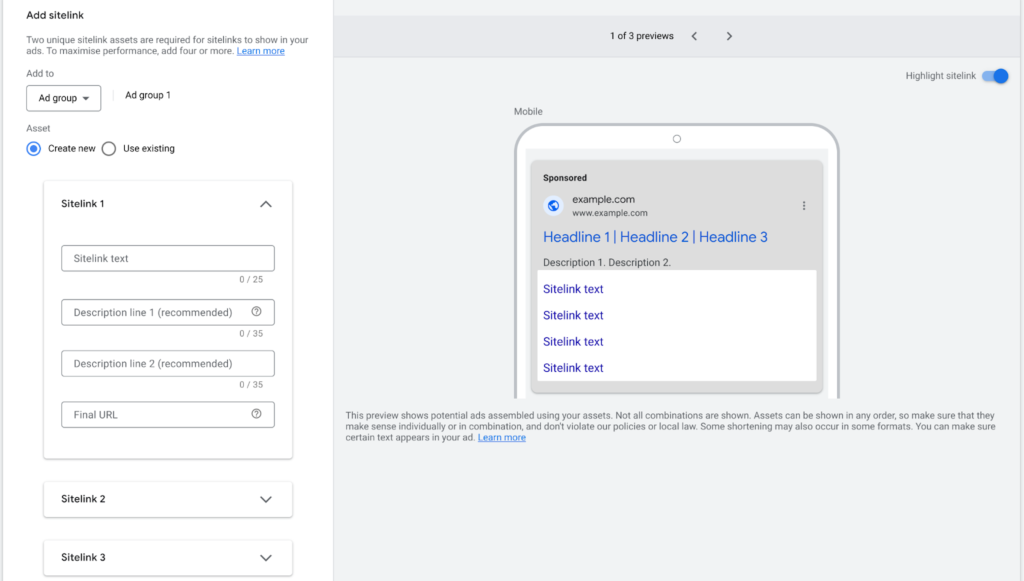
In the Assets tab, click on Sitelink and add the link text, description, and landing page. Set up at least 4 sitelinks—the more, the better. Note that sitelinks may not always appear in search results, as this depends on Google. A detailed setup increases the chances of them showing, so be thorough!
Callout
How can you make your ad stand out from the crowd? Do you want potential customers to clearly know the unique services or product features you offer (Unique Selling Points)?
For example, if you run an online store and want customers to know that you offer free shipping, where else can you highlight this besides just mentioning it in the headline or description?
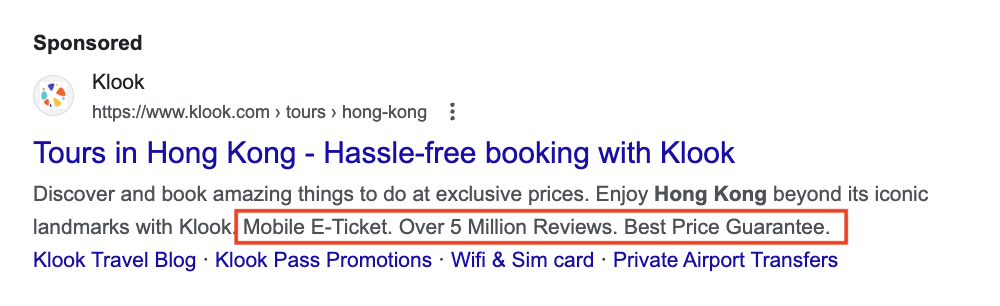
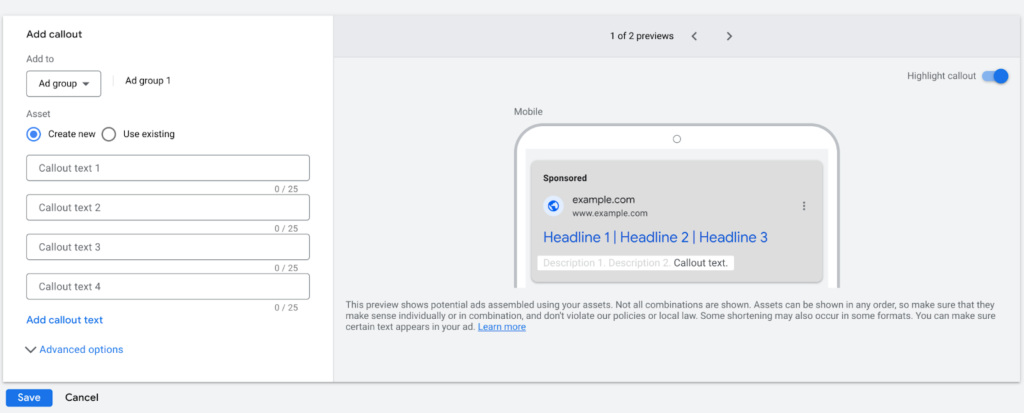
With the Callout Assets, you can add unique selling points to your ad, helping customers better understand your company’s strengths and advantages. For example, common highlights for online stores might include:
- Free Shipping
- 30-day return Policy
- Same-Day Delivery
How to set up?
Structured Snippet
With Structured Snippets, you can clearly showcase your company’s products or services in text ads. Imagine finding a store on Google but not being able to see what products or services they offer—would you place an order right away? I bet most people would hesitate. With Structured Snippets, customers can quickly understand everything you offer!
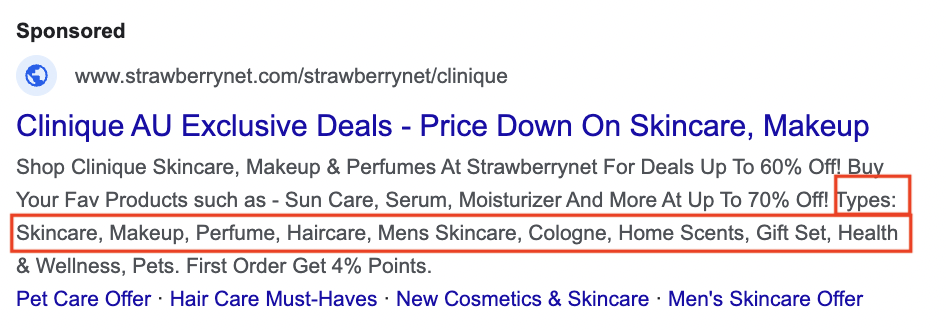
How to set up?
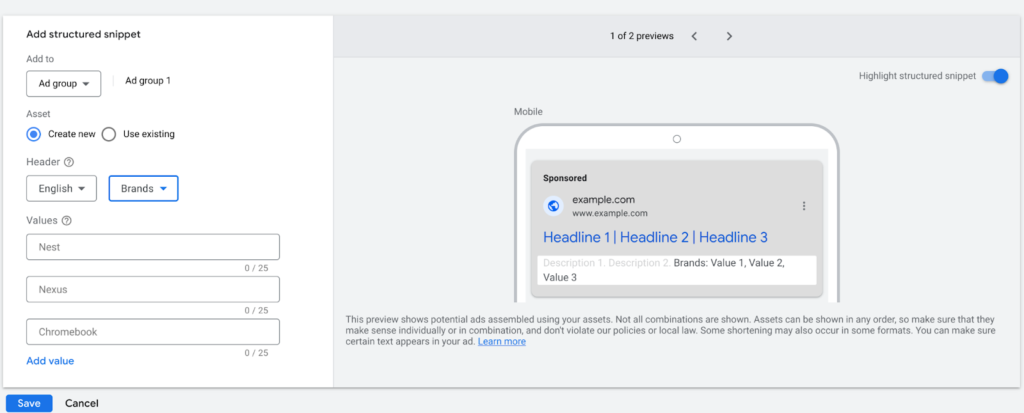
First, go to the Assets tab and select Structured Snippets. You’ll then see various header options such as: destinations, insurance coverage, services, brands, models, amenities, styles, shows, featured hotels, courses, degree programs, types, and the styles or brands sold in e-commerce stores. We recommend choosing the appropriate structured snippet based on your ad group. For example, if you’re focusing on selling men’s clothing brands, you should set up a snippet showcasing the various men’s brands you offer.
Call
Have you ever seen an interesting ad and felt the urge to call, only to find that there’s no phone number in the ad, and you have to visit the website to find it? This can be a bit frustrating, right? The Call feature allows you to add a phone number or call button directly in the ad, making it easier for customers to contact you immediately.
Did you know that adding a phone number to your ads can help lift click-through rate?
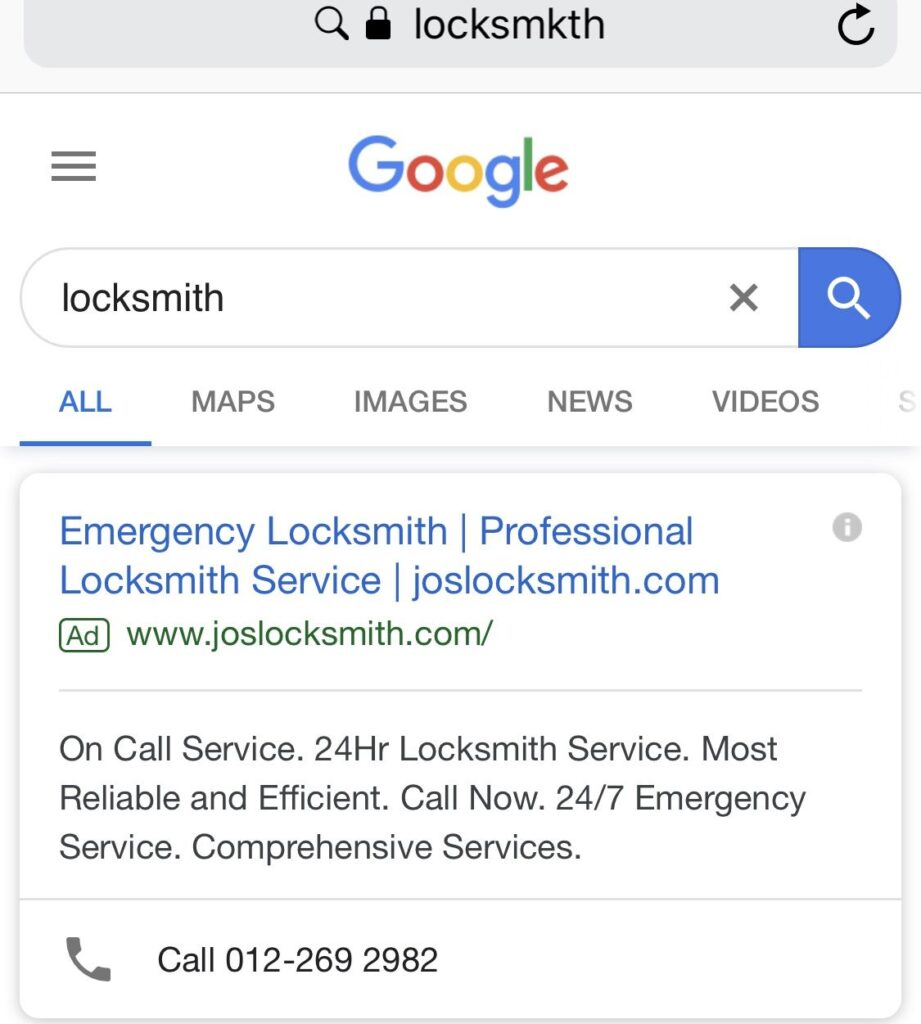
By using the Call Assets, you can add a phone number directly to your text ad, making it easier for customers to call you right away. This not only increases convenience but also boosts the credibility of your ad. After all, people often worry about fake ads. Having a phone number can not only improve your click-through rate but also encourage customers to contact you more quickly.
How to set up?
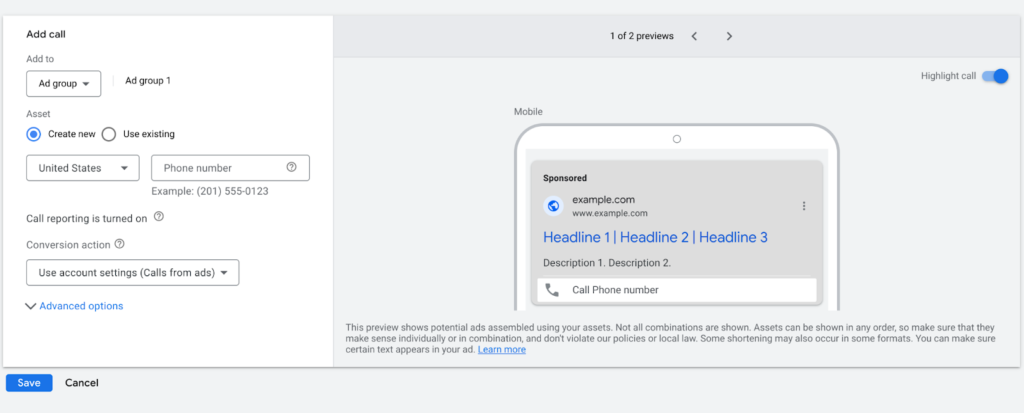
In the Assets tab, click on Call, then select your country and enter your phone number. That’s it, you’re all set!
Lead Form
Lead Form Assets allow people to submit their information directly, helping you quickly capture potential leads. When consumers search for, discover, or view content related to your business, this feature can immediately capture their interest. Its main benefits include driving sales for your business, products, or services, guiding leads into your marketing funnel to increase conversion rates, and effectively finding and attracting people interested in what you offer.
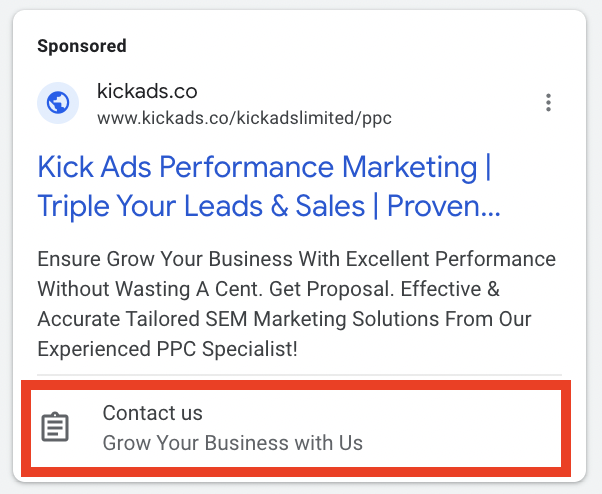
How to set up?
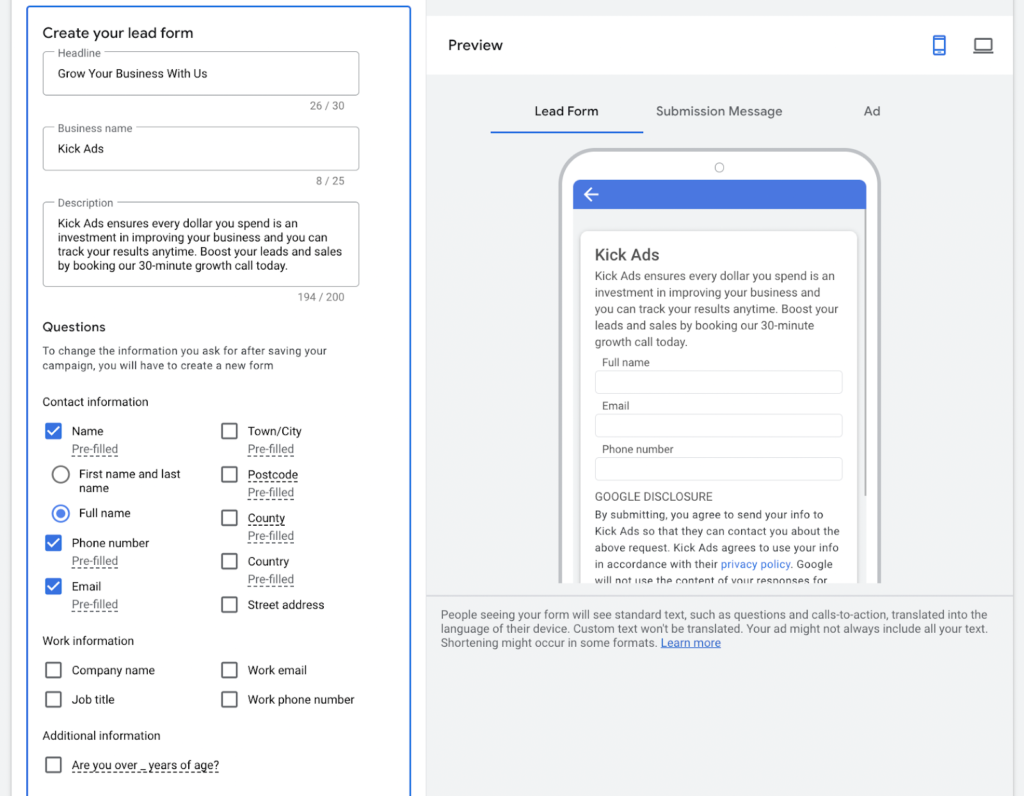
In the Assets tab, just click on Lead Form to set it up! Please note that lead forms involve collecting personal information, and Google takes this seriously, so make sure to carefully read the terms on the page.
Location
Setting up Location in your ads makes it easier for customers to visit your store or find your location. Adding a location to your ads also helps boost your business’s credibility.
But what if your company has multiple branches? Google will display the closest branch based on the user’s search location (you need to register this through your Google Business Profile) to ensure customers can easily find the nearest location to them.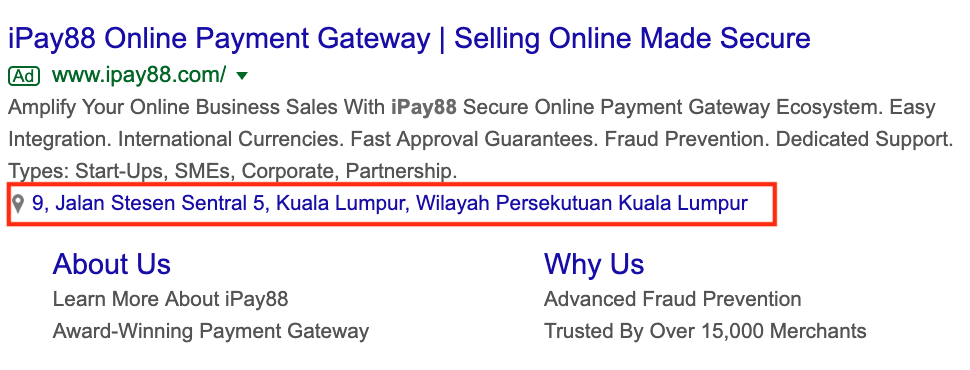
How to set up?
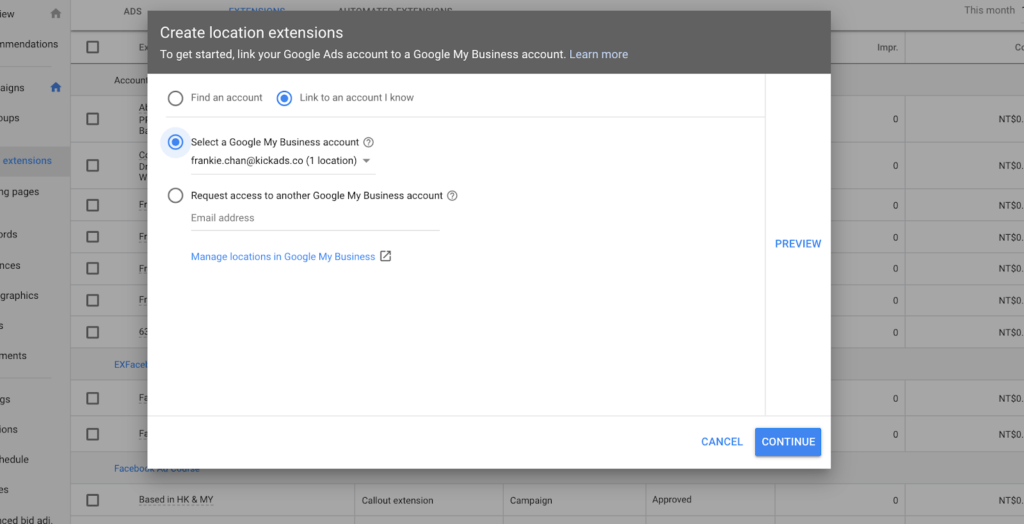
In the Assets tab, just click on Location to set it up. You’ll need to set up a Google Business Profile for your business to activate Location Assets.
Price
If your product pricing is highly competitive, then the Price Asset is a must for you. With the Price Asset, you can display product prices directly in your ads. It’s recommended to showcase products with competitive pricing to attract customers.
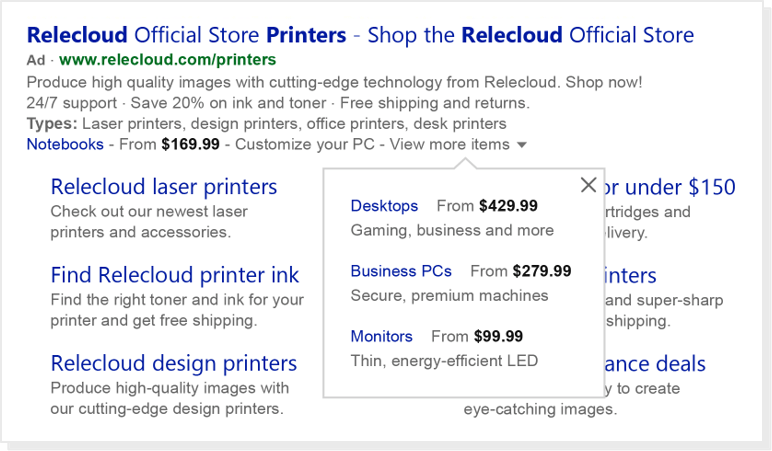
How to set up?
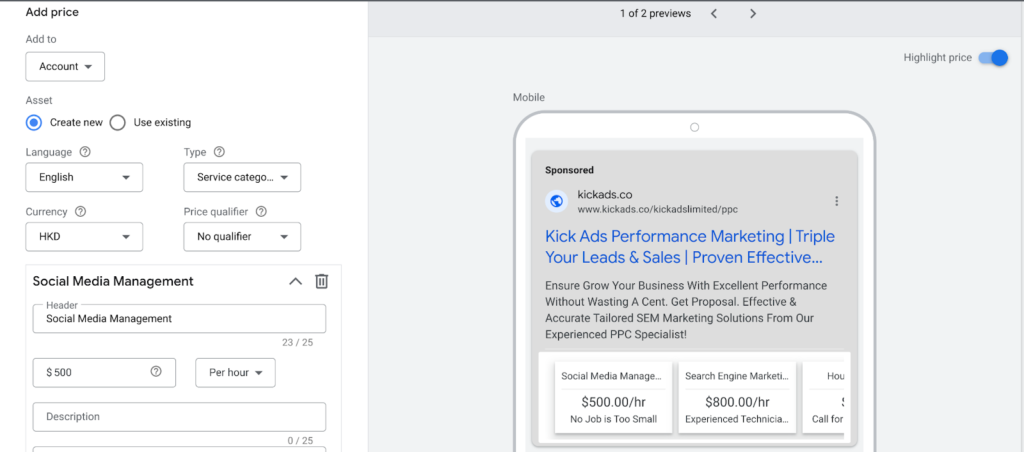
In the Assets tab, select Price. Follow the instructions to add the products that you think perform best or have the most competitive prices. Enter the price, title, and description to attract customers to click and visit the specific product or service page. Here’s a tip: categorize your ad campaigns in detail so that each one has the right price and related product information, which will better capture users’ interest.
App
If your company has developed its own mobile app as well, now is the time to use the App Asset. We won’t go into all the benefits of app downloads here, as you probably already know them. The App Asset helps increase your app download numbers.
How to set up?
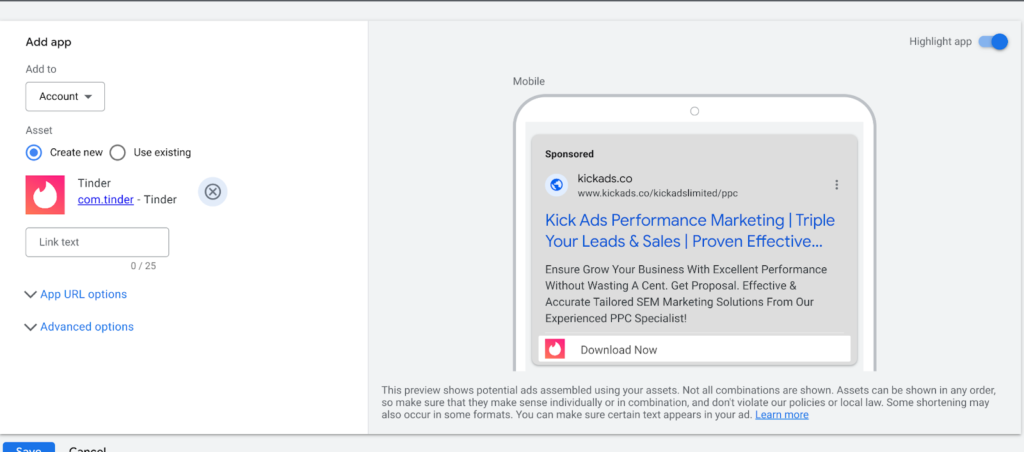
By selecting the IOS / Android app we wish to show, we get an extra slot on our text ad inviting customers to download it. We may customize the download messages like “Download Now” or “Get 3 Months Free” or related messages. Once people click on it, it goes directly to the download page of the app and it increases our number of app downloads.
Promotion
It’s common for businesses to run promotions or sales during holidays. But how can you let customers know about these discounts and promotions before they even click on your website? That’s where the Promotion Asset comes in handy.
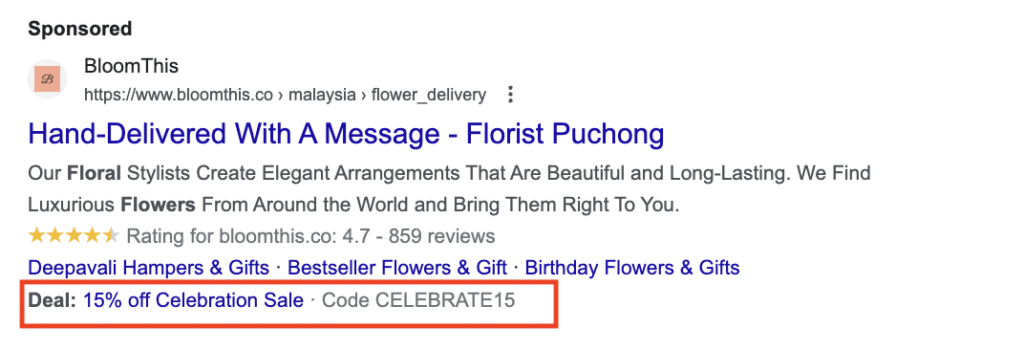
With the help of the Promotion Asset, you will be able to show the current promotion and discount and it attracts customers to click on the ad
How to set up?
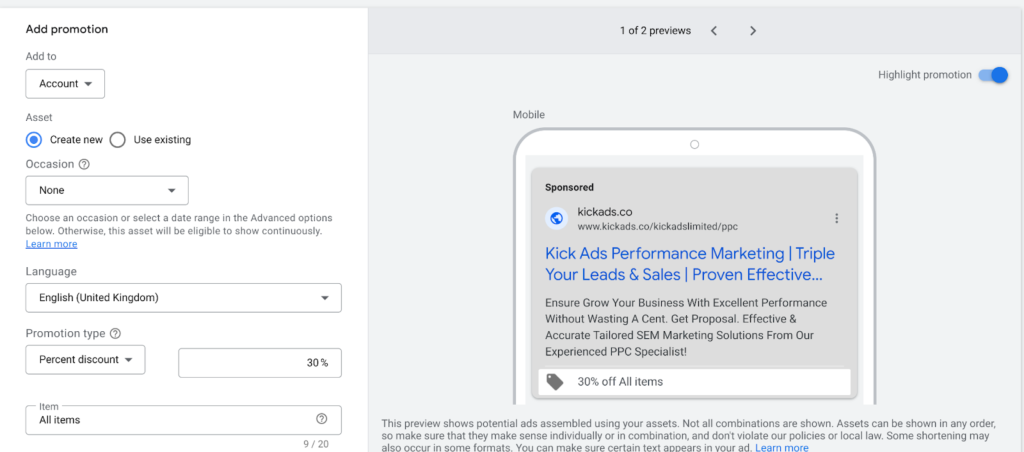 Promotions can take many forms. You can offer discount codes to potential customers, inform them about ongoing discounts on your website, or even let them know about special offers for spending over a certain amount.
FAQ: Ad Assets
What is the difference between account, campaign and ad group level assets — which takes priority? Assets can be applied at account, campaign or ad group level. The most specific level wins: if a campaign has its own sitelinks, they override the account-level sitelinks for that campaign, and ad group assets override campaign ones in the same way.
How often are ad assets shown — is it guaranteed? Assets are never guaranteed to show. Ads with a higher Ad Rank tend to show more assets, but even lower-ranked ads can show some — so set up every asset type that applies to your business.
How does Google charge when someone clicks an asset? The same cost-per-click as a click on the ad itself. Whether the click lands on your headline or on an asset such as a sitelink, you pay your usual CPC.
Are You Ready For Higher CTRs?
If you are planning on running a search campaign, then why not add some fun to it? Nobody likes incomplete information and neither would you. With the help of the amazing Ad Assets above, you are able to make your ads campaign fly really high!
Ready to grow with Google Ads?
Kick Ads is a certified Google Partner agency in Hong Kong. Google Partner agency since 2017 — we manage Search, Shopping, PMax and Meta for Hong Kong and Malaysia businesses.
Google Ads Management — Full Optimisation → · Google Search Ads Hong Kong →

About the author
Terrence Chung · Co-Founder, Kick Ads
Terrence is an ex-Googler, paid media and SEM trainer. He has managed Google Ads for ecommerce and lead generation businesses across Hong Kong and Malaysia since 2017, working closely on account strategy and optimisation direction.