
GDN Display Ad Formats: JPEG, GIF or HTML5?
By Terrence Chung, Co-Founder · Updated 14 July 2026 · 9 min read
Jump to section
When it comes to deciding the file format for your display ads, a lot of questions might come to your mind such as:
1.What Format they support for Google Display Ads?
2.What is the difference between JPEG, GIF and HTML5?
3.What are the advantages and disadvantages of each one of them?
4.How to create it?
Popular Display Ads Format and Size
Before we take a look at each of the formats one at a time, let’s try to understand which five Ad Sizes are more popular according to Google. (If you are new to display advertising itself, our complete Google Display Network guide covers the fundamentals.)
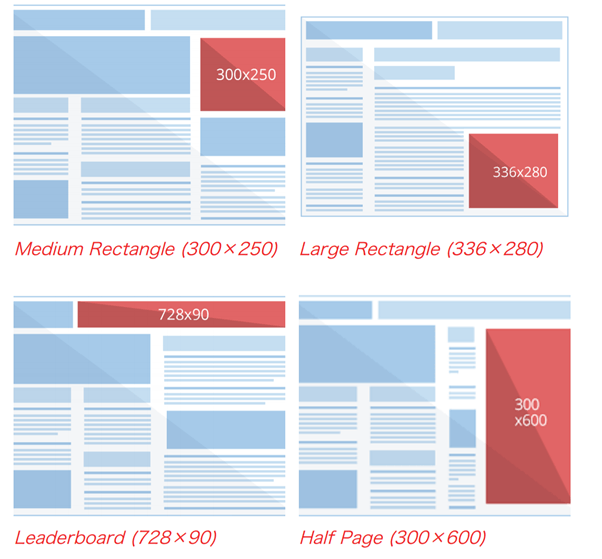
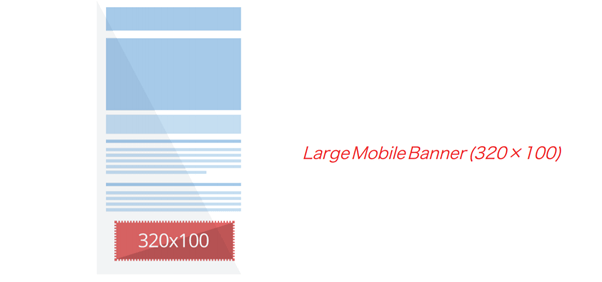
Let’s consider these factors:
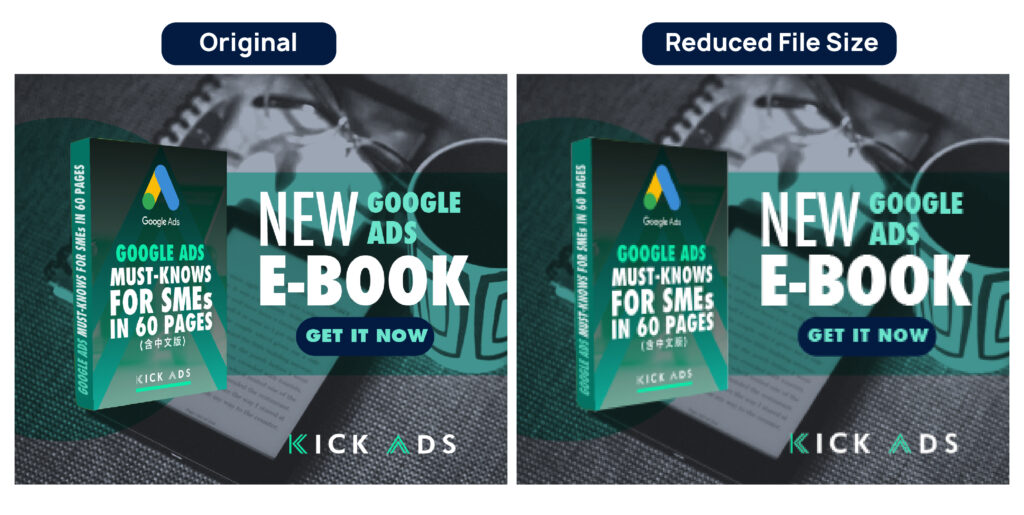
Banner File Size: It’s crucial that you take a look at the banner’s file size. You need to make sure that the size of the banner doesn’t cross the 150kB barrier regardless of the format used by you. If you use online converters in order to alter the size of the file, then the banners will totally become blurry. Hence, you must keep in mind that you should only compress it down to a minimum such that in raw format they will have smaller pixels.
Call-to-Action Button: There are a whole lot of GDN banners all over the Internet. However, one of the more successful ways to stand out is simply by using a Call-To-Action button. Hence, you must instantly attract the people with the help of this CTA button. However, we advise you to avoid using certain CTA wordings such as “Click Here” because of the low tolerance rate of Google for such Click Baits.
Most Commonly Use Display Ads Format
- JPEG
- PNG
- GIF
- HTML5
- HTML5 AMP
Static formats are the PNG and JPEG ones, whereas the ones for animated Format are GIF, HTML AMP and HTML5. If you ask my opinion, I might tell you to avoid using the static format as it’s considered to be too old-fashioned. It looks to be filled with a lot of text if you try to put much information on it. Hence, going with animated format is beneficial.
1.JPEG
JPG or JPEG is considered to be the most common image file type that’s used all across the world. This format is frequently used by the people for social media banner ads, websites as well as for printing purposes. This image file type is named after its creators called “Joint Photographic Experts Group.”
Advantages:
- Known to employ a huge number of colors
- JPG file type is available in low, medium as well as high quality
Disadvantages:
- This file type is considered to be lossy. It means that the quality of the file will gradually decrease when you attempt to reduce the size of the file. Take a brief look at the examples below. These examples will explain to you what happens when you try to reduce the size of the file.
Tools to Create:
Large Number of tools available such as Adobe Illustrator or Adobe Photoshop….and if you are “skillful” enough, you can do it with Microsoft Paint
2.PNG
This file format is another crucial image file format. It’s considered to be a “lossless” format. It means that you can easily edit the image without even compromising the quality.
PNG is an abbreviation for Portable Network Graphics. This format is known to be widely used in web designing. However, it’s not compatible with Print.
Advantages:
- Images with semi-transparent or transparent backgrounds
- Small images like logos and graphic elements
Disadvantages:
- Known to get a lot bigger in terms of file size
Tools to Create:
Large Number of tools available such as Adobe Illustrator or Adobe Photoshop….and if you are “skillful” enough, you can do it with Microsoft Paint….
3.GIF
This one can be used in both animated and static format. However, people prefer to usually use it in animated format. Advertisers all over the world use GIFs widely as it can be created easily without any coding knowledge. You can find them anywhere on the Internet. It’s also used by advertisers in Banner Ads in Google Display Ads Campaign.
We suggest you three frames per GIF with a requirement of 150KB. However, if you use more than 3 frames, then the quality will look like it’s compromised (Will Look Very Ugly, Blurry and Lossy)
Advantages:
- Can be made really easily
Disadvantages:
- They can sometimes get quite heavy because of the way these files play an animation. (Frame By Frame)
- The biggest disadvantage is that it can feature only about 256 colors which mean that the GIF animations won’t be having the best quality of image
Requirement of Google For Animated GIF:
Length: 30 seconds or shorter.
Looping: Can be looped. Must be stopped after 30 seconds.
Speed: Slower than 5 FPS.
Tools to Create:
Large Number of tools available such as Adobe Illustrator or Adobe Photoshop
4.HTML5
After Flash died, Google Display Network stopped accepting Flash ads and HTML5 took over as the standard for animated uploaded creative. HTML5 uses JavaScript and CSS and allows some incredible transitions and animation effects — and in 2026 it remains the format to beat when you want full creative control.
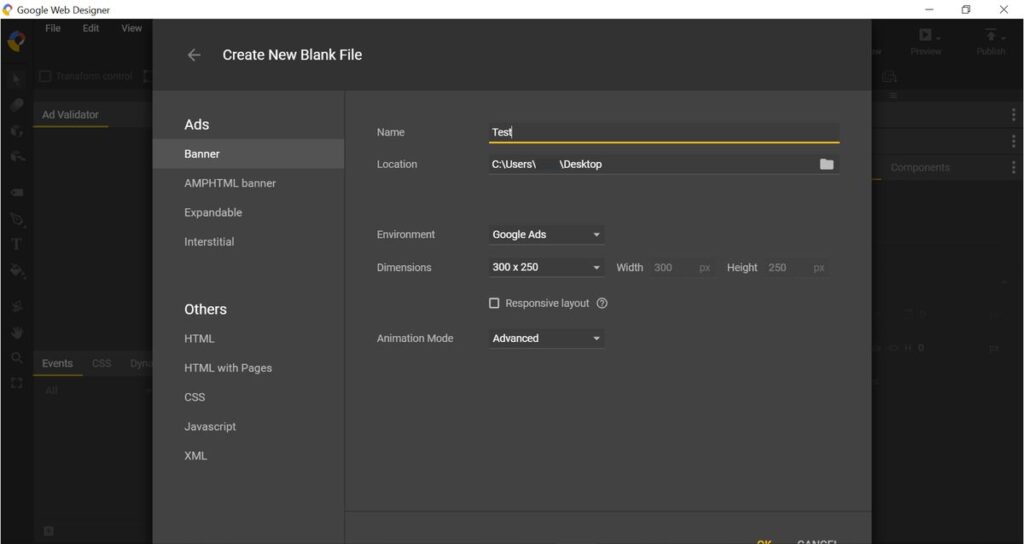
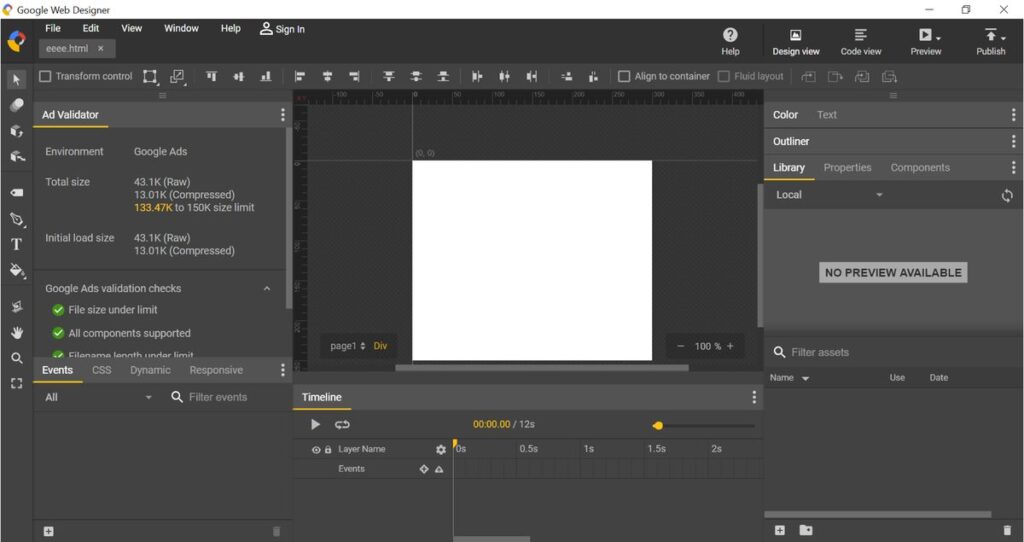
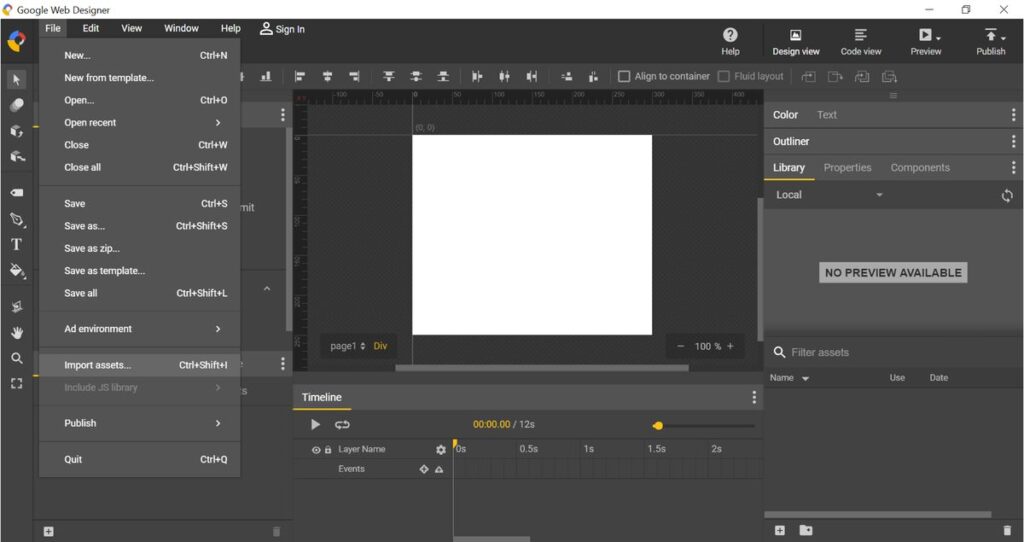
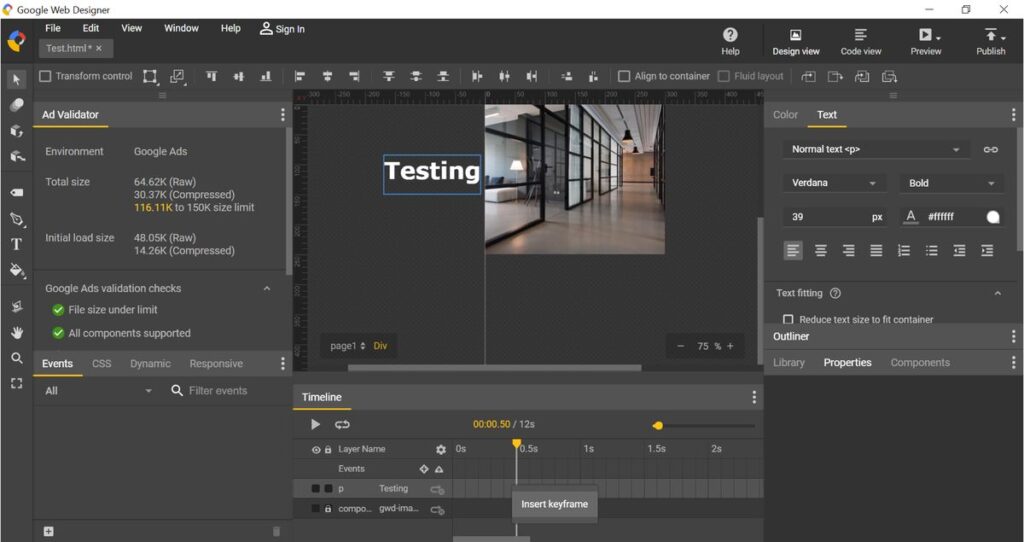
If you use Google Web Designer in order to create it, you must choose to get the output to be in .zip folder. Most people assume a .zip folder needs unzipping first — it doesn’t. You can simply upload the .zip file to Google Ads Platform when you create Google Display Ads.
Advantages:
- It’s an open web standard format file. It simply means that it’s supported by each and every browser and OS
- Size is less that the animated GIF files
- It allows embedding of audio, video and rich media content
Disadvantages:
- HTML5 development tool is required to take into account the changes made to the system of Android, iOS or Windows and make the required change in the code
- Years of practice and study is required to master the code language. However, you can develop beautiful dynamic HTML5 ads with a no-code tool such as Creatopy (formerly Bannersnack). You don’t need to master the code in order to use this tool.
Tools to Create:
Tools available such as Google Web Designer, Onlymega, Creatopy (formerly Bannersnack) and Bannerflow. (We usually use Google Web Designer to create HTML5 Banners.)
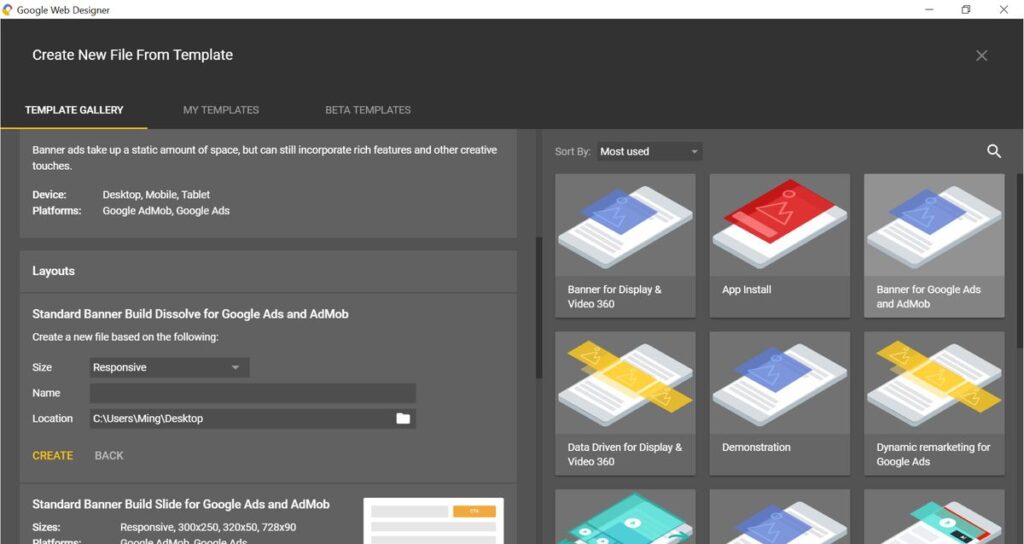
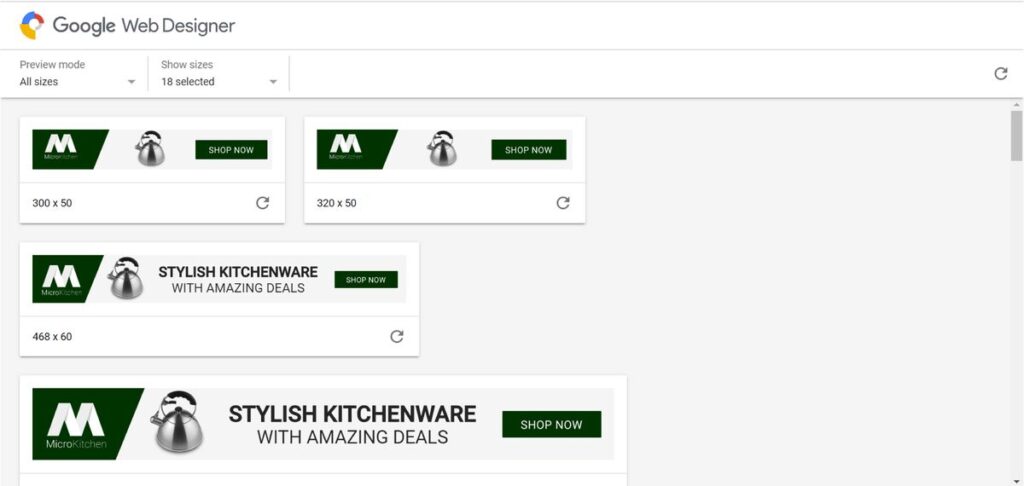
Quick Snapshots to Create HTML5 Ads (by using Google Web Designer)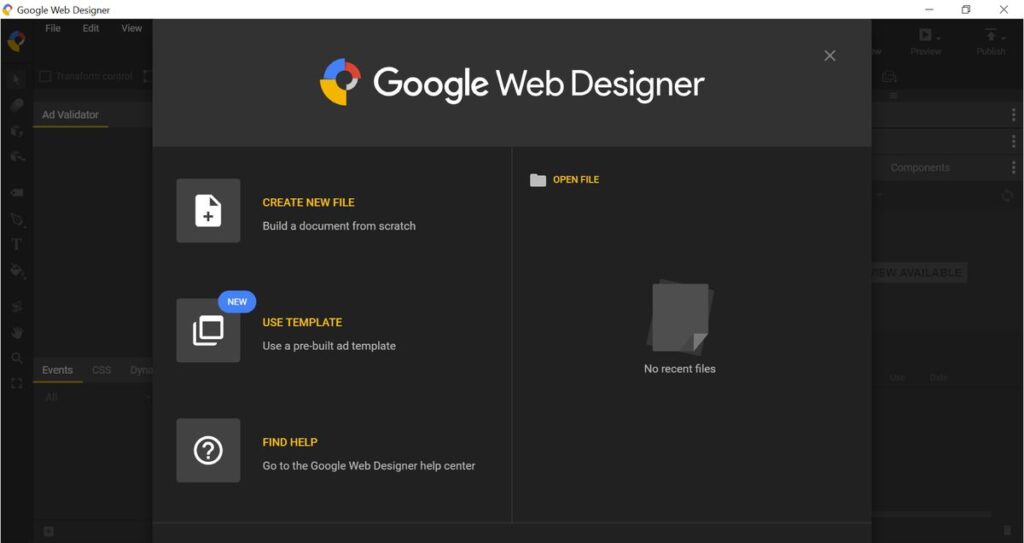
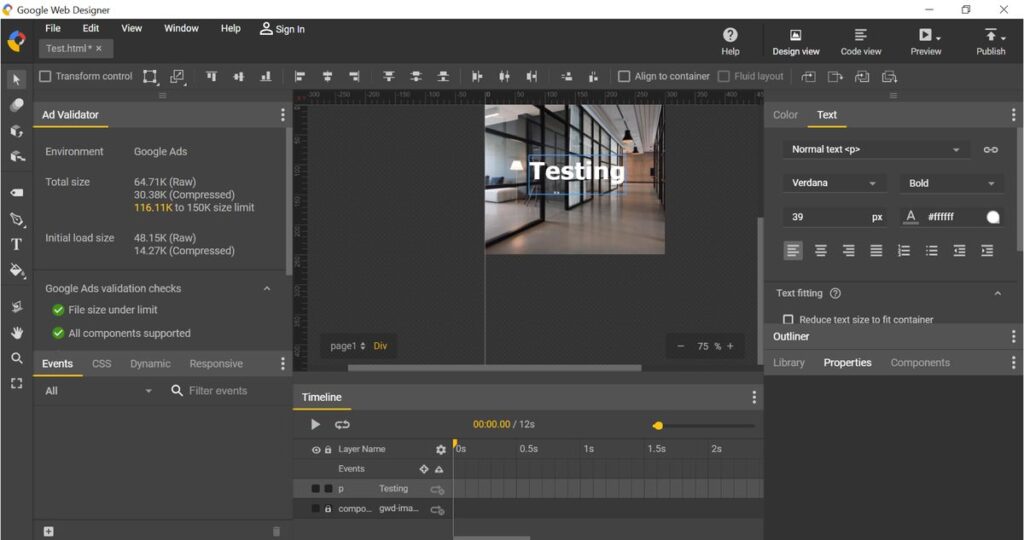
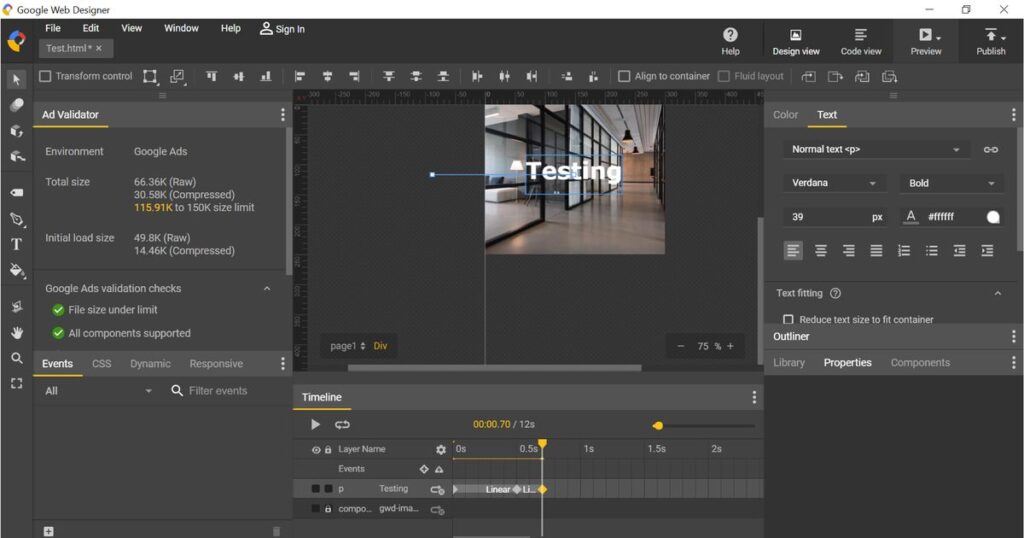
Google Requirement for HTML5 Ads:
If you plan on running PPC campaigns by utilizing HTM5 ads, then you must check out a few requirements.
According to Google Display Network, you can run the HTML5 ads only if:
- You understand all about policy compliance
- Payment history is good
- Your account is in good standing with a solid billing history (Google has historically referenced around 1,000 USD in lifetime spend — check current Google Ads Help for the exact eligibility criteria)
5.AMP HTML5 (Legacy)
Note (2026): AMP is effectively deprecated. Google dropped the AMP requirement for Top Stories and search ranking back in 2021, and AMPHTML ads are now a legacy format. We keep this section for reference, but for new campaigns use HTML5 instead.
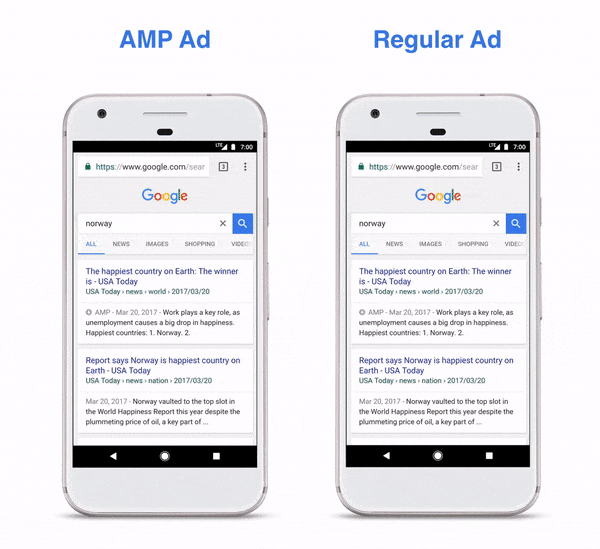
AMP is an abbreviation for Accelerated Mobile Pages project. It’s an initiative that’s open source and targets in making the web better. The vision of this project is to make the websites and ads to be beautiful, faster and high-performing across all the devices.
AMP ads are lighter, faster and more secure. They are known to provide a better user experience and increase the rate of engagement. You can build the AMP HTML ads with the help of AMPHTML. Alongside, you can use various smart components.
Advantages:
- Leads To A Better Experience due to its lighter nature
- You must validate AMPHTML ads before they’re served, thereby eliminating the risk of malware and winning the trust of your clients
- According to Google Ads, “AMPHTML ads can serve on both AMP pages (via the Ad Manager AMPHTML ad tag) and non-AMP pages (via the Google Publisher Tag). This includes both desktop and mobile web environments.
Disadvantages:
- Settings such as blur effects, loop, action URLs and embed items are not known to work
Tools to Create:
Tools available such as Google Web Designer, Onlymega, Creatopy (formerly Bannersnack) and Bannerflow. (We usually use Google Web Designer to create AMP HTML5 Banners.)
Quick Snapshots to Create AMP HTML5 Ads (by using Google Web Designer)
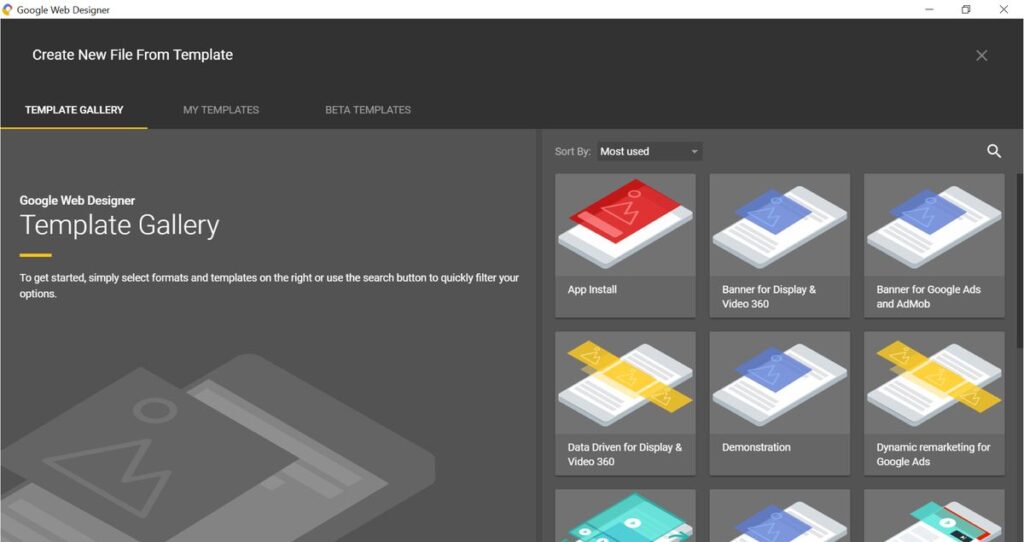
Google Requirement for AMP HTML5 Ads:
Unlike HTML5 Ads, you don’t have to meet any spending requirement or payment history or need to have a long history of the Google Ads.
Real Case Figure (Date Period: 1/4/2019 – 30/6/2019)
Note: these figures come from a 2019 campaign and are shown for historical illustration, not as current 2026 benchmarks.
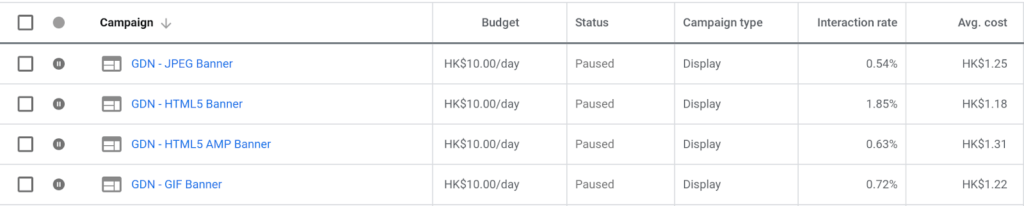
The creative is the same. The message is identical.
HTML5 has much better performance. However, HTML5 AMP is not as good as Google claims it to be. The Clickthrough Rate is even lower than Gif Format.
So if you really want to go for Display Ads, consider HTML5 first. If your account is not eligible to run HTML5, GIF is the practical choice. (AMP HTML5 is now a legacy format we no longer recommend.)
Conclusion
One 2026 note before the verdict: most advertisers today run responsive display ads as their default — Google assembles the creative for you. Uploaded formats like the ones above matter when you need pixel-perfect control over branding and animation.
Do you know what will increase the CTR, conversion rate and ROI? Choosing the file format that suits your display ads.
You must always prefer to use animated format instead of the static ones. If you ask us about the priority list of all the above formats, then the first in the list will be HTML5, followed by GIF. At the bottom of the priority list come the JPG and PNG file formats. AMP HTML5 is now a legacy format we no longer recommend. And if producing banners in every size is too much overhead, consider responsive display ads, which we cover in a separate guide.
FAQ
Which file formats does Google Display Network support? The most commonly used formats are JPEG, PNG, GIF, HTML5 and AMP HTML5. JPEG and PNG are static formats, while GIF, HTML5 and AMP HTML5 support animation.
What is the maximum file size for a Google display banner? Keep every banner under 150KB regardless of format. Compressing an oversized file with online converters usually makes the banner blurry, so design with small file size in mind from the start.
Which display ad format performs best? In our real campaign comparison with identical creative and message, HTML5 performed best, while AMP HTML5's clickthrough rate was even lower than GIF. Our priority order is HTML5 first, then GIF, with static JPG and PNG last. AMP HTML5 is now a legacy format we no longer recommend.
What are Google's requirements for running HTML5 display ads? Your account must comply with Google's policies and be in good standing with a solid billing history. Google has historically referenced roughly 1,000 USD in lifetime spend, but check current Google Ads Help for the exact eligibility criteria. AMP HTML5 ads carry no such spending or account-history requirements.
What are Google's rules for animated GIF ads? The animation must be 30 seconds or shorter, looping is allowed but must stop after 30 seconds, and the speed must be slower than 5 FPS.
Ready to grow with Google Ads?
Kick Ads is a certified Google Partner agency in Hong Kong. We manage Google Ads and Meta Ads for Hong Kong and Malaysia businesses — honest reporting, no long-term lock-in.
Google Display Ads Management in HK → · Google Ads Management — Google Partner →

About the author
Terrence Chung · Co-Founder, Kick Ads
Terrence is an ex-Googler, paid media and SEM trainer. He has managed Google Ads for ecommerce and lead generation businesses across Hong Kong and Malaysia since 2017, working closely on account strategy and optimisation direction.