
Google Display Network (GDN): The Complete Guide
By Terrence Chung, Co-Founder · Updated 30 July 2026 · 18 min read
Jump to section
- Is the Google Display Network being discontinued in 2026?
- How do I know whether the banner ads are from Google Display Network?
- How Does the Google Display Network Work?
- GDN (Google Display Network) ads Presentation Style
- GDN banner sizes, file specs and character limits
- Which campaign types can reach the Display Network?
- GDN Targeting setting
- Setup your First GDN Ads
- Google Display Network best practices
- Four Tips to optimize your Display Ads
- FAQ
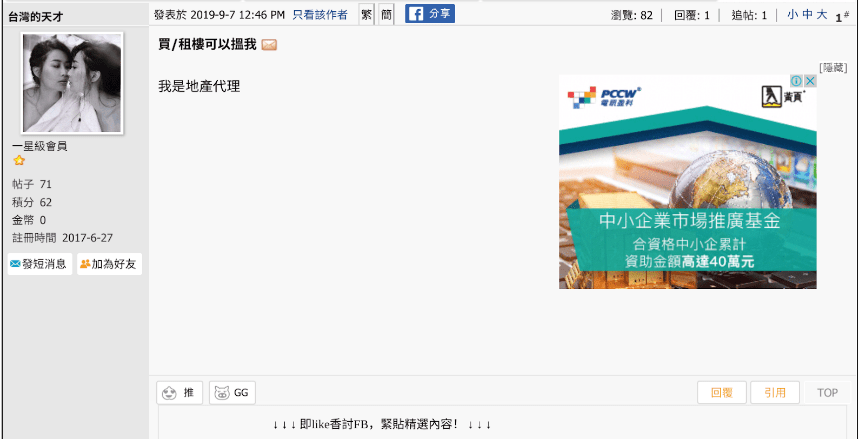
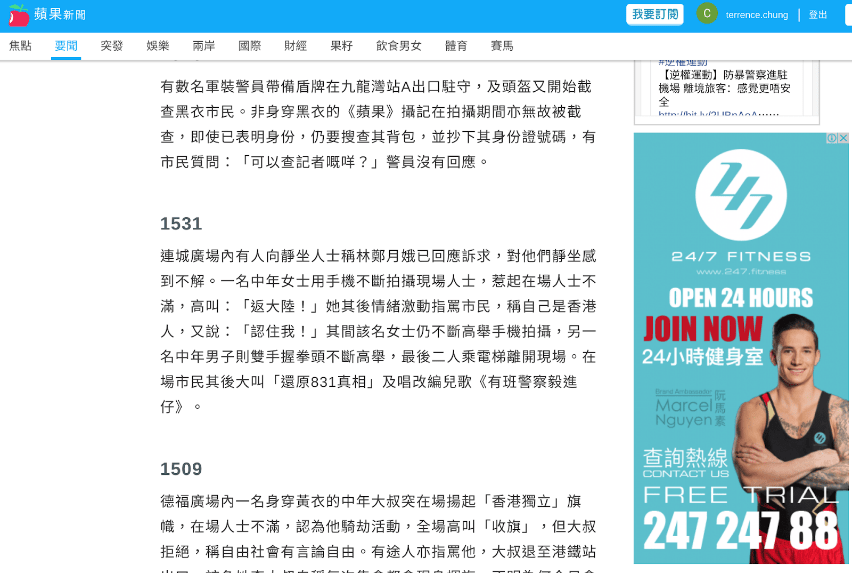
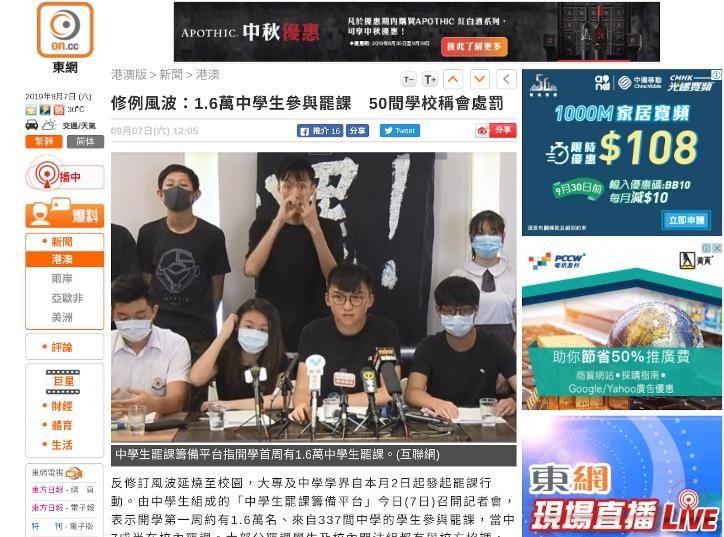
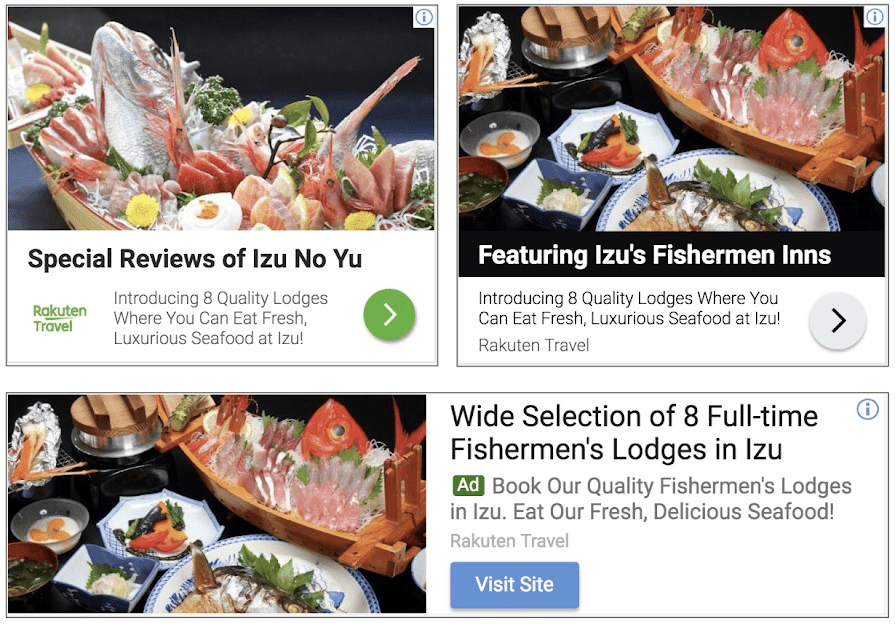
Search ads capture people who are already looking for you — Google Display Network (GDN) ads put your brand in front of them everywhere else: news sites, forums, apps and video partner sites. This guide covers how GDN works in 2026, every format it supports, how to set up your first campaign, and the optimisation habits that stop it quietly burning budget. The most common GDN ad style is image ads (often referred to as banner ads). Here are some examples of the banner ads.
Quick answer: what is the Google Display Network (GDN)? GDN stands for Google Display Network. It is the ad inventory Google sells across partner websites and apps through AdSense and AdMob, plus YouTube and Gmail, and Google's own help documentation now sizes it at 35 million websites and apps. (Plenty of guides still quote an older figure of around 2 million sites.) You buy it with image, responsive or video ads, priced per click or per thousand impressions (CPC/CPM), with Smart Bidding such as Maximize conversions and a target CPA available too. Uploaded banners are capped at 150 KB and must be JPG, PNG or GIF, in one of about 20 fixed sizes. In Hong Kong we normally open a Display campaign with a max CPC bid limit of HK$3 to HK$8. GDN is Google's channel for visual, brand-building and remarketing ads, as opposed to search.
Is the Google Display Network being discontinued in 2026?
No — the Google Display Network itself is not going away. What Google is retiring is the standalone Display campaign type. GDN inventory now lives inside Demand Gen and Performance Max, which serve image, video and carousel creative across YouTube, Discover, Gmail and the Display Network with AI-driven targeting instead of manual placement and topic controls. Since March 2025, Demand Gen has channel controls, so you can pick which surfaces (including GDN) your ads run on. Timeline: from June 2026 a migration tool inside Google Ads moves existing Display campaigns into Demand Gen; after that you can no longer create new standalone Display campaigns, and any remaining eligible campaigns are auto-migrated into Demand Gen after that. Existing Display campaigns stay editable and keep running until they are migrated. For an advertiser today, the network and formats live on — you simply reach GDN inventory through Demand Gen and PMax. See Google Ads Help, "Google Display Network integration with Demand Gen".
How do I know whether the banner ads are from Google Display Network?
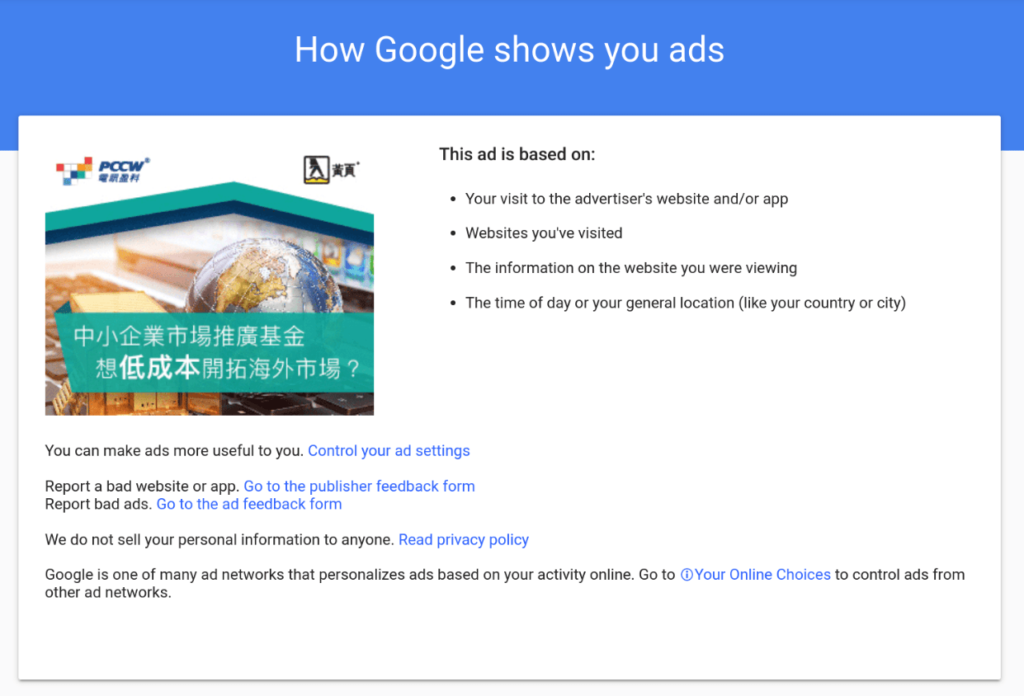
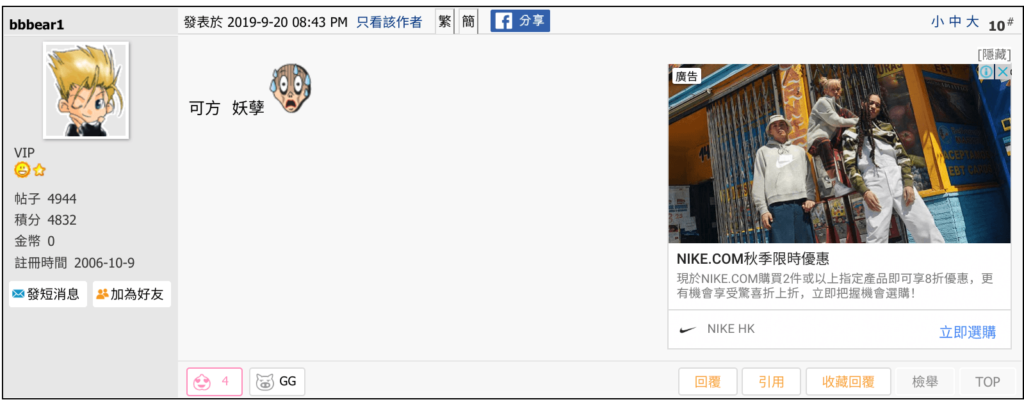
Look at the above examples from on.cc and you will see a lot of banner ads on the layout, but how do we know which banner ads are from the Google Display Network? In most cases, GDN ads carry a small info (ⓘ) or AdChoices icon in the corner. Click it and you will see “My Ad Center” with wording like “Ad by Google” — that banner is served through the Google Display Network.
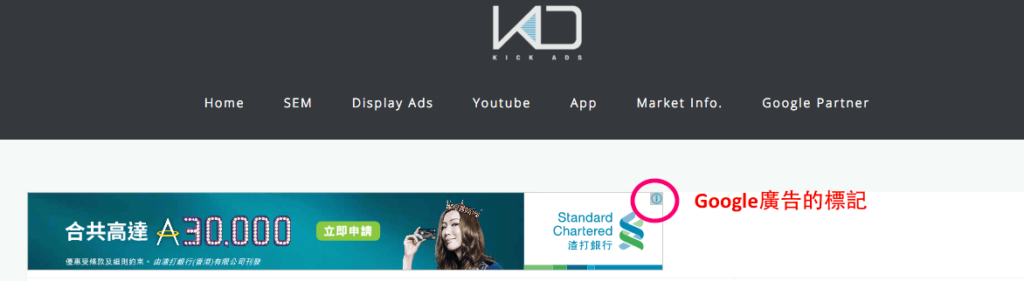
From that same My Ad Center panel, you can see why you are seeing the ad. If you spot a competitor's ad, it is worth clicking through to see how the ad targeted you.
How Does the Google Display Network Work?
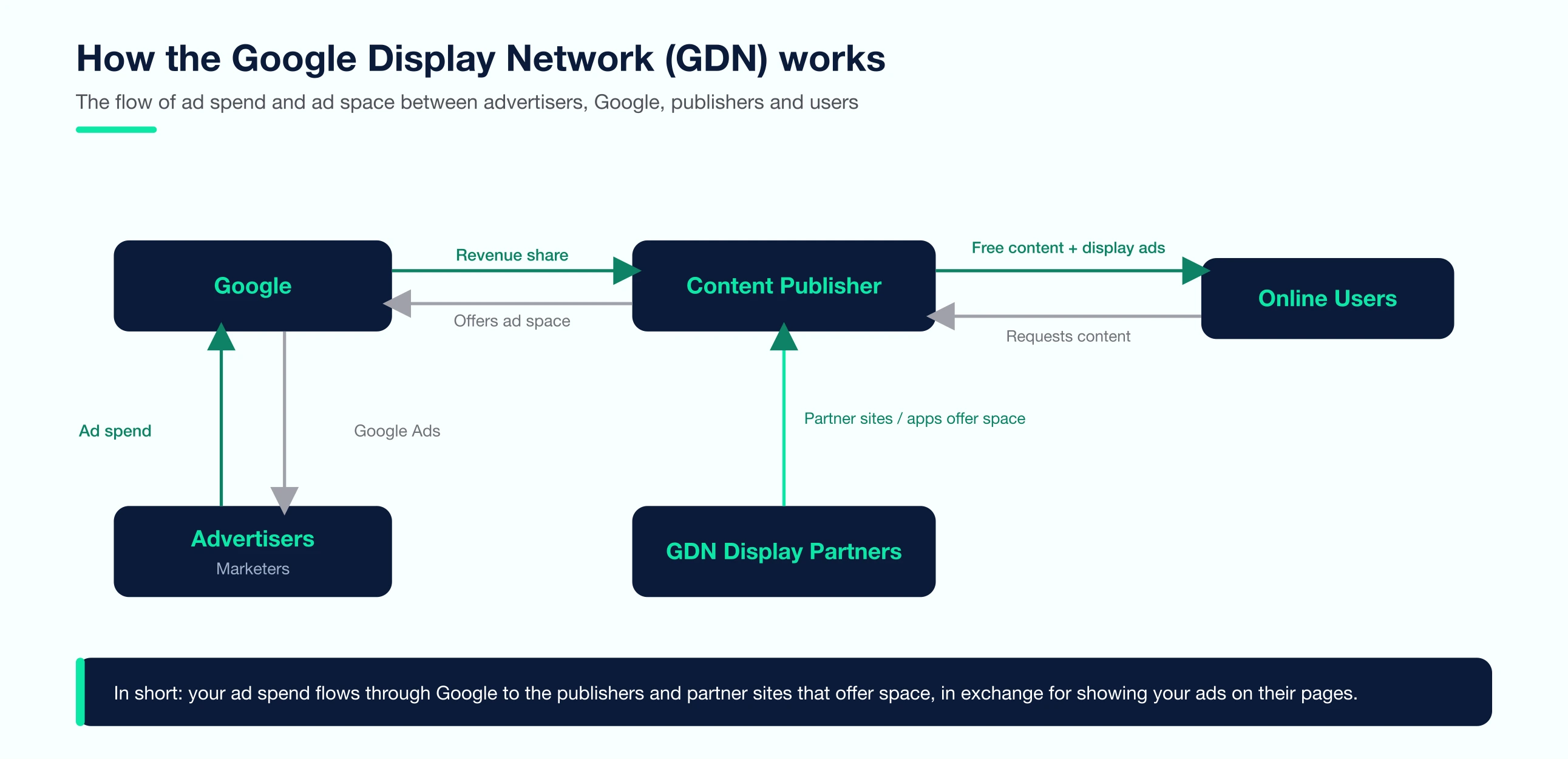
Google works with websites and mobile apps through AdSense and AdMob. Site and app owners give ad space to Google and share the advertising revenue. Local sites like on.cc, LIHKG and Uwants are the kind of place you will see Display Network inventory (the exact roster changes over time). Advertisers can place banner ads (Banner ads) on these sites through the Google Ads platform, which is what we often call GDN banner.
The Display Network spans a vast network of websites and apps around the world. You can place the ads on particular websites or mobile apps, reaching different target audiences with different interests and devices.
GDN (Google Display Network) ads Presentation Style
Text ads
Text-only ads are not available on the Display Network. Instead you use Responsive Display Ads: you supply text plus image assets and Google assembles them into the ad. I don’t like relying on the old text-only display ads. First, the performance (measured by click-through rate and conversion rate) isn’t good. Second, I find it unattractive and it looks low-quality and unappealing.
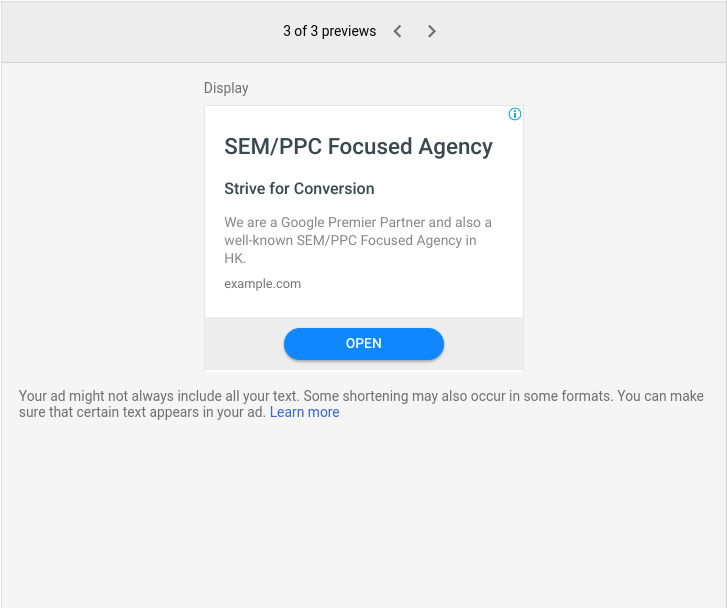
Image ads
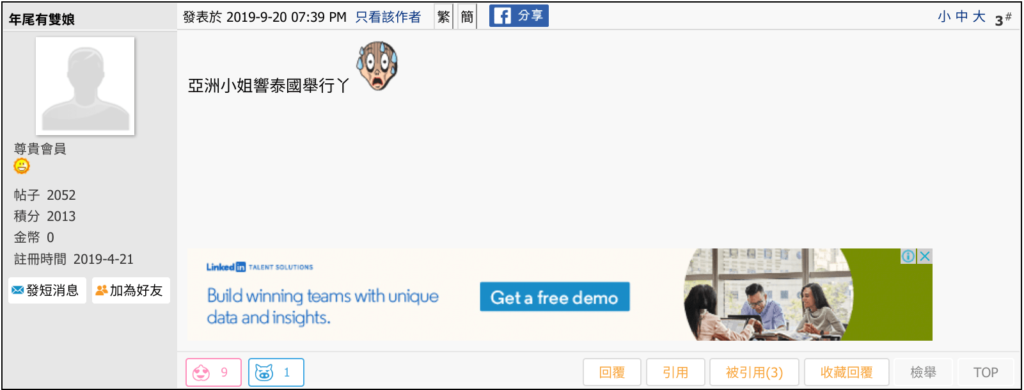
This is the most common GDN ad style. We call it GDN banner, banner advertising, or GDN. You can set up image ads in Display Campaign. And you can choose to render your ads in a dynamic or static format. Compared to the old text-only display ads, this is undoubtedly more appealing.
Video ads
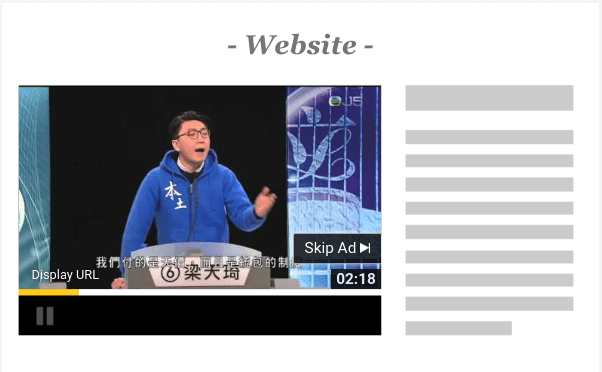
This type of advertising is very similar to pre-roll and mid-roll video ads in YouTube. However, it is not played in YouTube, but on the other GDN websites. As with the text ads, you can’t set a GDN ad for a video in Display Campaign, but you can check “Video Partner on the Display Network” when setting up a Video ad. In this way, in addition to having your video ads displayed in YouTube, your ads will also be displayed on some GDN websites or mobile apps (Video Partner). Note that you can’t choose to run video ads through Video partners, a Display Network option you select within a Video campaign alongside YouTube.
Responsive Display ads
You can set up a Responsive Display Ad in Display Campaign. This is different from the pure text GDN ads or image GDN ads; this form of advertising often presents text and images together in one ad. The advantages of this Responsive Display ads are that they will adjust the size, format and length of the ad space automatically to fit in most websites or mobile apps. Also, advertisers can upload multiple images, titles and descriptions at the same time then Google will automatically show the best combination to improve your ads performance. This kind of ad is simple to make and requires less manual optimization so it is quite suitable for small and medium enterprises. It can also render as a native ad that blends into the page’s look; performance varies by placement, so test. For a full walkthrough, see our complete guide to Responsive Display Ads.
Gmail placements (now via Demand Gen)
Standalone Gmail (GSP) campaigns were discontinued back in 2021 — today you reach the Gmail inbox through Demand Gen campaigns, which also cover YouTube and Discover. For the full story, read our guide to Gmail ads today.
Worth knowing in 2026: Demand Gen is effectively GDN’s visual-first sibling — image and video creative across YouTube, Discover and Gmail with lookalike segments. If your goal is social-style visual prospecting, compare Demand Gen before defaulting to classic Display.

GDN banner sizes, file specs and character limits
Quick answer: Google accepts uploaded GDN banners as JPG, PNG or GIF at 150 KB or less, in about 20 fixed sizes. Responsive display ads work differently: you upload landscape (1.91:1) and square (1:1) images at up to 5,120 KB each, and Google resizes and recombines them to fit whatever slot it finds.
Most GDN guides leave this inside a screenshot. Here it is as text, from Google's uploaded display ad requirements and responsive display ad asset requirements. Checked 30 July 2026.
Every standard GDN banner size
| Group | Size (px) | Google's name |
|---|---|---|
| Square and rectangle | 200 × 200 | Small square |
| Square and rectangle | 240 × 400 | Vertical rectangle |
| Square and rectangle | 250 × 250 | Square |
| Square and rectangle | 250 × 360 | Triple widescreen |
| Square and rectangle | 300 × 250 | Inline rectangle |
| Square and rectangle | 336 × 280 | Large rectangle |
| Square and rectangle | 580 × 400 | Netboard |
| Skyscraper | 120 × 600 | Skyscraper |
| Skyscraper | 160 × 600 | Wide skyscraper |
| Skyscraper | 300 × 600 | Half-page ad |
| Skyscraper | 300 × 1050 | Portrait |
| Leaderboard | 468 × 60 | Banner |
| Leaderboard | 728 × 90 | Leaderboard |
| Leaderboard | 930 × 180 | Top banner |
| Leaderboard | 970 × 90 | Large leaderboard |
| Leaderboard | 970 × 250 | Billboard |
| Leaderboard | 980 × 120 | Panorama |
| Mobile | 300 × 50 | Mobile banner |
| Mobile | 320 × 50 | Mobile banner |
| Mobile | 320 × 100 | Large mobile banner |
You do not need all twenty. Five of them cover most of the placements a campaign will actually be offered, and they are the set worth briefing a designer on first: 300 × 250, 336 × 280, 728 × 90, 300 × 600 and 320 × 100. Our display ad file format comparison shows where each one sits on a page.
Uploaded banner vs responsive display ad
| Uploaded image ad | Responsive display ad | |
|---|---|---|
| What you supply | A finished banner in each size you want | Images, headlines, descriptions and a logo |
| File types | JPG, PNG, GIF | Images only, uploaded as assets rather than as a finished ad |
| Max file size | 150 KB, whatever the dimensions | 5,120 KB per image |
| Animation | GIF only, 30 seconds or shorter, slower than 5 FPS, must stop after 30 seconds | None |
| Sizing | Fixed, you make each one | Google resizes and reformats to fit the slot |
| Design cost | High | Low |
HTML5 and AMPHTML ads upload as a ZIP rather than an image file.
Responsive display ad asset specs
| Asset | Ratio | Recommended | Minimum | Max file size |
|---|---|---|---|---|
| Landscape image | 1.91:1 | 1200 × 628 | 600 × 314 | 5,120 KB |
| Square image | 1:1 | 1200 × 1200 | 300 × 300 | 5,120 KB |
| Landscape logo | 4:1 | 1200 × 300 | 512 × 128 | 5,120 KB |
| Square logo | 1:1 | 1200 × 1200 | 128 × 128 | 5,120 KB |
| Text field | Limit | How many |
|---|---|---|
| Short headline | 30 characters or fewer | 1 to 5 |
| Long headline | 90 characters or fewer | 1 |
| Description | Google's asset requirements page states no character limit for this field | 1 to 5 |
| Business name | Required | 1 |
Which campaign types can reach the Display Network?
Quick answer: Four. A standalone Display campaign, Demand Gen, Performance Max, and a Search campaign if you tick the Display Network box yourself. That box used to be pre-ticked; since June 2025 it arrives unselected, so older accounts often still have Display traffic running inside a Search budget.
| Campaign type | Reaches GDN | What control you keep |
|---|---|---|
| Display | Yes, that is the whole campaign | Placements, topics, audiences and exclusions. Retiring into Demand Gen from June 2026 |
| Demand Gen | Yes | Channel controls opt GDN in or out. Since March 2025 the setting sits at ad group level |
| Performance Max | Yes, automatically | Very little. You supply assets and signals, Google picks the placement mix |
| Search | Only if you opt in | Full opt-out. Leave the box unticked unless you deliberately want Display traffic inside a Search budget |
If you inherit an account and the Search campaigns are cheap on CPC but weak on conversion rate, this box is the first thing worth checking.
GDN Targeting setting
Similar to Facebook Ad, you have a lot of targeting options so you probably need to check it by yourself. In the following, I am trying to categorize countless Targeting into 6 directions.
| Targeting | What it matches | Funnel stage | Your control |
|---|---|---|---|
| Remarketing | People who already visited your site or app | Warmest | High |
| Custom segments | Keywords, URLs and apps you supply, matched by machine learning | Warm | Medium |
| Placement | Specific websites, apps or channels you name | Any | Highest |
| Interest | Long-term browsing habits and preferences | Cold | Low |
| Topic | Pages Google classifies as being about a subject | Cold | Low |
| Demographic | Age, gender, country, and household income in some countries | Layer on top | Medium |
The six are described in full below. If you are starting from nothing, remarketing and custom segments are the two to set up first.
By Demographic: Target the ads to people of different ages, genders, and countries. You can also target the ads to different income groups in some countries.
By Topic: You target broad content categories rather than hand-picking sites. Google analyses each page's content and automatically matches your ads to sites and apps about that topic. For example, if you choose Autos & Vehicles, Google serves your ads across pages it identifies as being about cars and vehicles. (Choosing the individual sites yourself is placement targeting, below, not topic targeting.)
By Placement: Place ads on a given website or mobile app.
By Interest: Google defines audiences with different types of interests based on their online browsing habits and preferences. Advertisers can place ads to audiences with selected interests.
By custom segments (formerly custom intent): Google uses machine learning to learn the behaviour of the audience. For example, to understand what users are looking at or what they are searching for. It allows the advertisers to set the target audiences that are similar to their products or services, and to advertise. You can also enter keywords, URLs, and applications that are related to your product or service to define your own target audience. Google Ads will display ads on websites, apps, and videos to the people who might be interested in those keywords.
Remarketing: Retarget customers that have interacted with you before (Mainly on Website): Display ads on GDN websites to a specific customer group by creating remarketing ads.
Setup your First GDN Ads
Note: these steps apply while standalone Display campaigns can still be created. From June 2026 Google is moving this into Demand Gen (see above), so going forward you will set up the same inventory as a Demand Gen campaign.
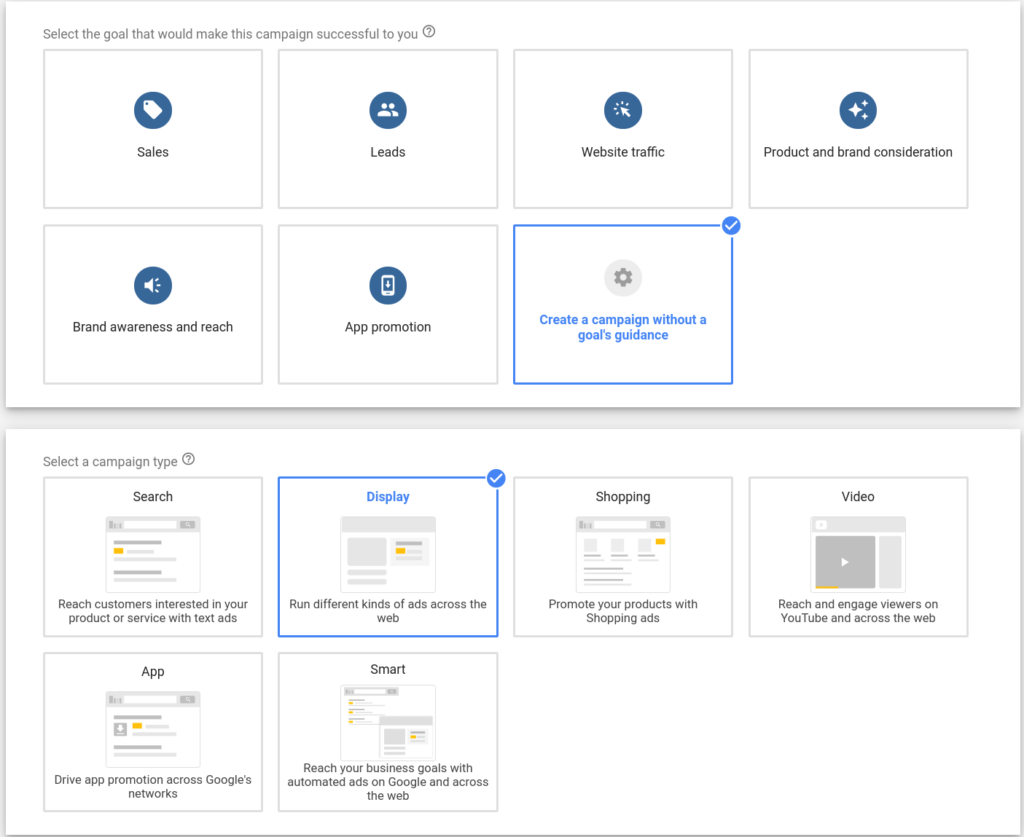
Click the blue + , Add A New Campaign
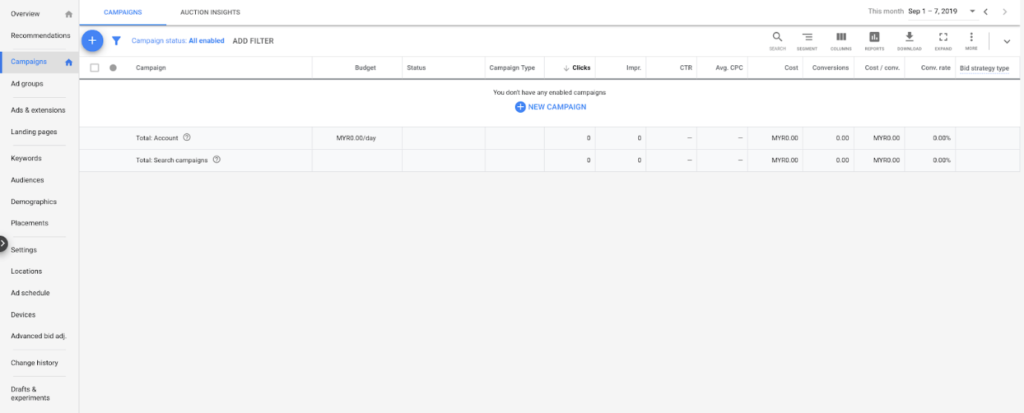
Then click “Create a campaign without a goal’s guidance” and choose “Display”
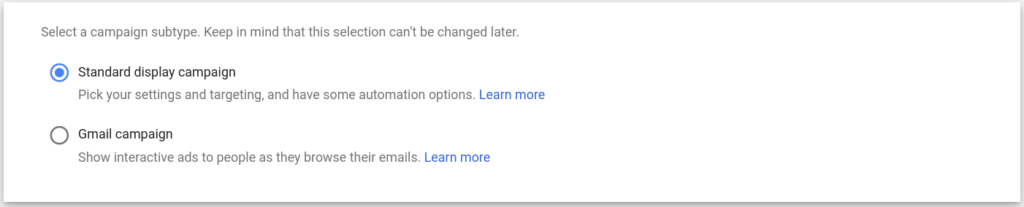
Then we need to go to the setting of the campaign and select Standard Display campaign (Smart Display was folded into it in 2022, so Standard is simply the Display campaign now)
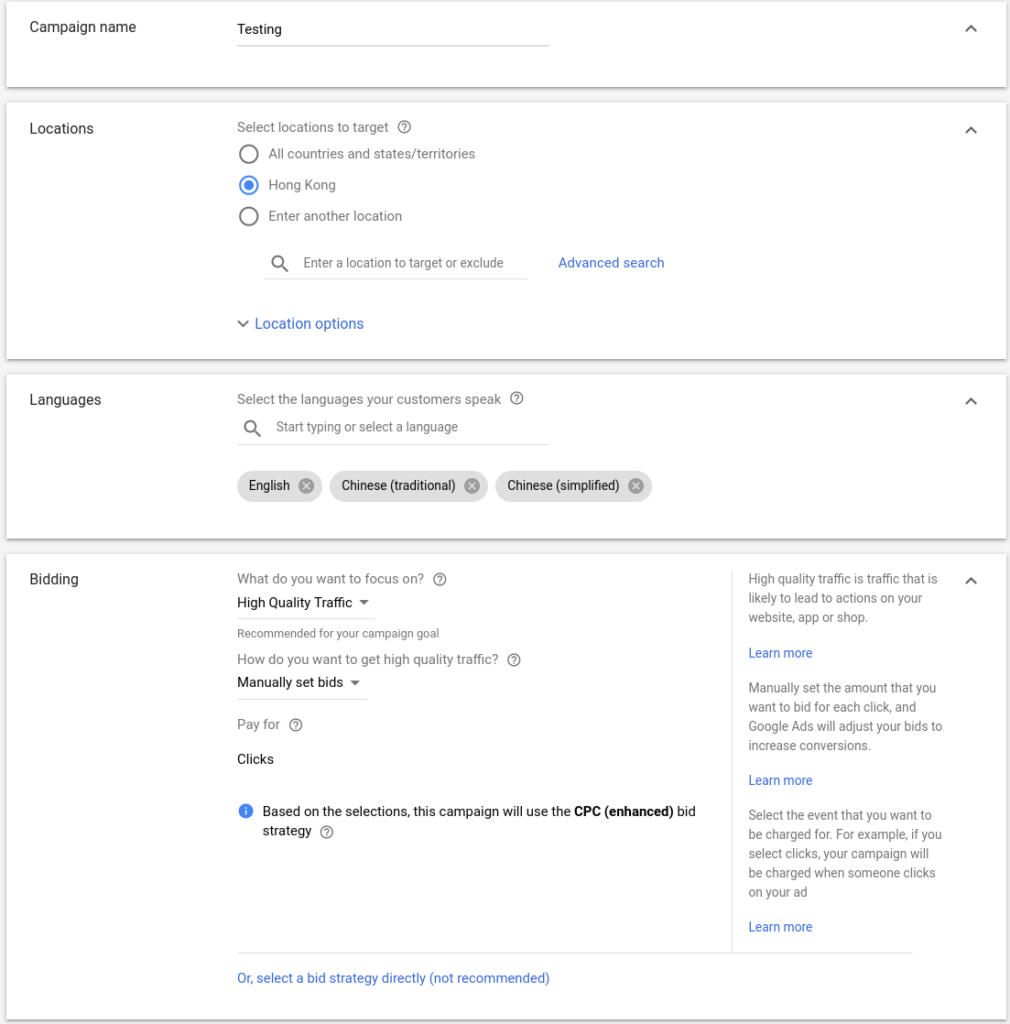
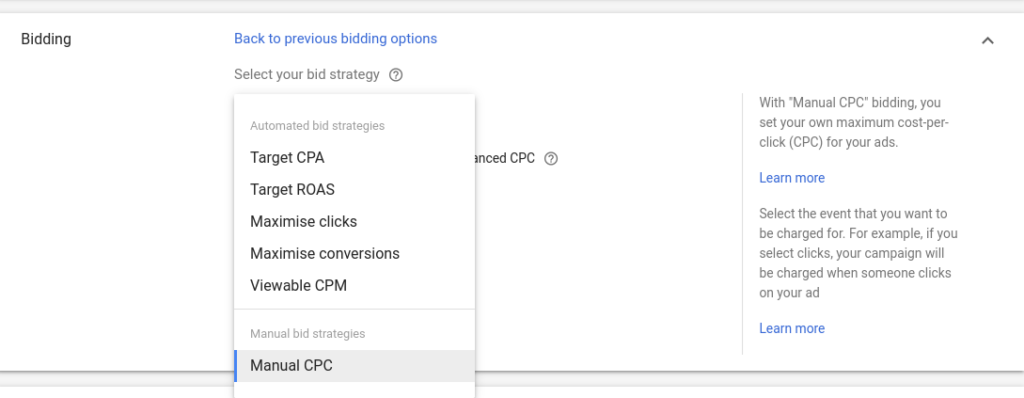
Change the name of Campaign, and then choose Languages. For Bidding Part, I personally suggest you choose “Or, select a bid strategy directly” so you can directly choose which bidding strategy you prefer.
If you have a very clear picture on how much you can spend for one conversion, then choose Maximize conversions with a target CPA (formerly Target CPA) and let Google work on it. If you only want to get as many as clicks as possible especially at the early stage of your campaign, then choose maximise clicks with maximum cost per click bid limit ( Suggestedly HKD$3 – HKD$8 based on your targeting for HK Campaign). For a deeper comparison of manual and automated options, see our Google Ads bidding strategies guide.
The next step is targeting. As described above, you can choose the relevant targeting methods, including audience, demographic, keyword, topics, and placement. If you want to have a step by step walkthrough on how to setup Targeting, feel free to watch this Chinese video “GDN廣告 – 如何設定目標對象” (Quoted from <<GDN廣告 (Google 多媒體廣告) 要怎樣做>>)
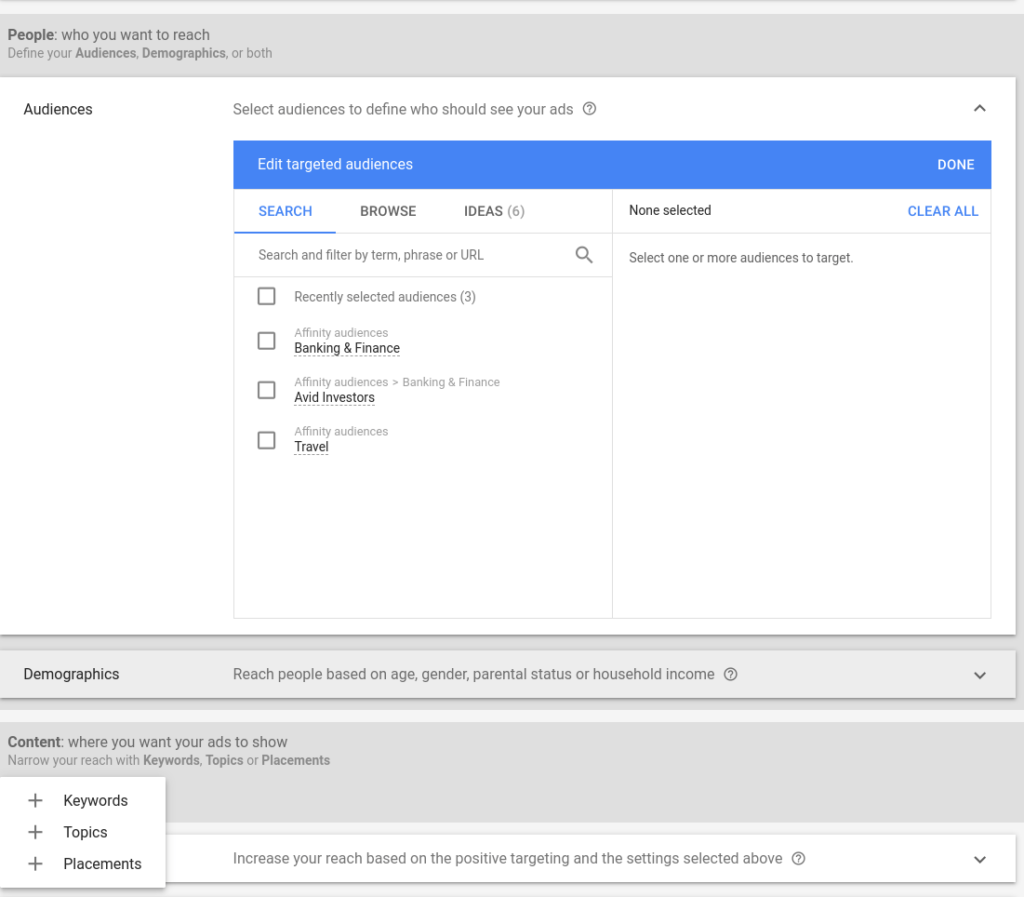
The next step is optimized targeting (the renamed targeting expansion). We recommend turning it off at the start — it automatically widens your targeting and spends more; switch it on only after conversion data proves the core audience works. In Ad Group Bid, it is recommended to invest HK$3.5 first. In the GDN campaign, since you don’t have Keyword Level, we suggest you modify Bidding on Ad Group Level.
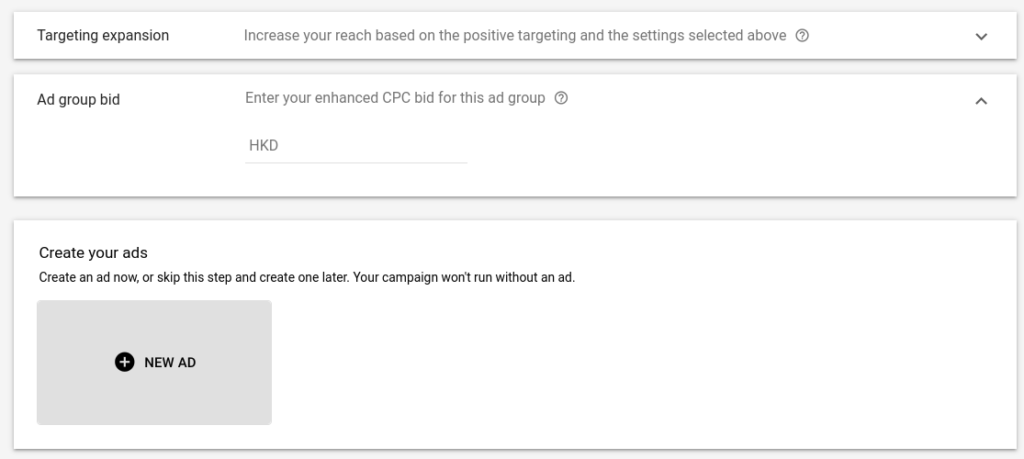
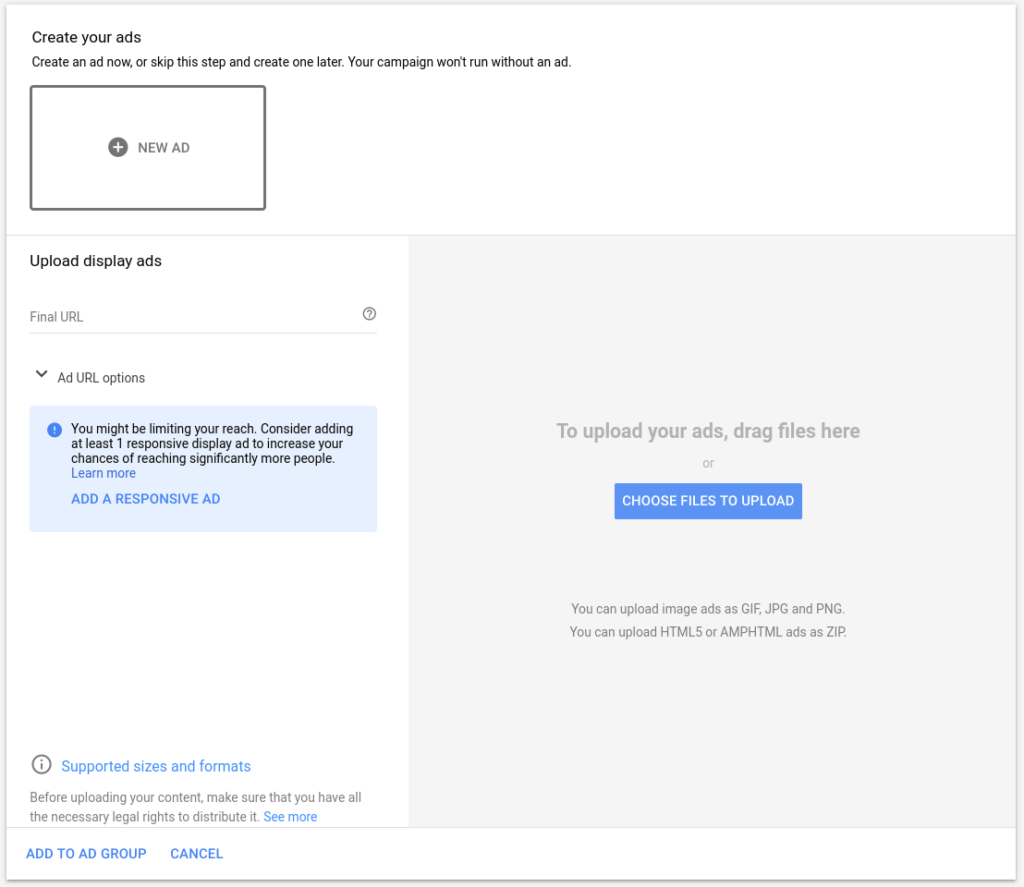
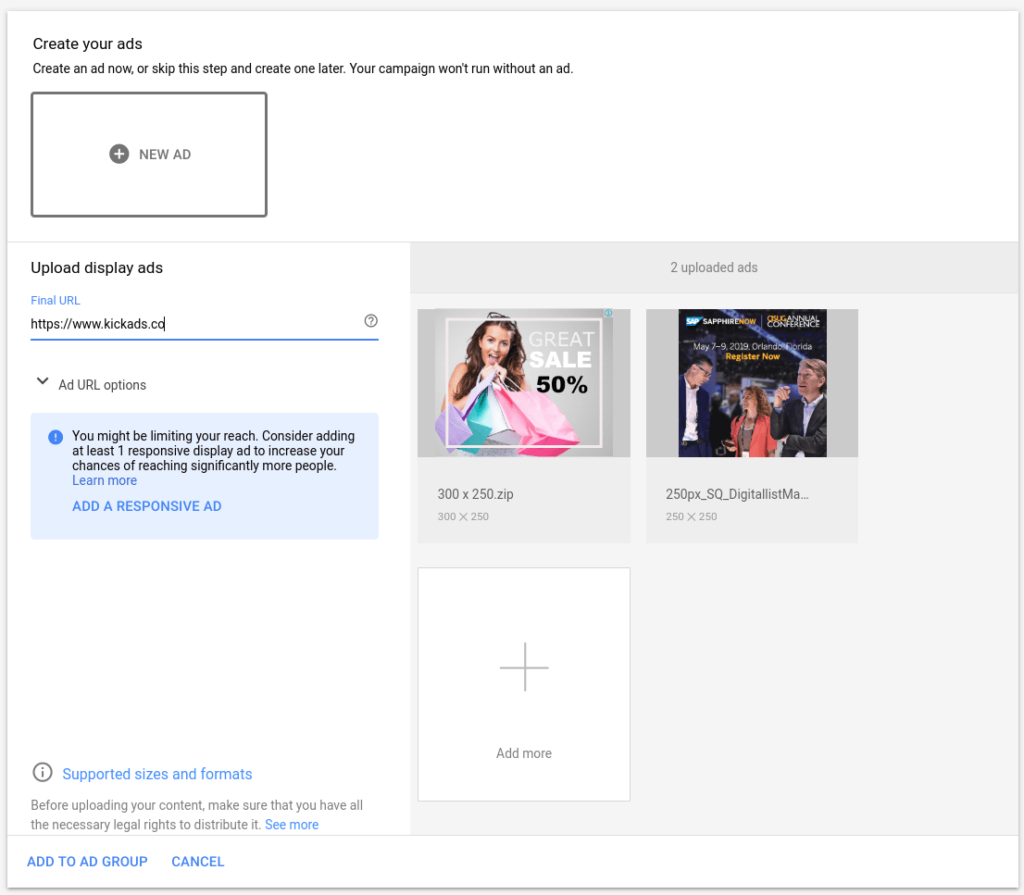
For “Create Your Ads” part, if you don’t have a well-designed visual, you can choose Responsive Display Ad. This is based on the images, text and videos you have uploaded, allowing the system to automatically build your ads. If you want to use your own creative, you can use the JPG, PNG, GIF and HTML5 formats. Remember that the file size should below 150kb, and the dimension is 300×250, 728×90, 336×280, 300×600 or 320×100. These dimensions cover most of the common placements.
If you want to learn more about GDN Size and Format, Feel free to check <<Which display ads file format should you adopt?>>
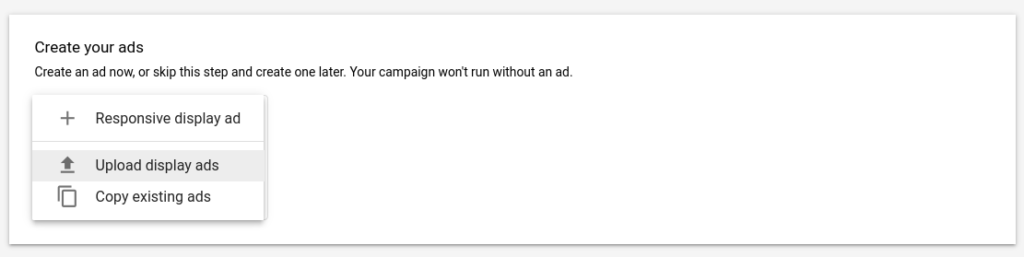
If you have the visual, you can upload the file directly and set the Final URL (landing page).
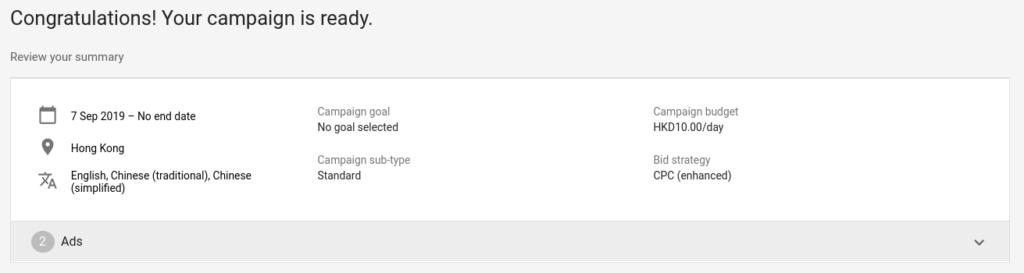
Congratulations when you are seeing this because you have already set up the GDN ads!
Google Display Network best practices
Quick answer: The habits that decide whether GDN works are mostly defensive. Exclude mobile app placements, keep Display out of your Search budget, upload the five high-inventory sizes rather than one, and review the placement report on a fixed schedule instead of when something looks wrong.
| Practice | Why it matters |
|---|---|
| Run Display in its own campaign | Display CPCs and conversion rates look nothing like Search. Mixed into one budget, cheap Display clicks flatter the average and hide what Search is really doing |
| Exclude mobile app and game placements | Accidental taps in games convert at close to nothing outside remarketing |
| Upload all five common sizes, not one | A single 300 × 250 makes you ineligible for most of the inventory you are bidding on |
| Run a responsive display ad alongside your uploaded banners | The uploaded set controls how the brand looks, the responsive ad picks up the slots your fixed sizes cannot fill |
| Start with remarketing before prospecting | Warm audiences prove the offer and the landing page work before you pay for cold reach |
| Turn optimized targeting off at launch | It widens the audience and spends more before you have conversion data worth learning from |
| Send remarketing and cold traffic to different pages | Someone who abandoned a cart does not need the explainer page again |
| Put placement review on a calendar | New content farms and low-quality sites appear all the time, so a fixed monthly sweep catches them earlier than waiting for a bad month to prompt one |
The four tips below go into more detail on the ones with the biggest effect on spend.
Four Tips to optimize your Display Ads
Start with Remarketing
If you have never tried a GDN ad and you don’t have high monthly budget, I would suggest running a remarketing GDN ad (remarketing) to see the results. Simply put, remarketing ads are advertising to guests who have had interaction with you (for example, someone who visited your site or even added a product to a shopping cart). If these guests who have a certain understanding of you cannot be converted into customers, let alone the cold customers? This, for SMEs, we suggest to place remarketing GDN before expanding the audience of the ads.
If you want to know more about the use of remarketing ads, please read our article (in Chinese) <<GDN Remarketing 廣告教學>>
Use custom segments to find potential customers
Compared to defining the target audience by interest or demographics alone, custom segments (the merger of the old custom intent and custom affinity audiences) are more precise and the performance is significantly better.
Here's the current flow, from an ad group's audience settings:
Step 1: In the audience settings, choose Custom segments → New custom segment.
Step 2: Name the segment (e.g. "Digital Marketing Lover") and, under interests or purchase intentions, enter relevant terms (e.g. Google Ads, Google Analytics, GTM).
Step 3 (optional but recommended): Add URLs under "people who browse websites similar to" (e.g. ads.google.com) and apps under "people who use apps similar to" to tighten targeting. The Segment insights panel on the right estimates weekly impressions, gender and age in real time.
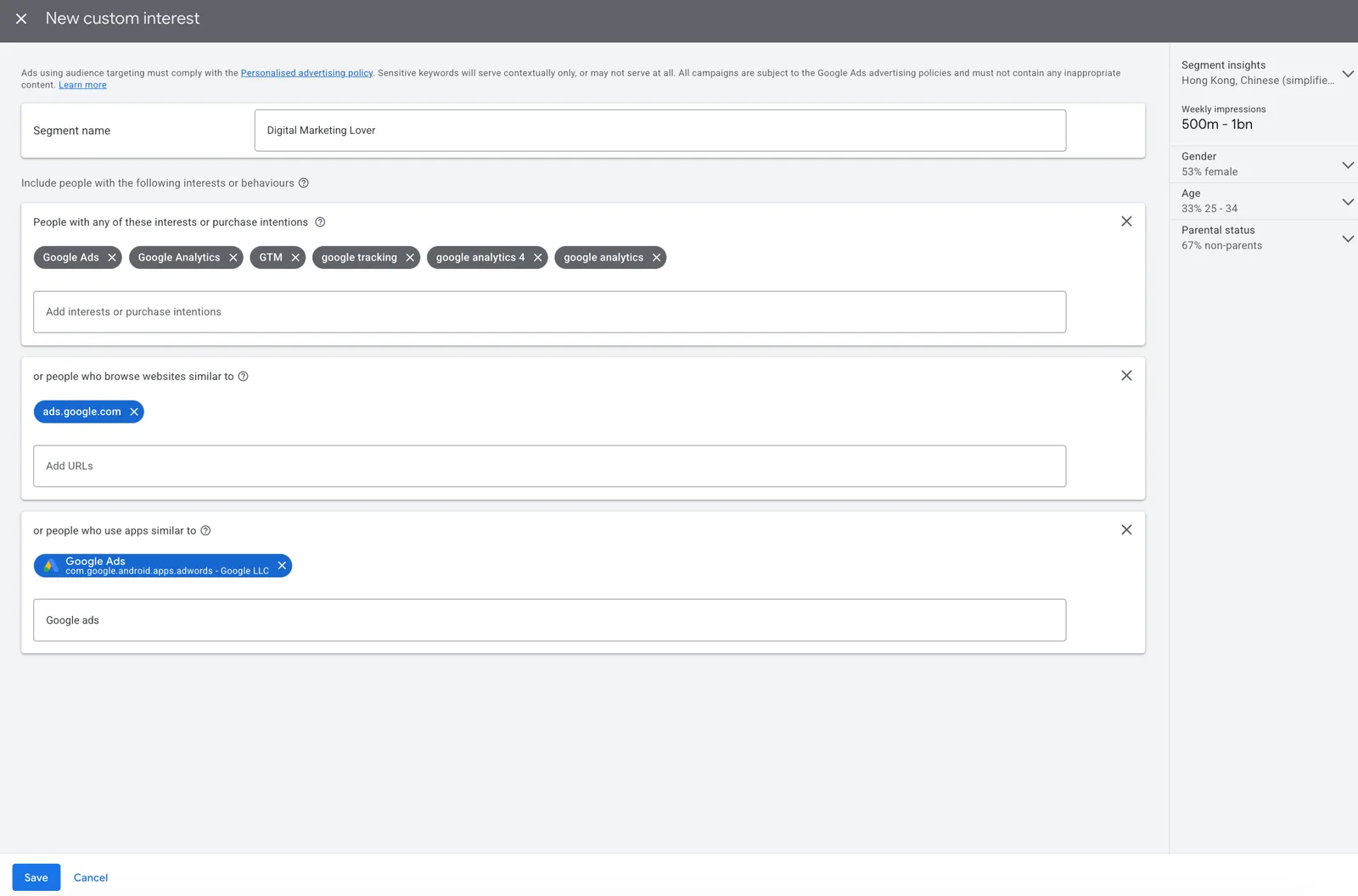
Save, and Google finds people whose interests and search intent match these topics, far more precise than interest or demographic targeting alone.
Exclude ill-Performed Placement (Especially Mobile Game)
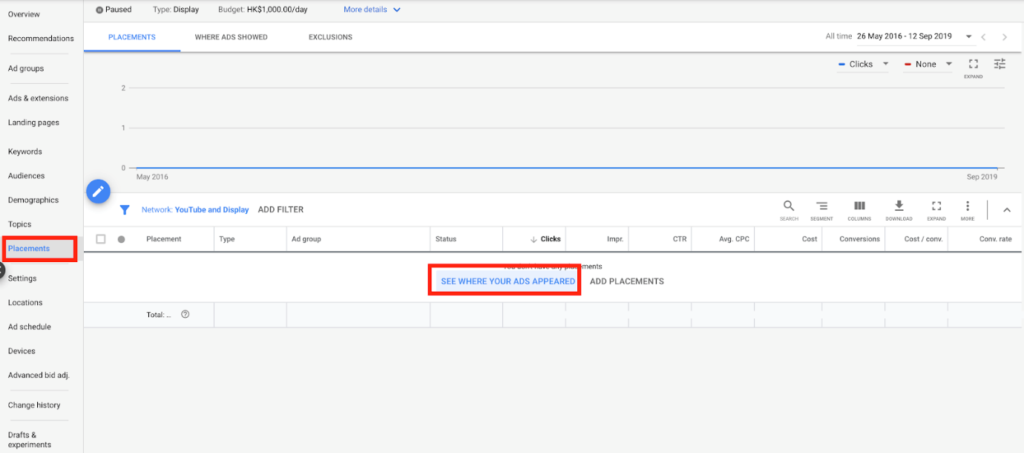
Go to the GDN Campaign’s Choice Placement. Click on “Where Ads Shown” or “See Where Your Ads Appeared” (see the picture above) and you will see a lot of placements as shown below.
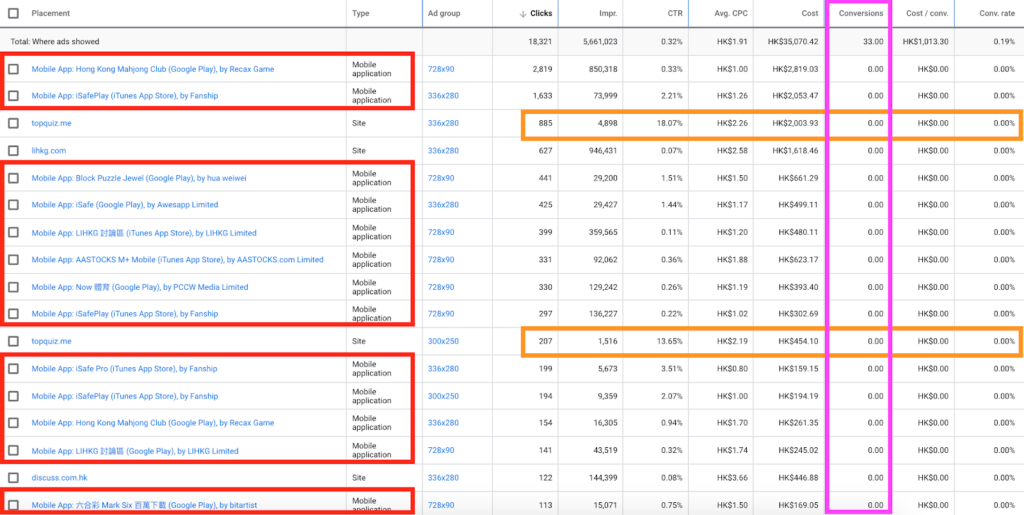
You will see that there are a lot of placements that are Mobile Applications. The conversion rate on the Mobile App is very low, unless you are going to do remarketing ads. Otherwise, I suggest excluding Mobile Apps. You could exclude “adsenseformobileapps.com” to block all mobile apps in the past, but Google removed that option in 2018 — today you exclude individual app placements, or use the campaign’s content suitability settings.
Other websites’ placements should also be checked because some websites may be content farms or strange websites. The quality of these placements is generally poor. Remember to exclude these options. For example, topquiz.me CTR goes to a 10+%, they may have a lot of overlays. So, remember to exclude it as well.
Check your CTR and CPC regularly
No matter how well-designed your ad is, you will get aesthetic fatigue from seeing it so many times. When you see your CTR drop significantly and CPC skyrocket, you probably need to change the Ads and/or Copies. Check the overall CTR regularly to see if it falls to a very low level. If yes, consider changing the creatives to make it more attractive. It is very hard to tell what is low level which really depends. You will have better idea if you monitor your campaign on a regular basis.
FAQ
What is the Google Display Network (GDN)? GDN is Google's vast network of partner websites and apps that show display ads through AdSense and AdMob. Advertisers place banner ads on these sites through the Google Ads platform.
How do I know if a banner ad comes from the Google Display Network? Most GDN ads carry a small info or AdChoices icon in the corner. Click it and you will see My Ad Center with wording like Ad by Google, which means the banner is served through GDN.
What ad formats does GDN support? Image (banner) ads, responsive display ads that adapt to the ad space automatically (Google assembles your text and image assets), and video ads on Display Network video partners. Gmail placements are now reached through Demand Gen campaigns.
How much should I bid per click for GDN ads in Hong Kong? If you use maximise clicks bidding, set a maximum cost per click bid limit of roughly HK$3 to HK$8 depending on your targeting. Once you know your average cost per conversion, you can switch to Maximize conversions with a target CPA.
Should I show GDN ads in mobile apps? In most cases, exclude mobile app placements, as their conversion rate is very low unless you are running remarketing. Also review website placements regularly and exclude content farms and low-quality sites.
What does GDN stand for? GDN stands for Google Display Network, the ad inventory Google sells across partner websites and apps through AdSense and AdMob, plus YouTube and Gmail. It is the visual counterpart to search ads.
How many websites are on the Google Display Network? Google's own Display Network help page puts it at 35 million websites and apps, plus Google-owned properties including YouTube and Gmail. A lot of guides still quote an older figure of around 2 million sites.
What are the standard GDN banner sizes? Google accepts about 20 fixed sizes. The five worth building first are 300 × 250, 336 × 280, 728 × 90, 300 × 600 and 320 × 100, which between them cover most of the placements a campaign gets offered.
What file type and file size does a GDN banner need? JPG, PNG or GIF, and 150 KB or less whatever the dimensions. Animated GIFs must run 30 seconds or shorter, slower than 5 FPS, and stop after 30 seconds. HTML5 and AMPHTML ads upload as a ZIP instead.
Do Search campaigns show ads on the Display Network? Only if you tick the Display Network box in the campaign settings. Google used to pre-tick it; since June 2025 it arrives unselected, which is worth checking on any account you inherit.
Ready to grow with Google Ads?
Kick Ads is a certified Google Partner agency in Hong Kong. Google Partner agency since 2017 — we manage Search, Shopping, PMax and Meta for Hong Kong and Malaysia businesses.
Google Display Ads Management in HK →Google Ads Management — Full Service →
Worried your Display ads are showing on junk placements? We can review your placements, audiences and targeting to stop the wasted impressions. Message us on WhatsApp or book a free strategy call →.

About the author
Terrence Chung · Co-Founder, Kick Ads
Terrence is an ex-Googler, paid media and SEM trainer. He has managed Google Ads for ecommerce and lead generation businesses across Hong Kong and Malaysia since 2017, working closely on account strategy and optimisation direction.