Seedance 2.5 BytePlus Lumina: HK$18 Per AI Video
By Frankie Chan, Co-Founder · Updated 11 August 2026 · 22 min read
Jump to section
- What is Seedance 2.5 and how do you use it from Hong Kong?
- Seedance vs Dreamina vs 即夢 vs Lumina: which one do you sign up for?
- What Seedance 2.5 really costs on Lumina (HK$)
- Tutorial: your first ad video on Lumina, step by step
- How we tested: 20 generations, one control prompt
- Generated text always fails, and here are the receipts
- The trademark trap: describe "luxury skincare" and get Estée Lauder
- The Hong Kong test: streets, Cantonese, Chinese prompts
- What it nails and where it breaks for real campaigns
- Ten prompt rules from 20 real runs
- Is it stable enough for production work?
- Where the prompt pack went
- Will Meta actually approve it? Specs and review
- Verdict: HK$18 a video, if you know what to avoid
- FAQ
Most Seedance 2.5 coverage is demo-reel commentary: cherry-picked clips, no prices, no failures. We buy paid social for businesses in Hong Kong, so our question is narrower and more expensive. Can this model produce ad creative that a client signs off and Meta accepts, and what does one usable video cost in HK$? To find out, we ran 20 real generations on BytePlus Lumina with our own credits: product commercials, dim sum, a Hong Kong street scene, Cantonese voiceover, logo and label references, and a stability series. This guide covers how to use Seedance 2.5 from Hong Kong, the real per-video cost, a step-by-step tutorial, every failure we hit with the frames to prove it, ten prompt rules drawn from those runs, and six prompts you can paste straight into Lumina.
30-second verdict: 460 credits per 10s 720p clip, roughly HK$18; 720p is the ceiling. Product and food footage are the strengths; all on-screen text is added in post; Cantonese voiceover is usable. Every claim below comes with its clip.
What is Seedance 2.5 and how do you use it from Hong Kong?
Quick answer: Seedance 2.5 is ByteDance's video generation model. From Hong Kong you use it through BytePlus Lumina (ai.byteplus.com/lumina): sign up, buy credits, prompt, download an MP4. Output caps at 720p.
Seedance 2.5 is the latest version of ByteDance's text-to-video and image-to-video model, the same family that powers ByteDance's consumer video tools in the mainland. For a Hong Kong business the access question matters more than the model lineage: the route you can actually sign up and pay for is BytePlus Lumina, ByteDance's international platform.
What Lumina hands you is production-shaped output rather than a research demo. Every clip we generated came down as an H.264 + AAC MP4 at 24fps and roughly 6.8Mbps, with synchronised generated audio and sound design baked in. Vertical is true native 9:16, and 1:1 is also native; the model composes for the frame instead of cropping a 16:9 render, which matters for Reels. The ceiling is 720p. There is no 1080p option on Lumina, and we cover what that means for Meta and YouTube placements later in this guide.
The interface offers two modes, Creation and Director. Everything in this article was generated through the standard creation flow, prompt in, MP4 out, with reference images attached where a test called for them. Audio can be switched off per generation, and after each run the seed appears under Adv Params, which becomes relevant when you care about repeatability.
One warning before you start: the capability gap is wide and undocumented. The model renders food, streets and skin beautifully, and fails on-screen text every single time. The 20 runs below map that gap.
Seedance vs Dreamina vs 即夢 vs Lumina: which one do you sign up for?
Quick answer: Same model family, different storefronts. 即夢 (Jimeng, marketed internationally as Dreamina) is ByteDance's mainland consumer product. BytePlus Lumina is the international platform that Hong Kong users can register and pay for. If you are in Hong Kong, sign up for Lumina.
The naming confuses almost everyone, so here is the untangling. Seedance is the model. 即夢 is ByteDance's consumer app for the mainland market, and Dreamina is its international-facing name; both run on the same model family. BytePlus is ByteDance's enterprise cloud arm, and Lumina is BytePlus's creative platform where Seedance 2.5 is exposed to international users.
For Hong Kong the practical difference is payment and access. 即夢 is built for mainland users; Lumina takes an ordinary sign-up and international billing, and everything in this article, pricing included, was measured there. When you see 即夢 tutorials quoting credit costs, those numbers do not transfer to Lumina: the two platforms price the same model differently, and as the next section shows, the difference is material.
What Seedance 2.5 really costs on Lumina (HK$)
Quick answer: On BytePlus Lumina, a 10-second 720p Seedance 2.5 video costs 460 credits, roughly HK$18.
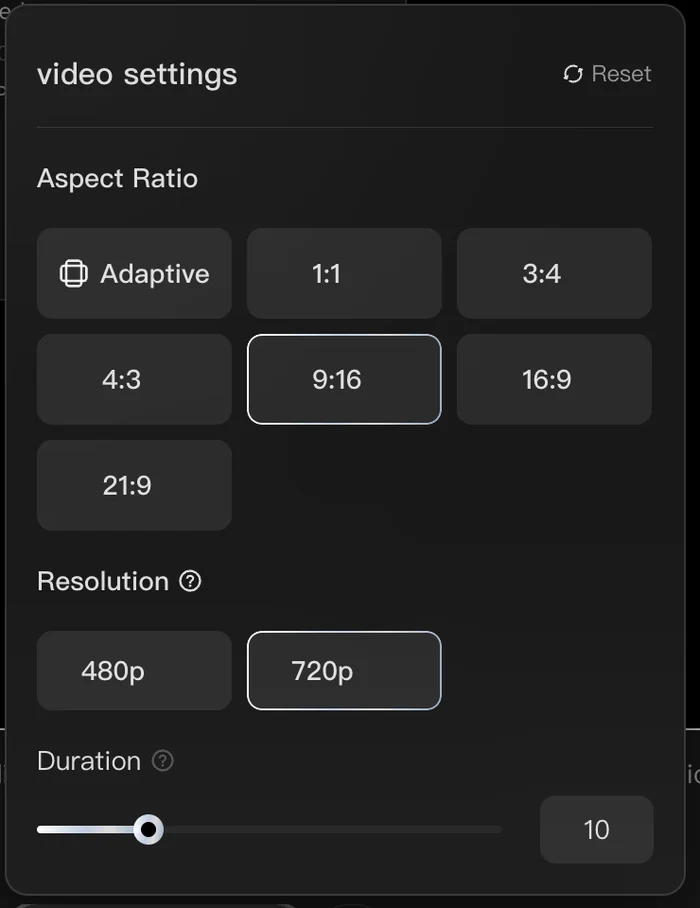
Lumina's pricing is linear and easy to plan around: 480p costs 21 credits per second, 720p costs 46 credits per second. Aspect ratio changes nothing, so a 9:16 Reel costs the same as a 16:9 landscape cut. Duration is the only other lever. 480p at half the price is a preview format; for anything going live, use 720p.
| Output | Credits | ≈ HK$ at Ultra-plan rates |
|---|---|---|
| 10s, 480p | 210 | ~HK$8 |
| 10s, 720p | 460 | ~HK$18 |
| 30s, 480p | 630 | ~HK$25 |
| 30s, 720p | 1,380 | ~HK$53 |
We are on the Ultra plan, US$239 for 48,200 credits, which works out to about HK$0.038 a credit. Every HK$ figure here uses that rate.
The HK$ column uses the Ultra plan as the yardstick: US$239 per month buys 48,200 credits, which works out to about 104 ten-second 720p Reels, or roughly HK$18 each. A 30-second 720p video is 1,380 credits, about HK$53, or US$6.84 at the same rate.
How does that compare with Dreamina? We have not paid for Dreamina ourselves, so these are reported figures, not our measurements: rar.design's Seedance 2.5 guide and Geekpark put a 30-second video at 780 credits on Dreamina's ¥239 monthly plan, which works out to roughly US$11.6 per video. Against Lumina's US$6.84 for the same length at 720p, Lumina comes out about 40% cheaper per video at plan prices. If you want to verify the cost table yourself, open a Lumina account and a single 480p test clip at 84 credits will settle it.
Two budgeting notes from our own runs. First, rejected prompts cost nothing: when the content filter blocks a generation, no credits are deducted, which makes debugging blocked prompts free. Second, the real unit of cost is not one video but two to three, because output quality varies take to take on identical input. Price a "usable" 10-second Reel at HK$36 to HK$54 and you will rarely be surprised.
If you want to follow along with the tests below, you can open an account on BytePlus Lumina and start on a smaller plan; the credit mathematics scale the same way.
Tutorial: your first ad video on Lumina, step by step
Here is the full path from nothing to a downloadable ad clip, as we actually ran it.
1. Sign up and choose a plan. Registration at Lumina is a standard email flow with international billing. Credits arrive on the account immediately.
2. Pick a mode. You will see Creation and Director. Everything in this guide used the standard creation flow, which is where prompt-to-video and image-to-video both live.
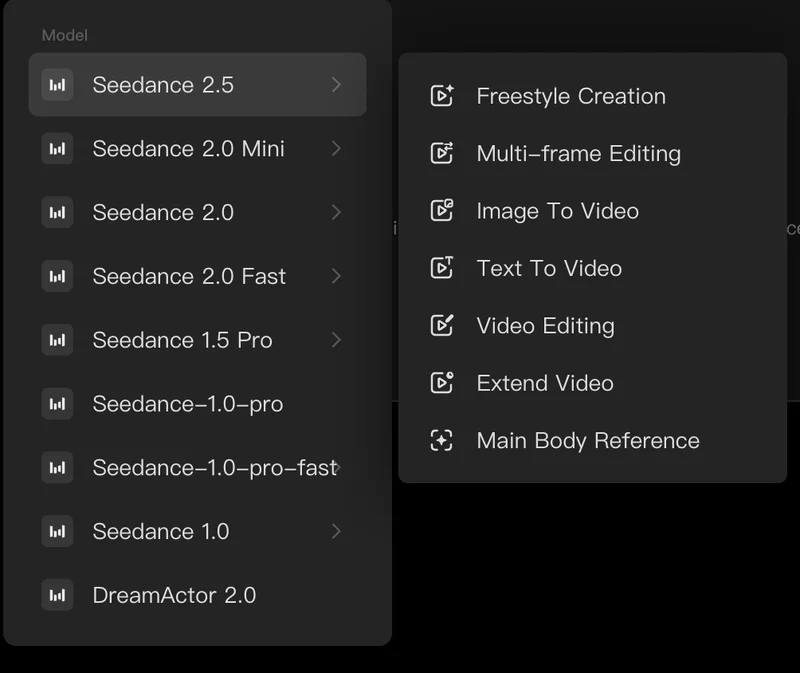
3. Set the output in the UI, never in the prompt. Aspect ratio, resolution and duration are all picked in the interface. This is not a style preference: in one of our runs the prompt requested 9:16 vertical while the UI sat on its default, and the clip shipped 16:9. The prompt text has no authority over output settings. Choose 9:16 and 720p in the controls for a Reel, and treat any ratio wording inside the prompt as decoration.
4. Write the prompt scene by scene. The prompts that worked for us all share one shape: numbered scenes with second ranges, one camera action per scene, a visual-style paragraph, and a technical-requirements paragraph listing what must not appear (text, logos, faces, warping). Section 10 gives you six complete examples to copy.
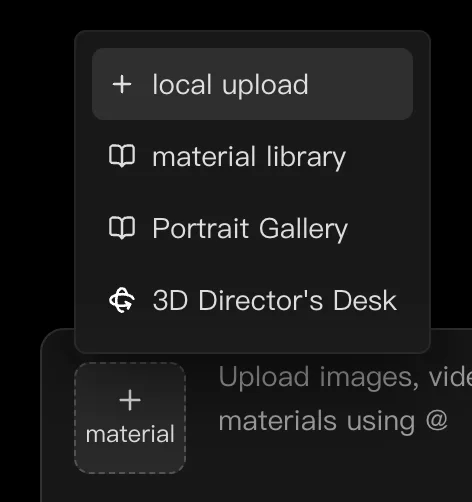
5. Attach references if you have a real product. Image To Video accepts an attached reference image, and this is the single most important feature for advertisers: it is the only reliable way to get your actual product, label or logo into the clip. One honest UI wart from our testing: the "Main Body Reference" menu item was unresponsive whenever we tried it, so plain image attachment did all the work.
6. Generate, then judge the take. A 10-second 720p run costs 460 credits. When it finishes, check three points before you spend another credit: does the first frame work as a hook, does the middle hold together (hands, clothing, geometry), and does the final frame sit still long enough to carry a text overlay. The seed for the run is shown under Adv Params if you want to record it.
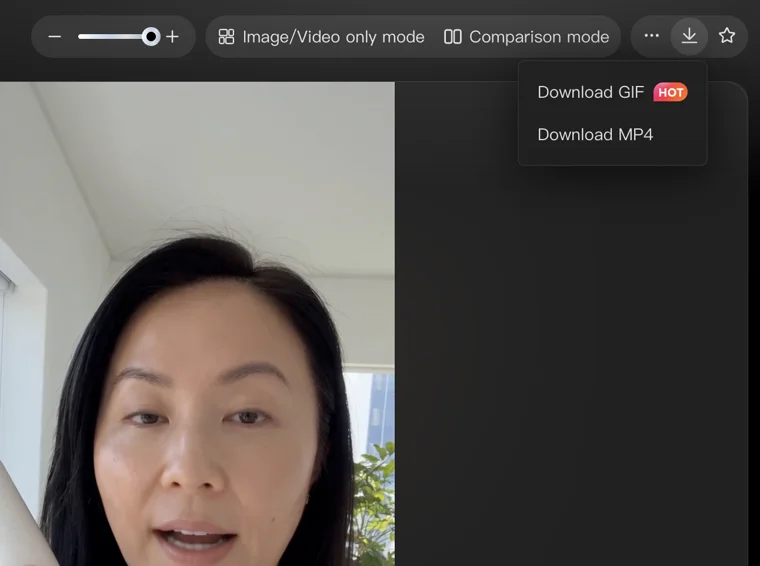
7. Download and finish in post. The download menu sits top right, MP4 or GIF. Every clip we shipped still needed a human pass in CapCut or Canva, at minimum for the text overlay, because of what the next sections document. Subtitles follow the same rule: Hong Kong viewers mostly watch Reels muted, so you need them, and they must be added in post, because generated subtitles misspell exactly the way the end card did. Even the official prompt guide says so: for subtitles, signs and product specifications that must be completely accurate, ByteDance itself tells you to combine generation with post-production.
How we tested: 20 generations, one control prompt
Reviews of AI video tools tend to show the best take and move on. We did the opposite: we kept a control brief constant, a plain 10-second product commercial with fixed scene structure, and changed one variable per block, then added scenario runs for the ad formats Hong Kong clients actually buy. Twenty generations in total, all on Lumina, all paid for by us.
| Block | What it tested | Runs |
|---|---|---|
| A | Duration and coherence, plus what happens when settings live in the prompt | A0, A1 (10s), A3 (30s) |
| B | Native 9:16 product hero | B1 |
| C | Generated on-screen text: end cards and Hong Kong street signage | C1, C1b, C2 |
| D | Product label carried in via reference image, same input run twice | D1a, D1b |
| K | Logo carried in via reference image | K1, K2 |
| E | UGC realism: an AI face on a phone-style selfie | E1 |
| P | Ad-scenario prompts: skincare, dim sum, clinic | P1, P2, P4 |
| R | The same prompt in English vs Chinese | R1en, R1zh |
| S | Speech: Cantonese and Mandarin voiceover | S1, S2, S3 |
| ST | Stability: one product across five scenes, Extend Video | ST series |
Every claim below cites its run, and every key failure has a frame extracted from the actual MP4. Where a result went our way once and against us once, we show both.
Generated text always fails, and here are the receipts
Across 20 first-party Seedance 2.5 generations, prompted on-screen text failed in 100% of runs; text carried in via a reference image survived in roughly half.
We asked for a simple end card: our own brand name with a price. The model rendered "KICK ADDS HK$299". We then re-prompted with the brand spelled out letter by letter, K, I, C, K, space, A, D, S. Same result: "KICK ADDS". Two runs, two misspellings of a four-letter word the prompt could not have made clearer.
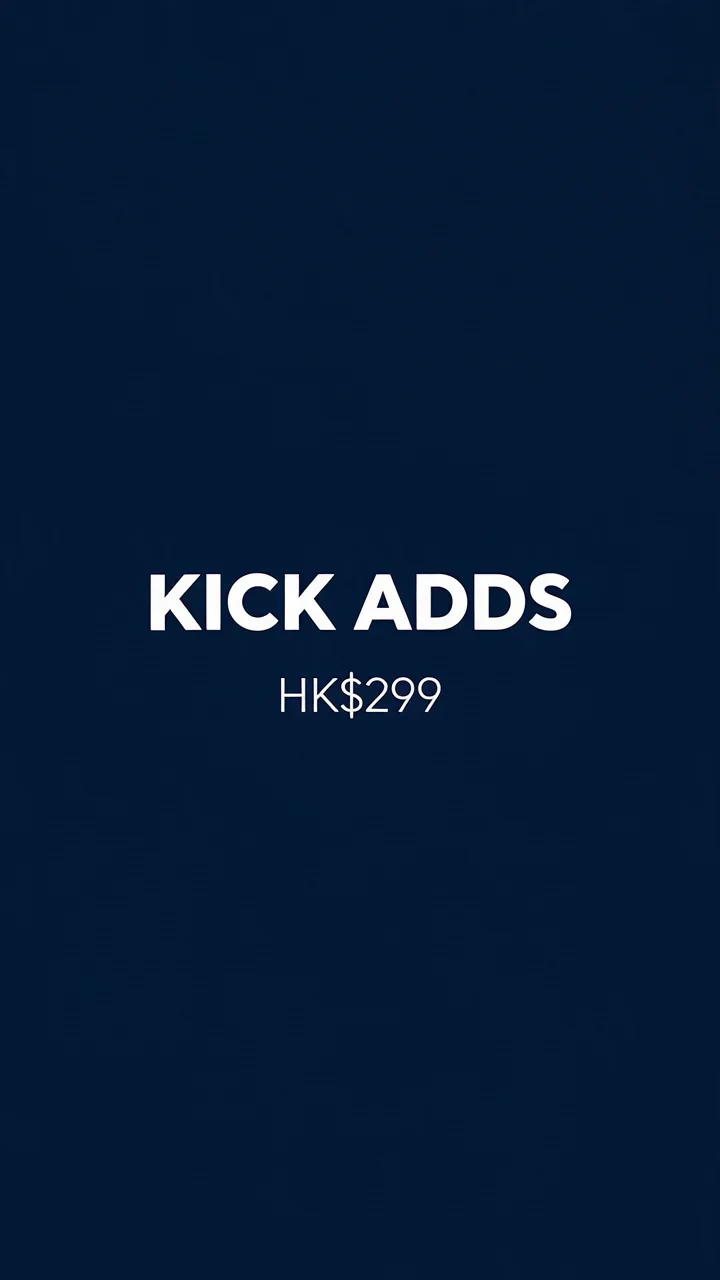
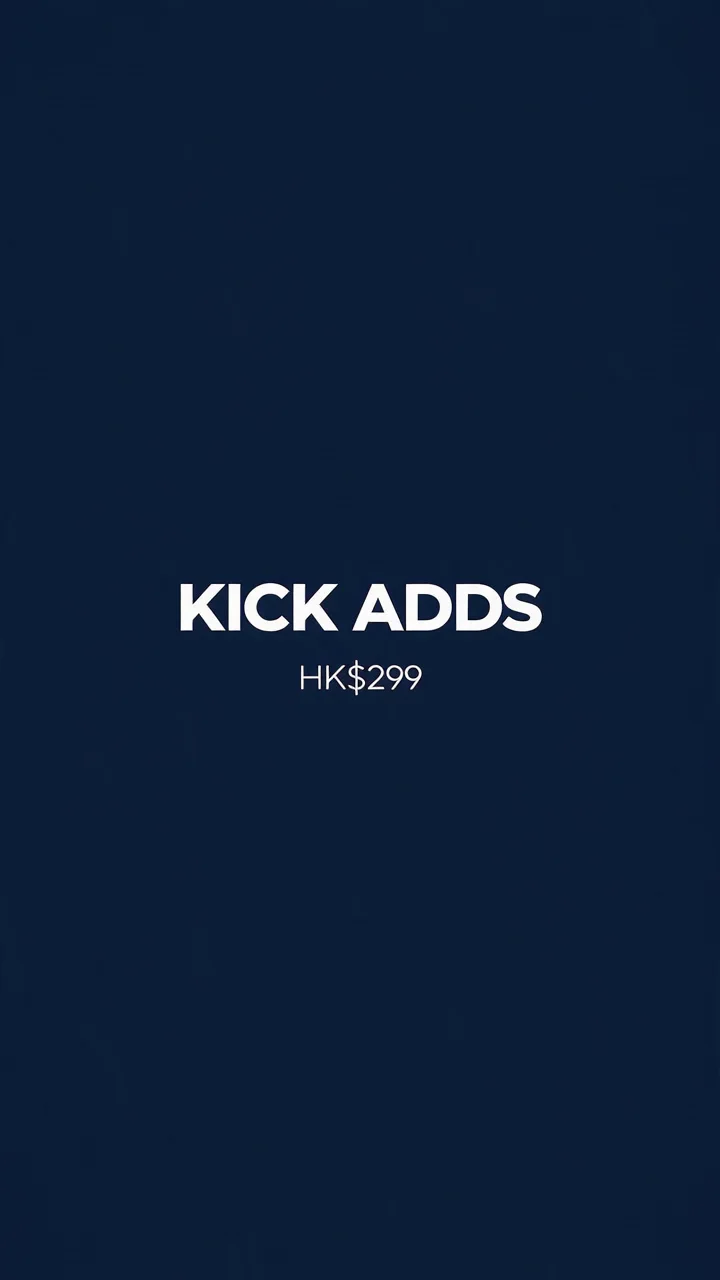
Chinese is worse. In our Hong Kong street run, every background neon sign rendered as pseudo-characters: shapes with the density and stroke feel of Chinese that resolve into nothing when you look closely.
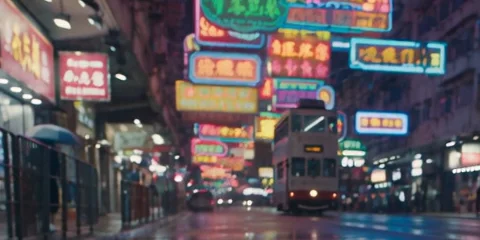
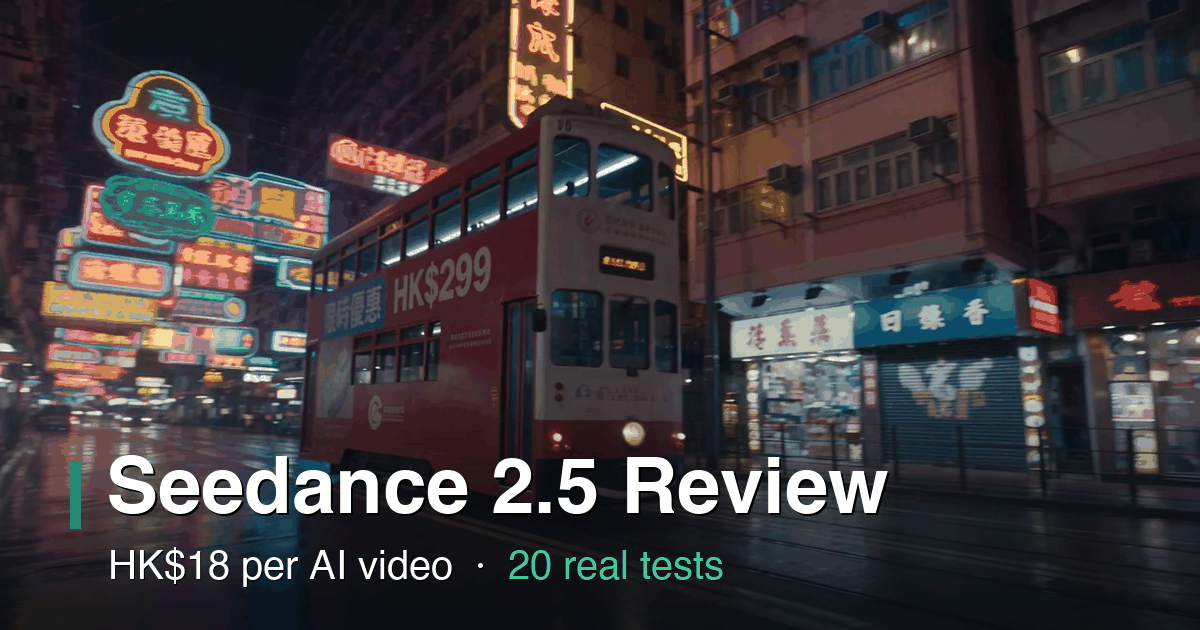
The tram banner in that same run is the most interesting failure we recorded, because it is temporal. At the 7-second mark, the specified "HK$299" renders perfectly on the tram's side. Two and a half seconds later, in the same take, the Chinese banner reads 限時優 followed by a fourth character that has morphed into something between 惠, 喜 and 嘉. Latin letters and digits were reliable; the specified Chinese got three of four characters right, with the fourth changing shape between frames.
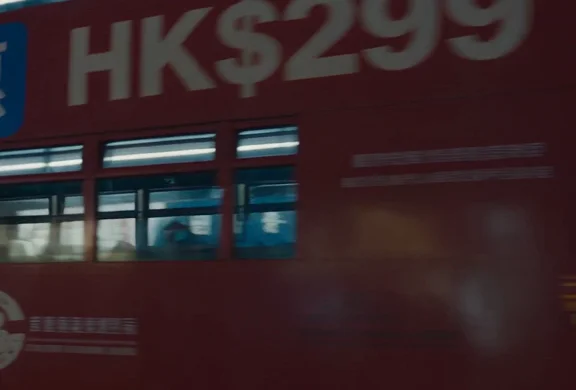
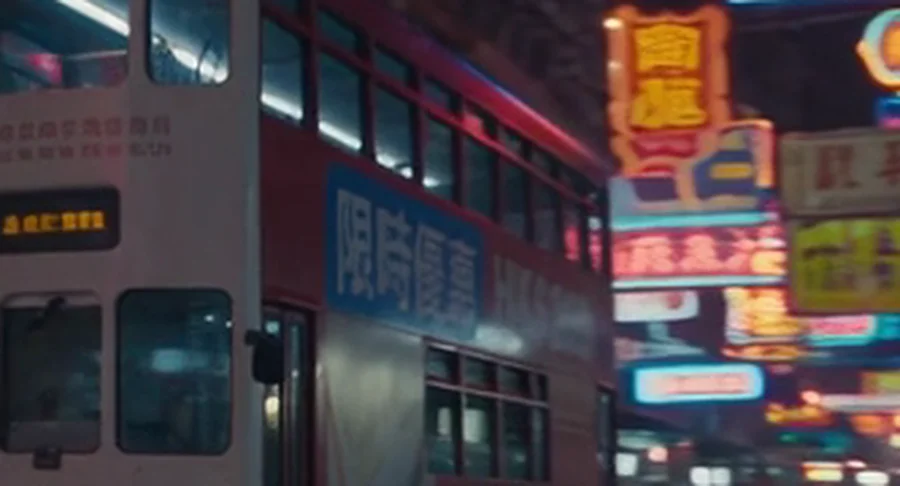
Geekpark's coverage credits Seedance 2.5 with improved text rendering for commercial content. Our frames say otherwise for anything an advertiser would actually typeset: the model does not write text, it paints shapes that resemble text, and the shapes are not stable across frames.
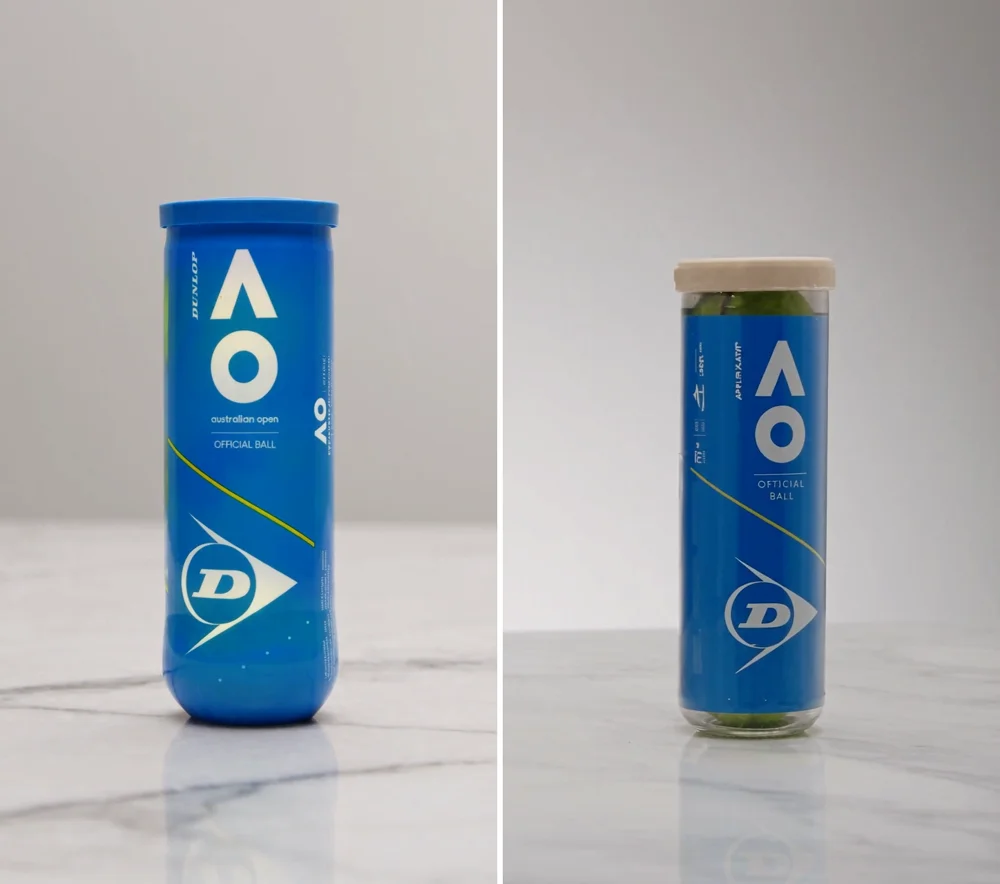
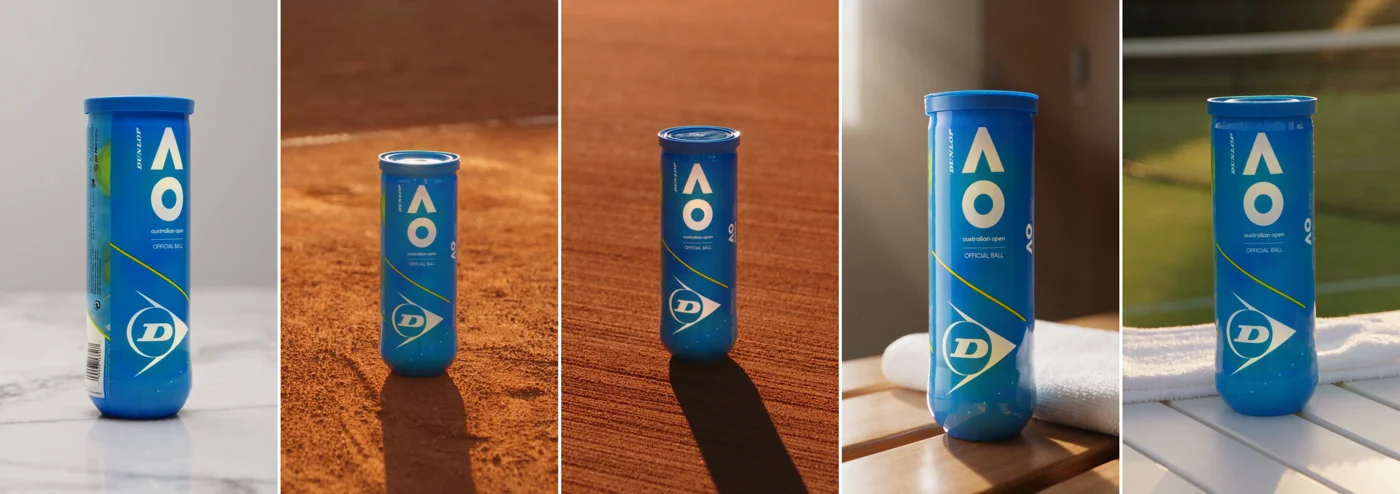
There is a recovery path, and it is a coin flip. Text carried in on a reference image can survive intact. We attached a photo of a Dunlop tennis-ball tube: in one run the label came through perfect, barcode included; in a second run with the same reference, the label read "OFICIAL BALL" and "APPLA XAYIL".
Our own logo behaved the same way. One run reproduced it intact from the reference. Another spelled it correctly but recoloured the white letters black on navy.
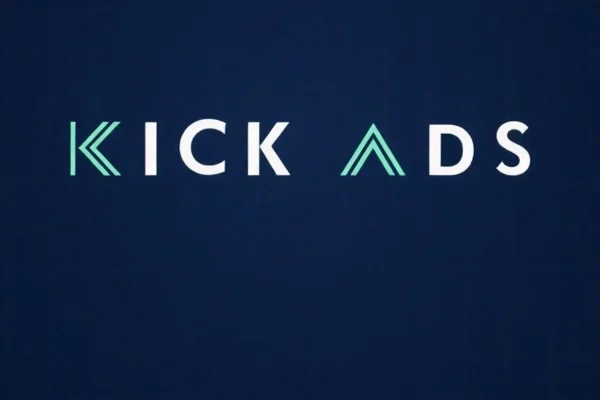
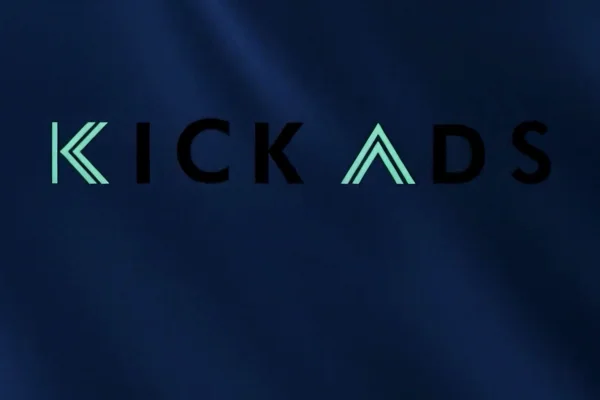
So treat reference-image text as a hit rate, not a guarantee: plan two to three takes and pick the survivor. And treat prompted text as a hard no. The working rule at our desk is simple: leave the end card blank, keep negative space in the final frame, and set the type in CapCut or Canva where it costs nothing and never drifts.
The trademark trap: describe "luxury skincare" and get Estée Lauder
This one can put you in legal trouble rather than just quality trouble. We prompted a "royal blue and gold luxury skincare" product with no brand mentioned. The model returned a bottle carrying an embossed two-letter monogram in the exact style of Estée Lauder's mark, unprompted.
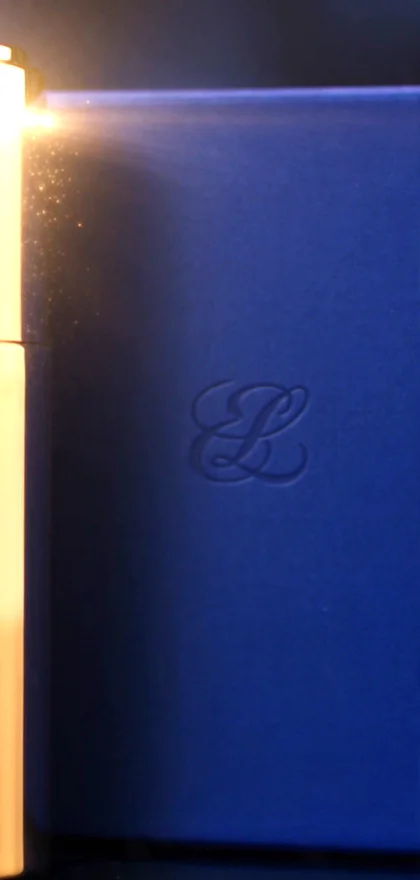
In another run, the model went the other direction and invented a brand of its own, printing "Augustine" on the product. Neither outcome is usable in a paid ad: one risks a trademark complaint, the other puts a fictional brand on your client's creative.
The cause is straightforward. Describe a product generically inside a colour space that a famous brand owns, and the model reaches for the trade dress it associates with those words. The fix is equally straightforward, and we verified it: write "plain unbranded" into the product description. Our P1 run did exactly that and came out clean, a matte white bottle with an empty label.
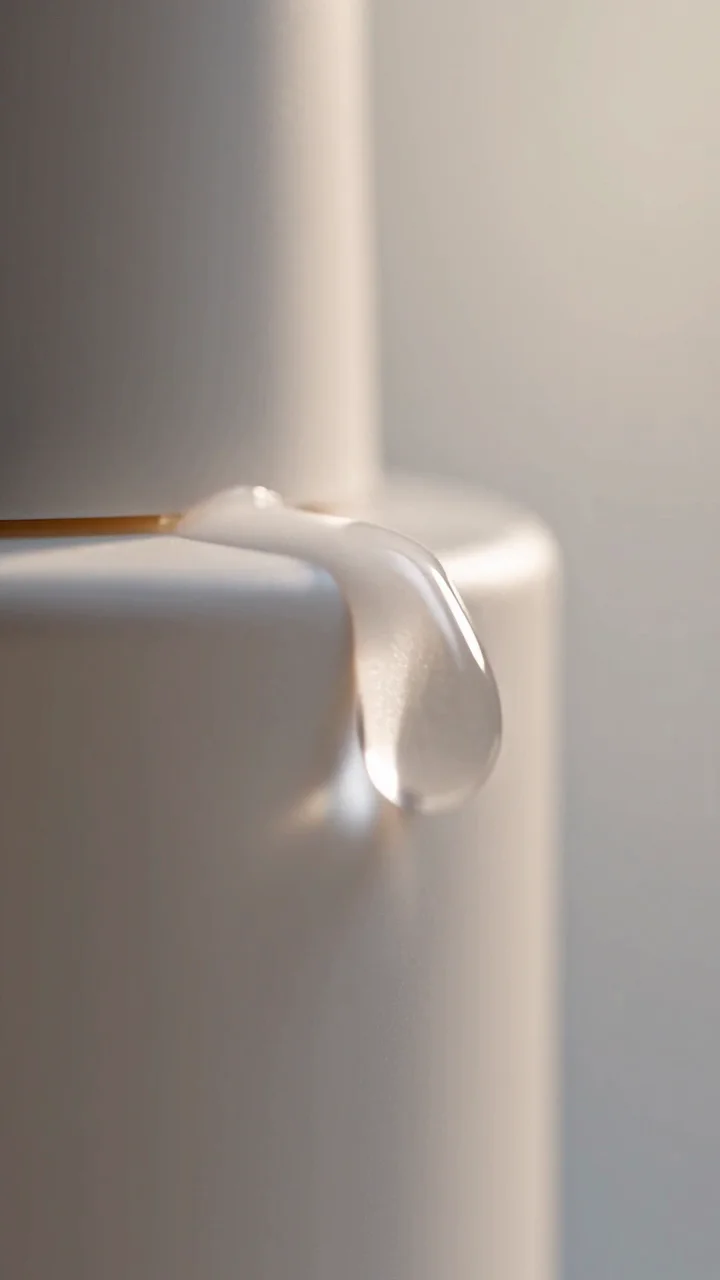
For a real brand, do not describe the product at all. Feed your actual product shot through Image To Video and let the reference carry the identity, subject to the per-take colour checks from the previous section.
The Hong Kong test: streets, Cantonese, Chinese prompts
No review we could find tests this model on Hong Kong specifics, so we did. Three findings, one of which we have not seen documented anywhere.
First, the streets. The Hong Kong street run is the most atmospheric clip of the whole test: rain, neon canyon, a double-decker tram sliding through reflections. It is also geographically fictional. The model composited a tram onto a Kowloon-style street, and trams only run on Hong Kong Island. Nine viewers in ten will never notice; a Hong Kong audience seeing an establishing shot of "their" street might. Use these scenes as mood, not as location claims.
Second, Cantonese speech works. We generated a Cantonese voiceover and it came out intelligible, correctly Cantonese, with slightly unnatural pacing. We have not seen this capability documented in any other article on this model, and for Hong Kong advertisers it changes what the tool is for: demo-grade Cantonese narration on a B-roll clip is now a prompt away. Language control is approximate, though. When we requested Mandarin in a Hong Kong context, the model returned 港式普通話 that was roughly 90% Cantonese. The likelier reading: our prompt kept the Hong Kong woman persona, and the persona beat the language instruction. If you need standard Mandarin, write a Mandarin-speaking persona. We then re-ran the test using the official dialogue formula, language, regional accent and delivery style stated before the speaker and the {line}, with the same Hong Kong persona, and this time the output was standard Mandarin. Audio has official syntax too: () for music, <> for sound effects, {} for dialogue and 【】 for subtitles. If the language of the read matters, plan to replace the audio in post.
Hear it yourself. The first clip is the Cantonese take, the second is the Hong Kong-accented Mandarin an offhand request produced, and the third is the re-test with the official dialogue formula, which came back as standard Mandarin.
Third, Chinese prompts cost you nothing in quality. We ran the same brief once in English and once in Chinese: the two outputs are indistinguishable in quality. Write your prompts in whichever language you think in.
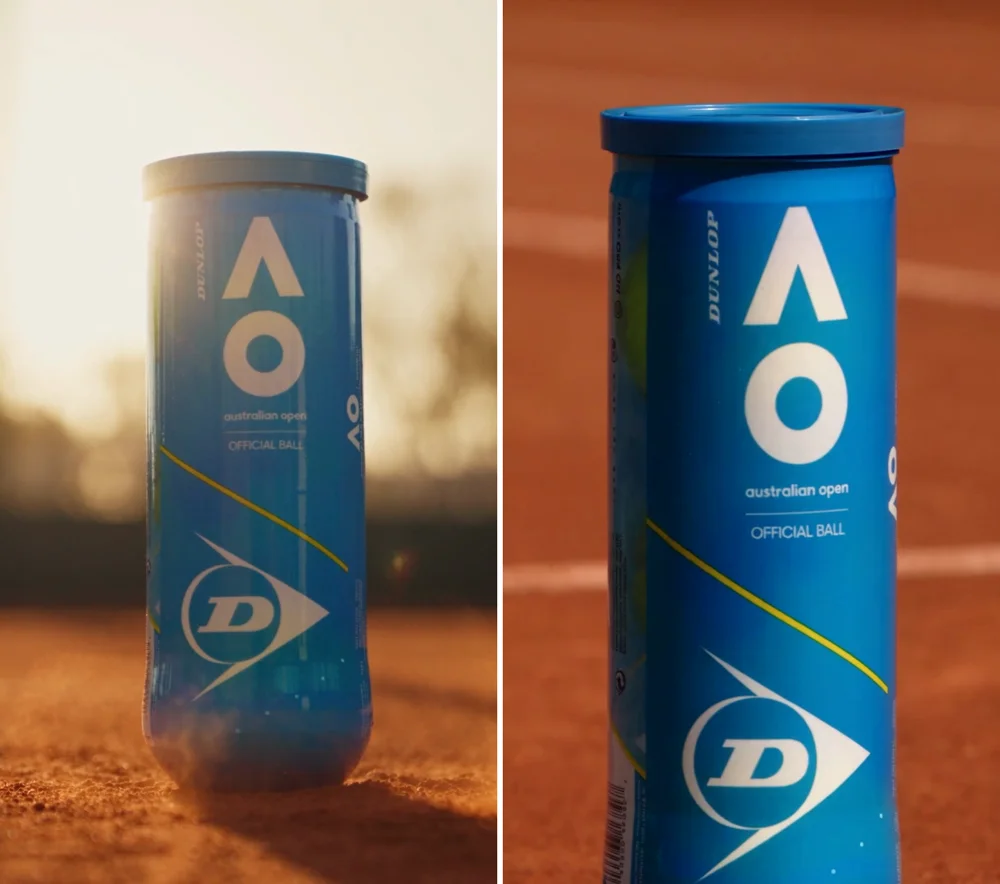
The asterisk on all three findings is the signage problem from the previous section: any Hong Kong street scene comes wallpapered in pseudo-Chinese neon. Keep the camera moving and the signs out of focus, or crop them out of the frame you actually use.
What it nails and where it breaks for real campaigns
The failures above are avoidable with prompt discipline. What is left over is genuinely strong, and for some verticals it is already cheaper than a shoot.
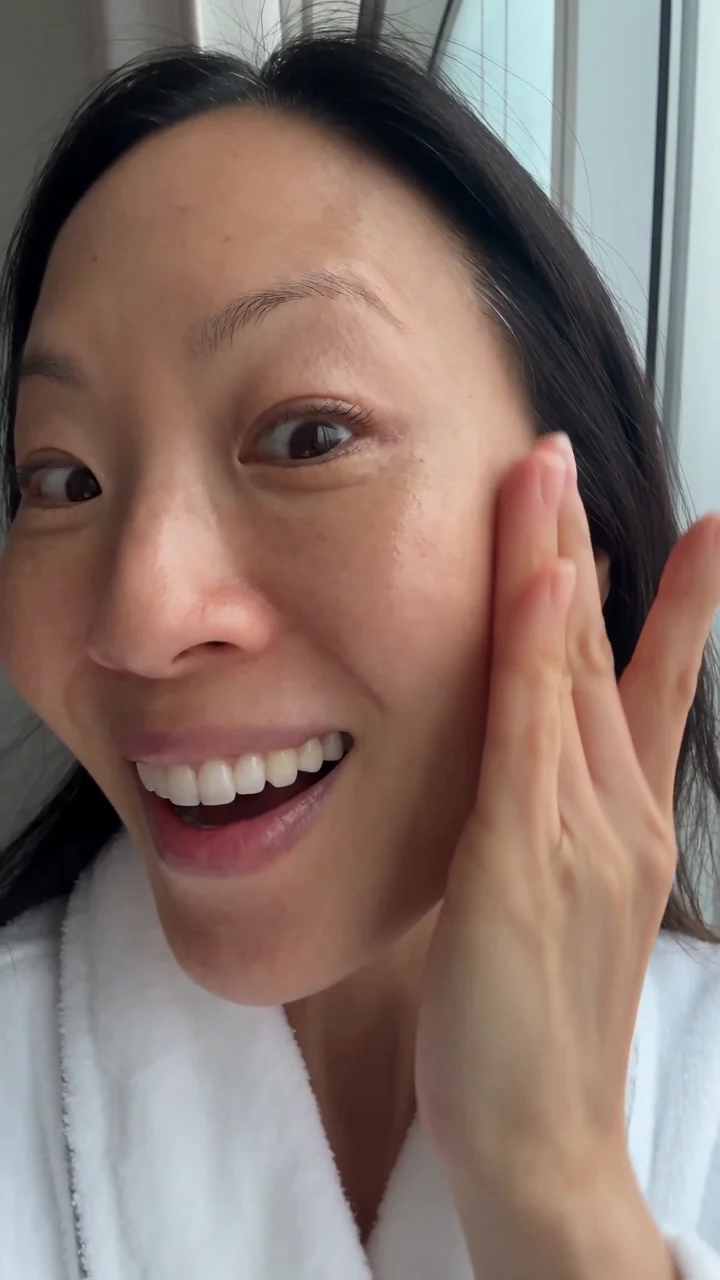
The UGC test is the one that surprised us. We generated a young woman holding a product to camera in a bright apartment, handheld phone framing, and the face in a static frame comes remarkably close to a real phone selfie, pores and fine lines included. Motion is where checking matters: fingers, lip movement and hair consistency still need a clip-by-clip pass.
Food is the model's best subject. Our dim sum run, chopsticks lifting a har gow with steam rising, is outstanding footage by any standard, and it cost HK$18.
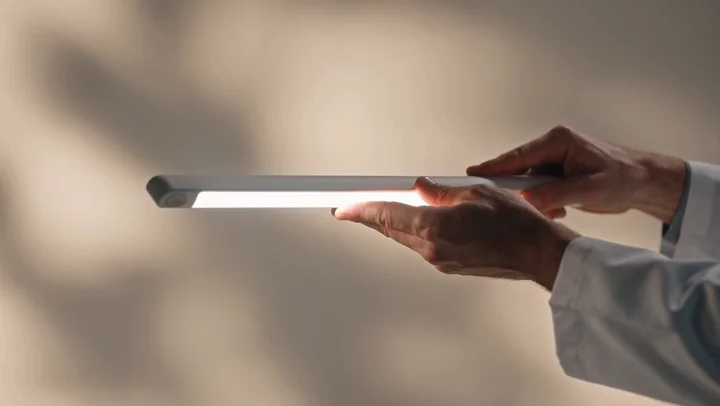
The clinic run marks the boundary. Reception, corridors and treatment rooms rendered beautifully, but the close-up of "professional equipment" produced a nonsense glowing tube that exists in no clinic on earth. Service businesses get excellent B-roll from this model; the moment you request professional or medical hardware, it invents.
Duration held up. Our 30-second generation kept product and scene coherent from first frame to last, which covers the longest cut most paid social placements need.

And vertical is real vertical: 9:16 output is composed for the tall frame, which is exactly what a Reels-first Instagram plan needs, rather than a landscape render with the sides amputated.
| Vertical | Verdict | Receipt |
|---|---|---|
| Ecommerce product | Strong, with your own product shot fed as reference | D1a, P1 |
| F&B | Outstanding, the model's best subject | P2 |
| Clinic / services | B-roll excellent; any equipment shot fails | P4 |
| Property | Untested; the P6 prompt below follows only patterns that worked elsewhere | n/a |
| UGC-style | Face passes as real; Meta review result pending in section 12's specs discussion | E1 |
Where this lands in a media plan: the economics of creative testing on Meta assume each new variant costs production money. At HK$18 a variant, that assumption breaks, and testing rhythm becomes limited by your judgement rather than your shoot budget.
Ten prompt rules from 20 real runs
Every rule below was paid for. Each one cites the run that taught it.
- Never ask it to generate brand names, prices or slogans. Leave the end card blank and overlay text in post. (C1 and C1b: "KICK ADDS" twice, once from a letter-by-letter spelling.)
- Never request Chinese signage or taglines. You get pseudo-characters, and even near-correct characters drift between frames. (C2: perfect "HK$299" at 7.0s, malformed fourth character at 9.5s in the same take.)
- Keep text-bearing surfaces out of the scene entirely: UI, menus, road signs, documents. Asking for them "blurred" or "unreadable" only half-works. (K2: a search bar rendered as gibberish.)
- Never describe a product generically inside a real brand's colour space. The model invents trade dress. Write "plain unbranded", or feed your own product shot. (B1: unprompted Estée Lauder-style monogram. A0: invented "Augustine" brand. P1: "plain unbranded" came out clean.)
- Pick aspect ratio in the UI, never in the prompt. (A0: shipped 16:9 despite 9:16 written in the prompt.)
- Treat dialogue as demo-grade. Pacing is unnatural and the character context can override the language instruction. (S1 to S3: requested Mandarin, received 港式普通話 that was 90% Cantonese.)
- Budget two to three takes on anything that matters. Identical input does not mean identical output. (D1a perfect label vs D1b garbled, same reference image.)
- Never request professional or medical equipment. The model invents hardware. Use simple everyday props instead. (P4: the glowing tube.)
- Check logo and label colours on every take, even from a reference. (K2: white letters recoloured black.)
- Innocent words can trip the content filter, and the only error you get is "Try another prompt/image~". The phrase "black mirror", used as the IP name, blocked five versions of one prompt; removing it unblocked the run. "Golden liquid" with splash imagery is our other suspect. Rejections cost no credits, so bisect the prompt scene by scene until you find the tripwire.
Two more come straight from the official documentation: never use -- inside a prompt, everything after it gets truncated; and specify exactly one camera move per shot, stacking pans with pushes destabilises the frame.
One more pattern sits underneath several of these rules: genre priors beat instructions. A massage-scene prompt produced a bare back twice, despite an explicit "no bare torso" line. The fix was not a stronger negative but different vocabulary: "physiotherapy stretch table" and "sports-recovery t-shirt" moved the scene into a genre where the problem never arises. Swap the genre; do not fight the prior. References leak too: an attached logo reference bled a mint chevron onto a towel in one run. The flip side: a wall-mounted sign carrying our own short mark rendered correctly in two separate runs, once glowing white and mint, once as black letters adapted to a light wall. A short Latin logo as scene furniture is a maybe; body text is still a no.
Is it stable enough for production work?
The question every agency asks before putting this in a client workflow: if each generation is a fresh draw, can you ever cut five clips that look like one campaign? Nobody reviewing this model tests that, so we did.
The answer is yes for products and places, no for people, and the difference is enforced by the platform itself.
The product result first. Using the same reference image every time, one product held its label across five different scenes: a marble counter, two golden-hour takes on a clay tennis court, a locker-room bench and a courtside table. Same tube, same label, five settings. That is campaign coherence, not luck.
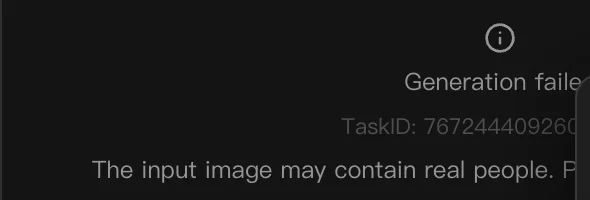
People are a different story. Extend Video continued our UGC clip by 5 seconds with the same woman, the same room and the same lighting, seamlessly. But when we attached a photorealistic face as a reference image to re-cast the same person into a new scene, the platform refused with "The input image may contain real people". It is an anti-deepfake gate, and it means person re-casting is simply not possible: continuity for a human presenter exists only through Extend Video, one continuous thread per person.
From those results, the five methods we now use to make output repeatable:
- Anchor every recurring element with a reference image, never a text description. Words re-roll each take; the Dunlop label and our logo carried because they came in as pixels.
- Run a canon-take workflow for products and rooms. Approve one hero take, extract stills from it, and feed those stills as references for every subsequent clip. (For faces this route is blocked by the gate above.)
- Use Extend Video for anything involving a person. It is the only sanctioned continuity mechanism for humans, and in our test it was seamless.
- Freeze the wording. Copy the character, room and visual-style paragraphs verbatim between prompts and change only the action lines. Every word you rewrite is a variable you re-rolled.
- Faces drift most, so cut on hands, product and environment. Build edits so consecutive shots share objects rather than faces.
Two production notes to close. Every run's seed is displayed under Adv Params after generation, so record it with the take. And small label text softens slightly while the camera moves, then locks crisp on hold frames: design the product hold into the shot, because that is the frame your audience actually reads.
Where the prompt pack went
The six prompts and the step-by-step walkthrough that used to sit here now live in a full build guide, from shooting two reference photos to cutting a 20-second ad, with two finished ads and ten industry prompts. See the full Seedance 2.5 tutorial. This article stays on how the model itself performs and where it breaks.
Will Meta actually approve it? Specs and review
The technical answer first. Lumina's output is H.264 video with AAC audio in an MP4 container, 24fps, roughly 6.8Mbps, 720p maximum. Here is how that sits against the two platforms a Hong Kong advertiser cares about.
| Spec | Lumina output | Meta Reels / feed | YouTube |
|---|---|---|---|
| Container / codec | MP4, H.264 + AAC | Accepted | Accepted |
| Frame rate | 24fps | Fine | Fine |
| Bitrate | ~6.8Mbps | Fine | Fine |
| Resolution | 720p max | Fine for phone-first Reels | Thin for TV surfaces |
| Vertical | Native 9:16 | Exactly what Reels wants | n/a for most placements |
For Meta, 720p vertical is comfortable on a phone screen, and everything else passes without transcoding. For YouTube campaigns, 720p is the weak point: on connected-TV surfaces, where a growing share of YouTube impressions land, a 720p asset is visibly soft. Our view: this tool is Reels-first, YouTube-maybe.
One distinction matters before anyone celebrates: a file that uploads is not an ad that passes review. The spec table answers the upload question only; ad review is policy, not codecs.
The policy layer is separate from the spec layer. Meta requires disclosure when realistic AI-generated content is used, which covers a clip like our E1 selfie precisely because it passes as a real person. Build the disclosure step into your upload workflow in Ads Manager rather than treating it as optional.
The question the spec table cannot answer is what Meta's review actually does with an AI face in a UGC-style ad. We are running that test with real money rather than speculating. [UPDATE COMING: Meta ads review result for the E1 AI-face UGC clip.]
We are also producing a branded Kick Ads reel with the full stability workflow from this article, as a public proof piece. [UPDATE COMING: the Kick Ads hero brand reel, currently being iterated.]
Verdict: HK$18 a video, if you know what to avoid
To be fair to the model, this output is generations beyond the AI video of a year or two ago, and the pace of improvement belongs in any plan you make around it. After 20 paid generations, here is where we land per use case. F&B and product footage: use it now, it is better than most stock and costs HK$18 a take. UGC-style variants: use it for testing volume, with Meta's AI disclosure switched on and Extend Video for continuity. Service and clinic work: use it for B-roll, never for equipment or anything resembling a clinical claim. Anything that needs on-screen text, a real logo rendered from words, or a precise location: the model cannot do it, and the fix lives in CapCut, not in a longer prompt.
Seedance 2.5 does not replace a production team yet. What it changes is the cost of testing a video idea, from thousands of dollars to tens: a budget that used to cover three creative angles now covers thirty, and the data decides which one deserves real production money.
The honest framing is that Seedance 2.5 is a brilliant footage generator wrapped in a set of traps, and every trap has a workaround you now have receipts for. At Kick Ads it has already changed how we test creative: variants that used to wait for a shoot day now go live the same week, and the shoot budget moves to the hero assets that still need humans.
If you want to run these prompts yourself, try Lumina and start with the 10-second 460-credit format; you will know within three takes whether your vertical is one the model loves. And if you would rather someone else burn the failed takes, creative production and testing is part of what our paid social service does day to day.
FAQ
How do you use Seedance 2.5 in Hong Kong? Via BytePlus Lumina (ai.byteplus.com/lumina). Dreamina/即夢 is the mainland consumer product; Lumina is the version HK users can sign up and pay for.
How much does Seedance 2.5 cost per video? Linear pricing on Lumina: 480p = 21 credits/sec, 720p = 46 credits/sec. A 10s 720p video is 460 credits, roughly HK$18 at Ultra-plan rates; 30s is 1,380 ≈ HK$53. Aspect ratio doesn't change the price.
Is Lumina cheaper than Dreamina? At plan prices, yes: about US$6.84 per 30s 720p video on Lumina vs US$11.6 reported for Dreamina (third-party figures), roughly 40% cheaper.
Can Seedance 2.5 generate Chinese text in videos? It can, but accuracy and frame-to-frame stability are not there: background signage is mostly pseudo-characters, our specified phrase got three of four characters right and drifted between frames. Not usable in finished ads; leave text off and add it in post.
Can it render an English logo or end card? Prompting for generated text is very unreliable in our testing: our brand name came out misspelled in both attempts, including a letter-by-letter prompt. Text from an attached reference image can survive, but not every take: plan 2-3 takes and pick.
Does Seedance 2.5 support 1080p? Not on Lumina: 720p is the ceiling. Output is H.264+AAC MP4, 24fps, ~6.8Mbps, with generated synchronized audio.
Can Seedance 2.5 speak Cantonese? Yes, and it works: our Cantonese voiceover was intelligible with slightly unnatural pacing. Asking for Mandarin in a HK context produced 港式普通話 that was ~90% Cantonese, so the character context can override the language instruction.
Should I prompt in Chinese or English? Either. The same prompt in Chinese and English produced identical quality in our test.
How long can a Seedance 2.5 video be? Our 30-second generation held product and scene coherence throughout; 30s at 720p costs 1,380 credits (≈ HK$53).
The file spec side is simple: H.264 + AAC MP4 uploads to Meta and YouTube without transcoding. Passing ad review is a separate question from passing the upload check.

About the author
Frankie Chan · Co-Founder, Kick Ads
Frankie is an ex-Googler and paid media strategist. He has managed Google Ads and Meta Ads for ecommerce and lead generation businesses across Hong Kong and Malaysia since 2017, working closely on strategy, reporting and client growth planning.