YouTube Ads Complete Guide 2026: Formats, Costs & Strategy
By Frankie Chan, Co-Founder · Updated 30 July 2026 · 15 min read
Jump to section
- What kinds of businesses use YouTube Ads?
- How much do YouTube Ads cost? What budget do you need?
- Three benefits of YouTube Ads
- What YouTube ad formats are there? (2026 update)
- Which campaign type should you choose in 2026? (Demand Gen / Video View / Video Reach)
- What happened to Video Action campaigns?
- Video Views campaigns explained
- How to set up YouTube ads, step by step (2026 interface)
- What does a working YouTube ads strategy look like?
- How to optimise YouTube ad performance
- Real YouTube ad results
- Any low-cost ways to shoot video?
- Does YouTube Premium affect your YouTube Ads?
- Frequently asked questions (FAQ)
Social media ad ROAS keeps sliding and Google Search CPCs keep climbing, so it is no surprise that advertisers are turning to new channels. YouTube, the world's second-largest search engine and a Google product, is a well-known option. The real question for 2026: can YouTube Ads still deliver a positive ROI, and how have the formats and strategies changed? Here's the full breakdown.
Quick answer: YouTube sells six ad formats (skippable in-stream, non-skippable in-stream, bumper, in-feed, Shorts and Masthead), all bought at auction on CPV (cost per view) or CPM (cost per thousand impressions). In Hong Kong a view typically costs HK$0.1 to HK$0.35 and a thousand impressions HK$18 to HK$35, so an HK$10,000 test buys roughly 50,000 to 100,000 views. The biggest 2026 shift is Google folding the old Video Action and Discovery campaigns into Demand Gen.
What kinds of businesses use YouTube Ads?
Quick answer: Three types lean on YouTube Ads: big brands building awareness, ecommerce chasing conversions or ROAS, and service businesses doing lead generation. It's especially strong at reaching new customers cheaply at the top of the funnel.
In quarterly reviews, clients most often ask: "Is YouTube right for me? What does it cost? How long should the video be?" From our hands-on experience, YouTube Ads reach new customers at relatively low cost at the top of the funnel and expand your audience, while also performing well for lead generation and ecommerce. Three common use cases:
- Brand Awareness: big brands promote brand or product videos, measured by views and impressions.
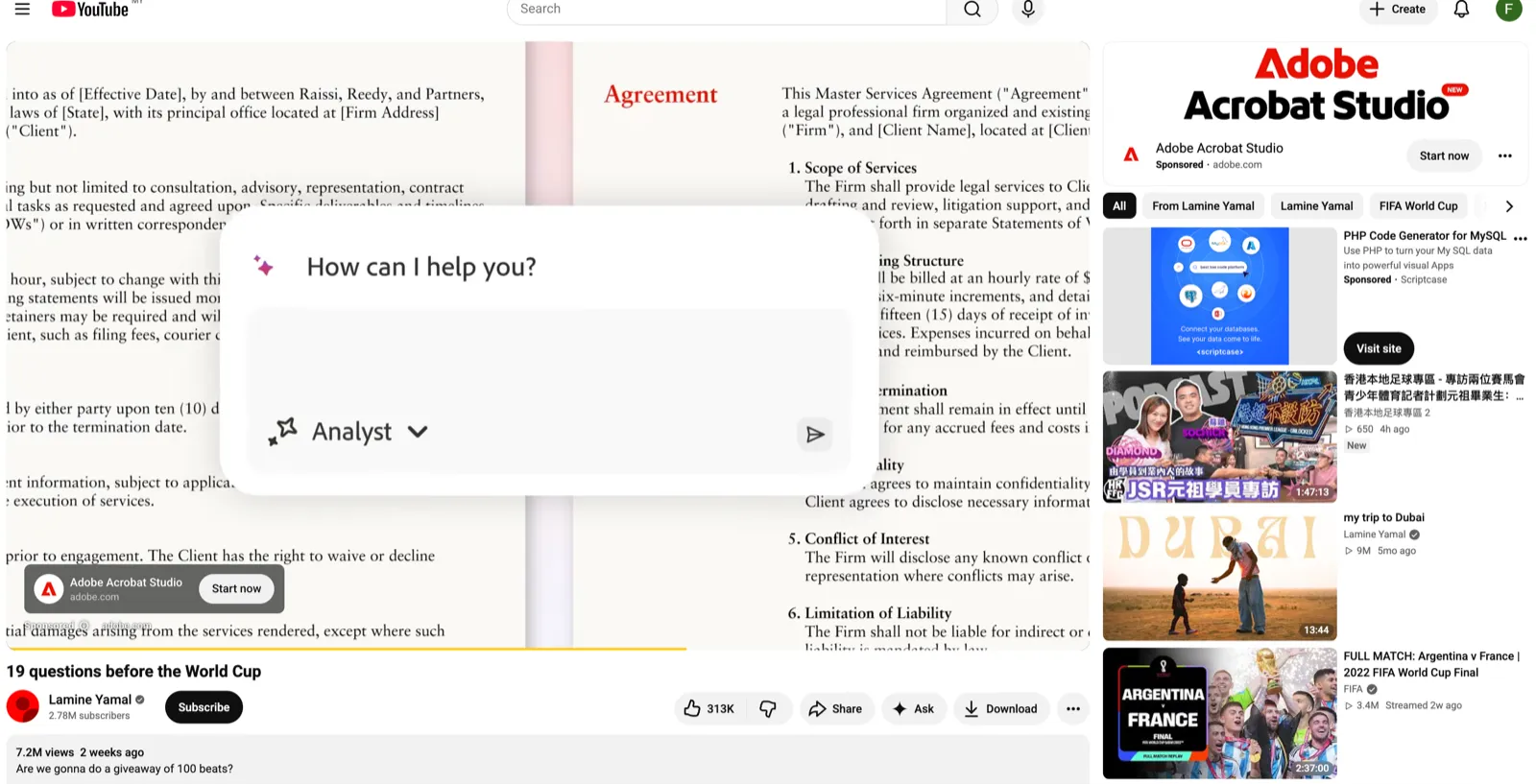
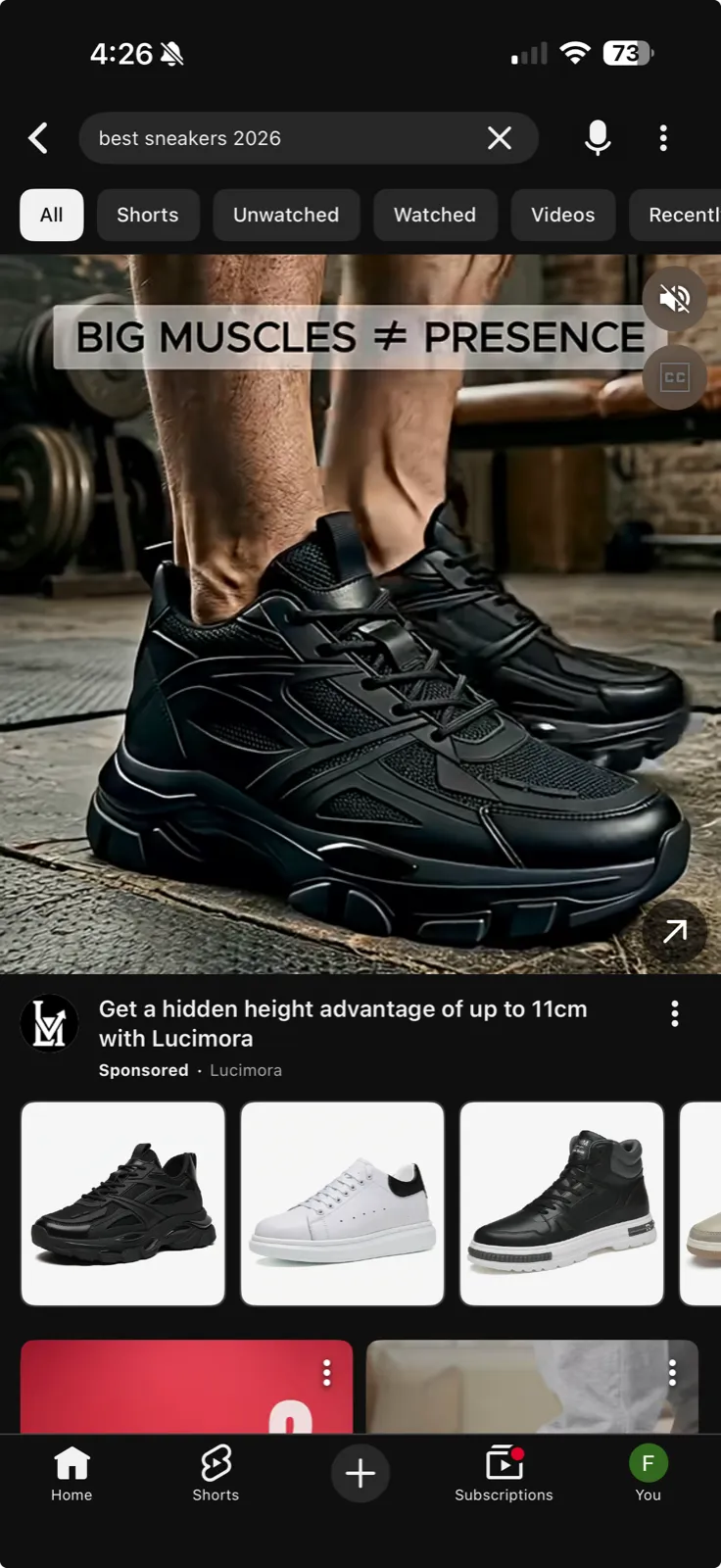
- eCommerce: online stores drive product sales with video, measured by conversion rate or ROAS.
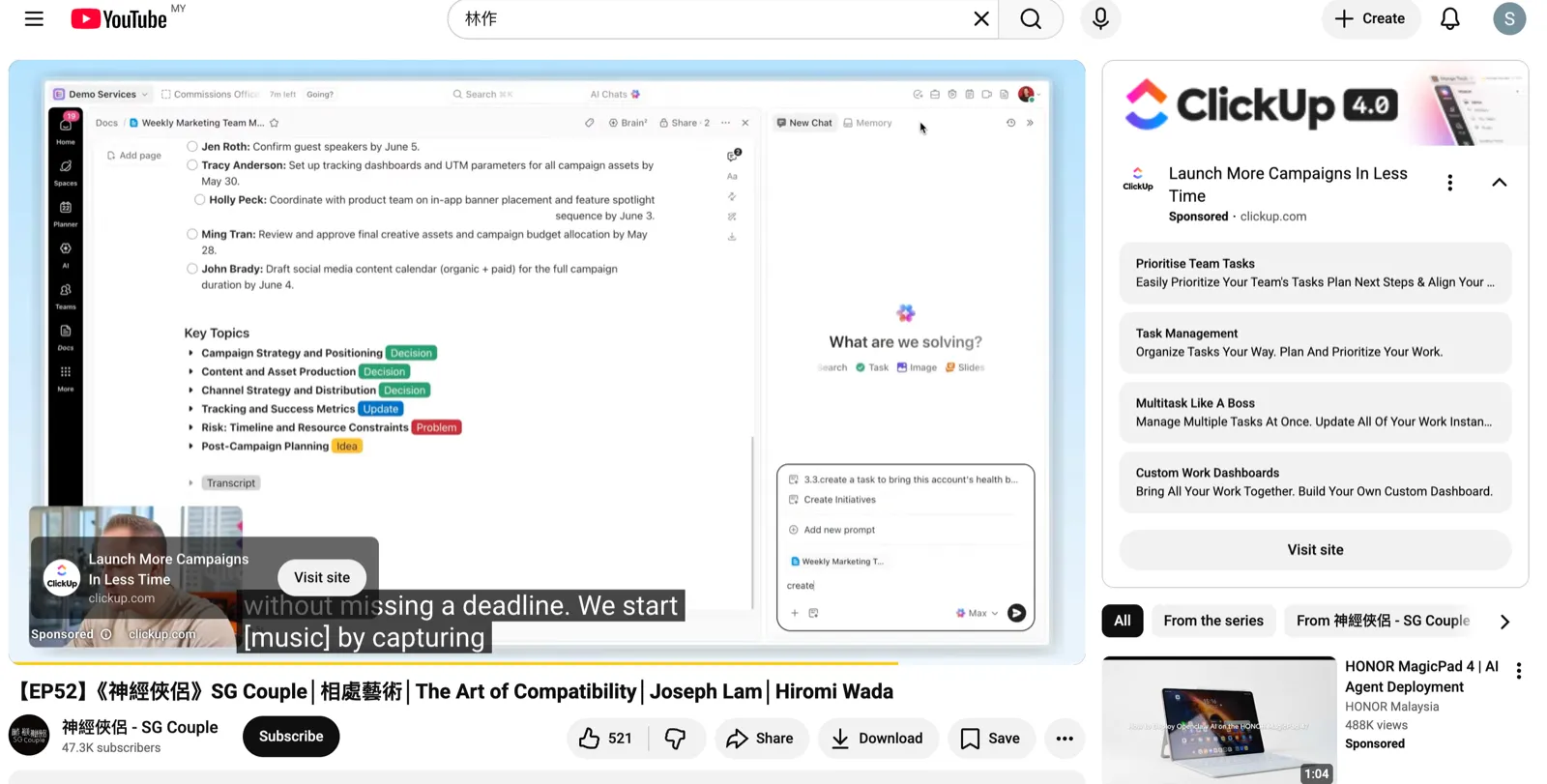
- Lead Generation: more service and SaaS businesses now use YouTube Ads to collect leads.
How much do YouTube Ads cost? What budget do you need?
Quick answer: YouTube ads cost isn't a flat fee; it's auction-based, charged on CPV (cost per view) or CPM (cost per thousand impressions). In Hong Kong, CPV typically runs about HK$0.1–0.35 and CPM about HK$18–35 (Malaysia is roughly 40% cheaper). For budget, most SMEs start at about HK$5,000 / RM2,000 per month to give the system enough data to optimise. Actual cost depends on industry competition, targeting and video quality.
There are two main pricing models:
| Pricing model | When you're charged | Common formats | Best for |
|---|---|---|---|
| CPV (pay per view) | When a viewer watches 30 seconds, finishes a shorter video, or interacts | Skippable in-stream | Views, brand awareness |
| CPM (pay per 1,000 impressions) | Per thousand impressions | Bumper, non-skippable | Reach, brand recall |
The barrier to entry is lower than most assume. For a 30-second video, a single view typically costs about HK$0.1–0.35, so an HK$10,000 budget buys roughly 50,000–100,000 views, and at a ~25% view rate that's around 400,000 impressions.
How much per month? There's no hard minimum, but to gather enough data for the system to optimise, we generally suggest SMEs start at about HK$5,000 / RM2,000 per month and allow at least a one-week learning period before judging results. These are rough estimates only; we've seen videos featuring a celebrity endorser drive CPVs below HK$0.1, which shows the video content matters most.
For YouTube advertising in Hong Kong specifically, local competition is lighter than in high-cost verticals like finance or insurance, but the key to buying YouTube ads in Hong Kong that actually perform is still the creative and audience targeting, not simply a bigger budget. In our experience running local accounts, the same budget spent on stronger creative can pull CPV and cost-per-lead down substantially.
Three benefits of YouTube Ads
1. You only pay for genuinely engaged viewers
With CPV, you only pay when someone watches more than 30 seconds (or finishes a shorter video). A viewer who stays for 30+ seconds has at least some interest, so you're paying for people who actually watch.
2. Low cost per view, low barrier to entry
As above, a single view typically costs around HK$0.1–0.35, far lower than most expect.
3. Precise audience targeting
If you know your customer profile, YouTube targeting can hit it precisely. Common options include:
- People who visited your website (Website Visitors)
- People who watched your YouTube channel (YouTube Viewer List)
- Google Ads In-Market, Affinity and Life Event segments
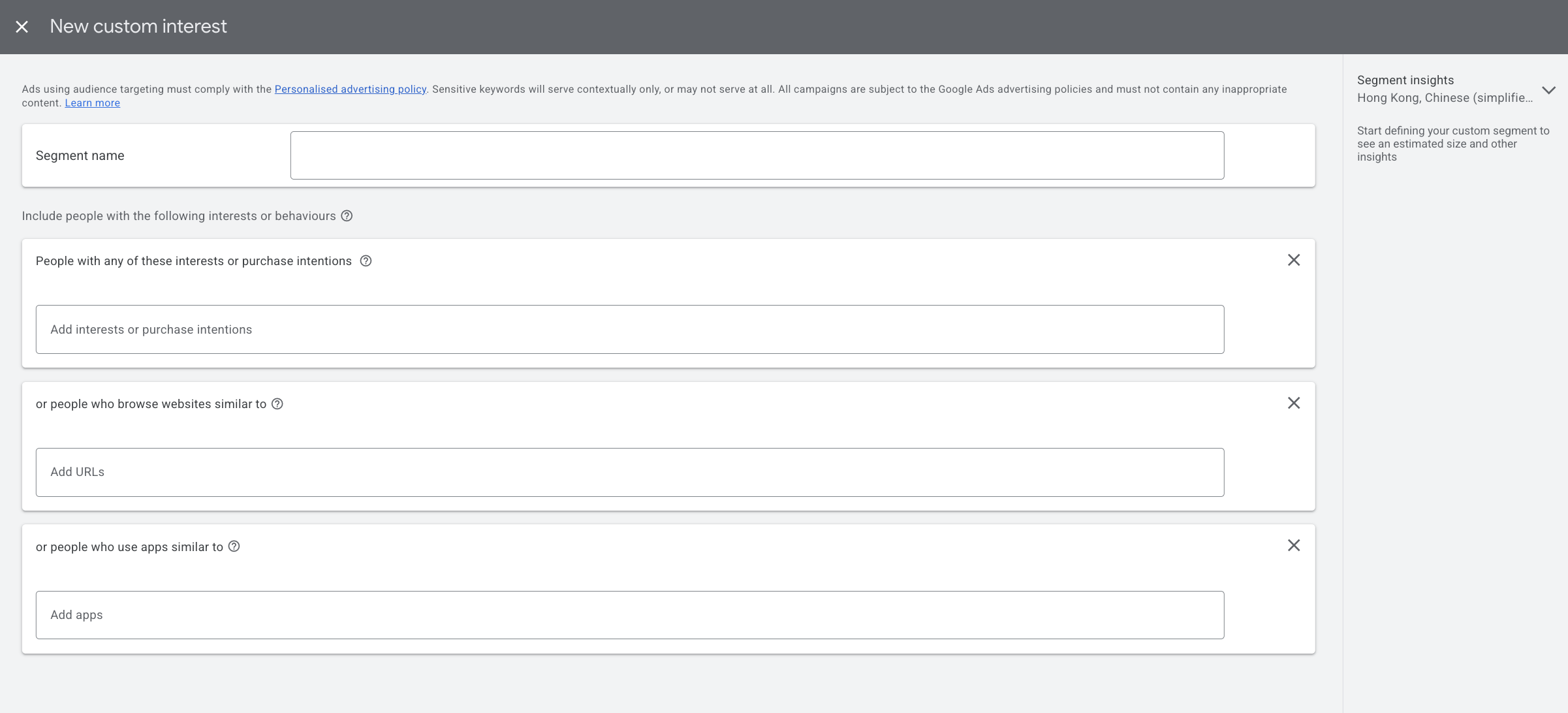
- Custom Segments: e.g. people who searched specific keywords, visited specific sites, or installed specific apps
What YouTube ad formats are there? (2026 update)
Quick answer: There are six: skippable in-stream, non-skippable in-stream, Bumper, In-feed, YouTube Shorts and the YouTube Masthead. Only two of them can be skipped, and only the Masthead is bought on reservation rather than at auction.
| Format | Length | Skippable? | Where it appears | Charged on | Main use |
|---|---|---|---|---|---|
| Skippable in-stream | No hard limit, Google recommends under 3 minutes | Yes, after 5 seconds | Before, during or after YouTube videos, plus Google video partners | CPV: at 30 seconds, at the end if the video is shorter, or on an interaction | Awareness, traffic, conversions |
| Non-skippable in-stream | 60 seconds or shorter | No | Same in-stream placements | Target CPM | Brand awareness |
| Bumper Ad | 6 seconds or shorter | No | Same in-stream placements | Target CPM | Brand recall |
| In-feed Video Ad | No maximum | Not applicable, the viewer chooses to click | YouTube search results, Watch Next, the home feed and the subscription feed | A click on the thumbnail, or 10 seconds of autoplay | Awareness, discovery |
| YouTube Shorts ad | Vertical, under 60 seconds recommended | Yes, by swiping | Between organic Shorts on desktop, mobile, tablet and connected TV | CPV, target CPM or per impression | Younger, mobile audiences |
| YouTube Masthead | No maximum, 30 seconds of autoplay on desktop | No | The YouTube home feed on desktop, mobile and TV | CPM or cost per hour, reservation only | Mass reach |
Two of those lengths trip people up. Non-skippable in-stream is capped at 60 seconds, not the 15 or 20 seconds most guides still quote, and skippable in-stream has no upper limit at all, which is why long-form product and testimonial ads run there. (Source: Google Ads Help on video ad formats)
1. Skippable In-stream Ads
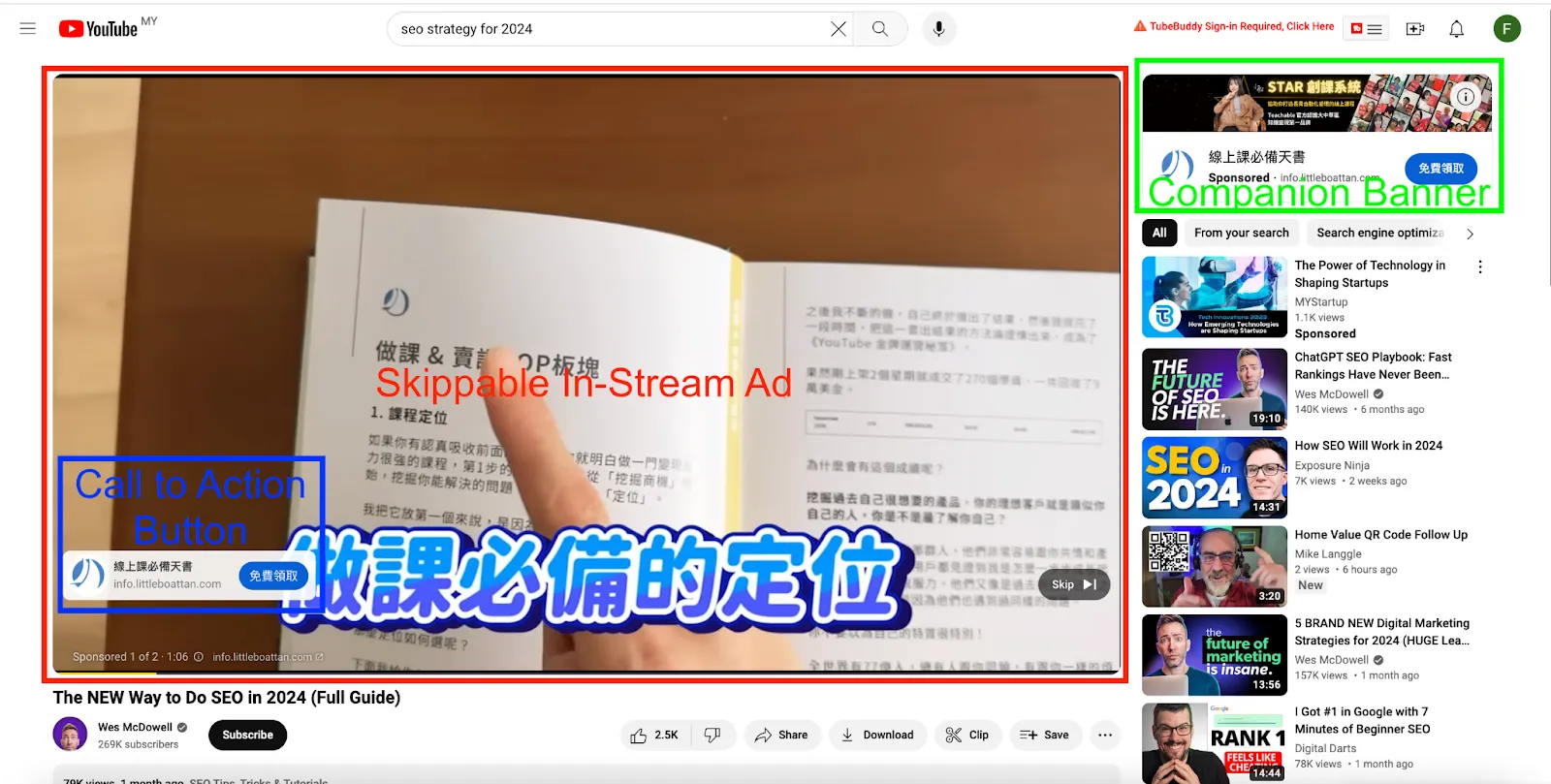
Viewers can skip after 5 seconds. You only pay once the ad plays to 30 seconds (or is watched in full if shorter). The Call-to-Action button drives viewers to a landing page, and the Companion Banner stays in the top-right even after the video ends. Use: mainly awareness, but also traffic, sales and lead generation. Length: 30 seconds to 1 minute, with the key message in the first 15 seconds.
2. Non-Skippable In-Stream Ads
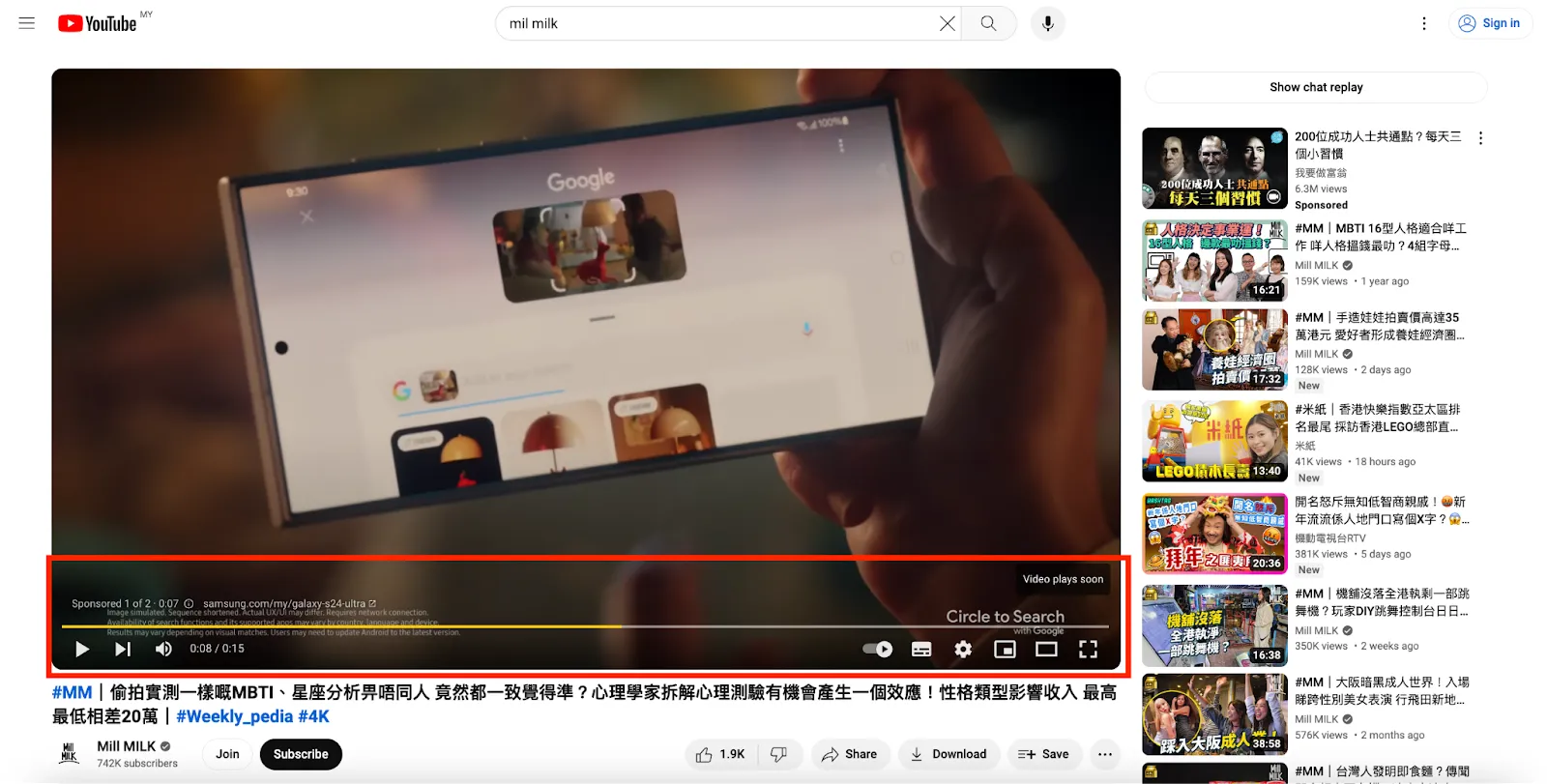
No skip button, so viewers watch the whole ad; bid on CPM, mainly for awareness. Length: 60 seconds or shorter, though most advertisers stay near 15 to 20 seconds because a forced full view gets less forgiving the longer it runs. Fewer advertisers use them: they're less flexible, and forcing a full view can hurt sentiment; running the same 15–30s video as a skippable ad (pay only when watched in full) is often more economical.
3. Bumper Ad
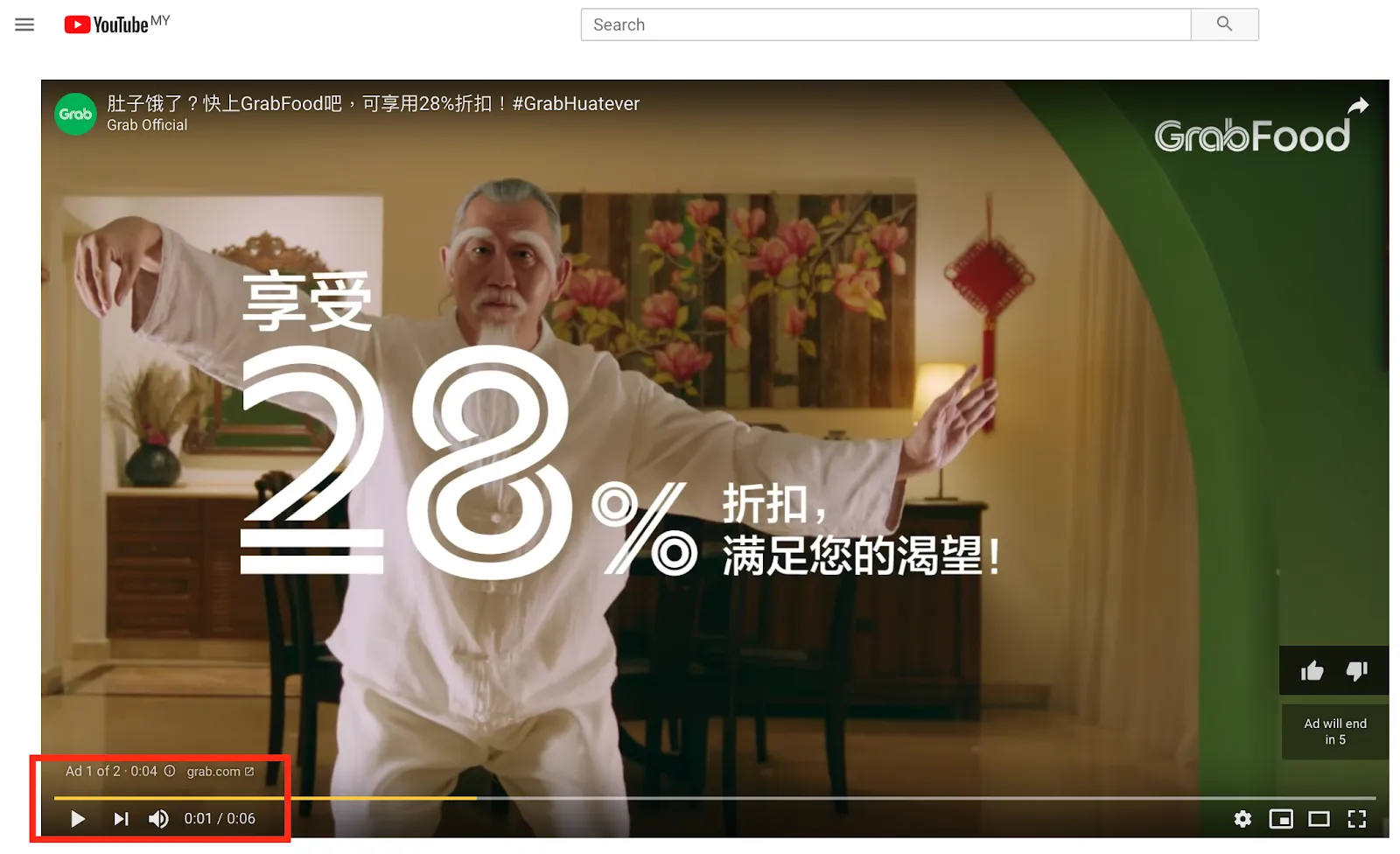
6 seconds, non-skippable, CPM, mainly for brand recall. Short and punchy, good for grabbing attention fast.
4. In-feed Video Ad
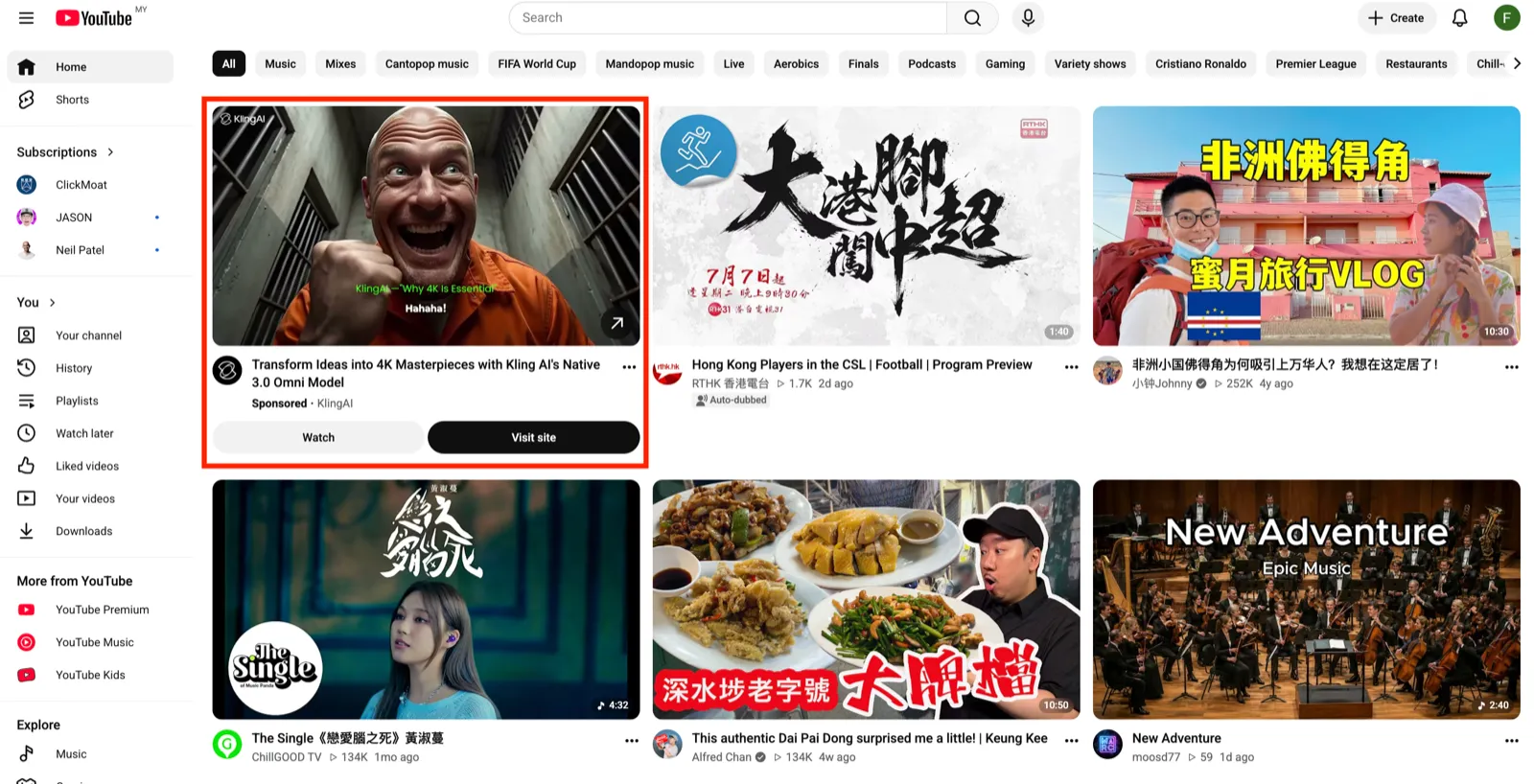
Replaced the old Video Discovery Ad. Appears on YouTube pages or beside related videos, billed on CPV: a view counts when someone clicks the thumbnail or watches at least 10 seconds of autoplay (the full ad if it is shorter). Similar to native ads, it is mainly for awareness and discovery.
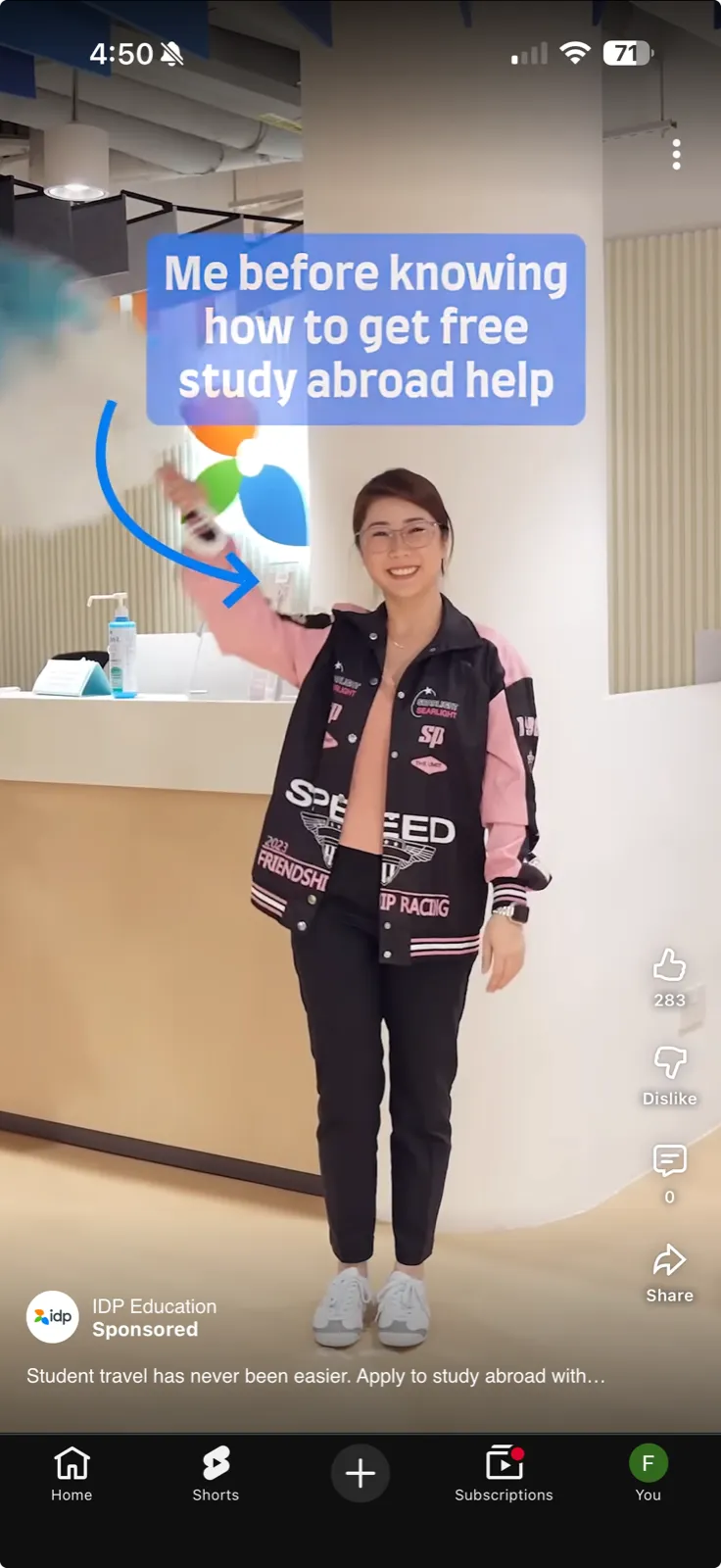
5. YouTube Shorts Ads
Shorts is now one of the platform's mainstays. Ads appear as vertical short videos between Shorts, ideal for younger, mobile audiences. With Multi-format enabled, your video can run as in-stream, in-feed and Shorts at once to maximise views.
6. YouTube Masthead
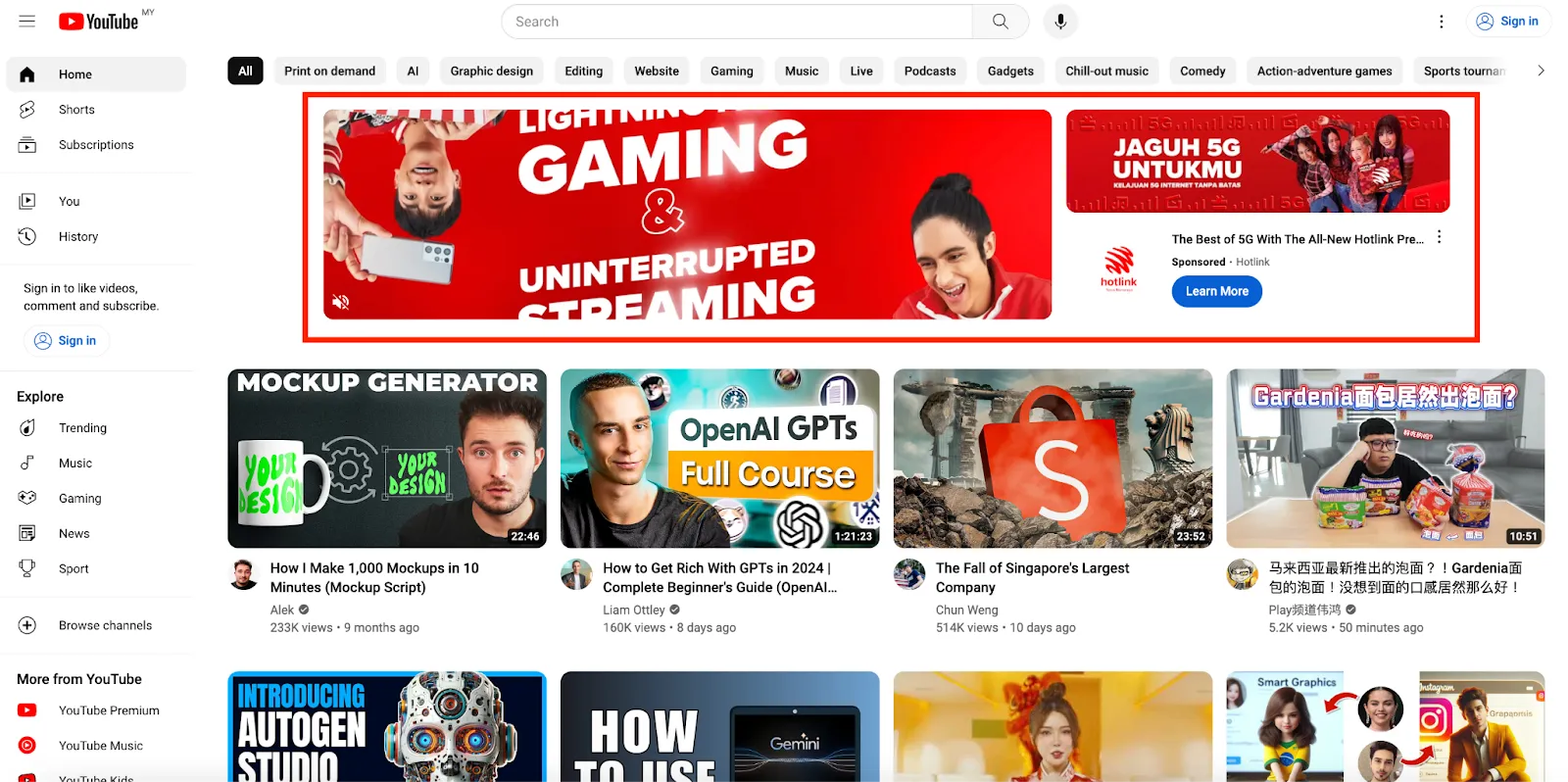
Appears on the YouTube desktop homepage, bought via a Google sales rep with a minimum spend. Huge reach, ideal for large brand pushes.
Spec tip: use 16:9 for landscape, 9:16 for vertical (Shorts), 1:1 for square.
Which campaign type should you choose in 2026? (Demand Gen / Video View / Video Reach)
Quick answer: In 2026, Google has folded the old Video Action and Discovery campaigns into Demand Gen; if your goal is purely views or reach, you can still use Video View and Video Reach. Google has also been migrating legacy TrueView In-stream and In-feed for Consideration campaigns to multi-format (Video View) campaigns.
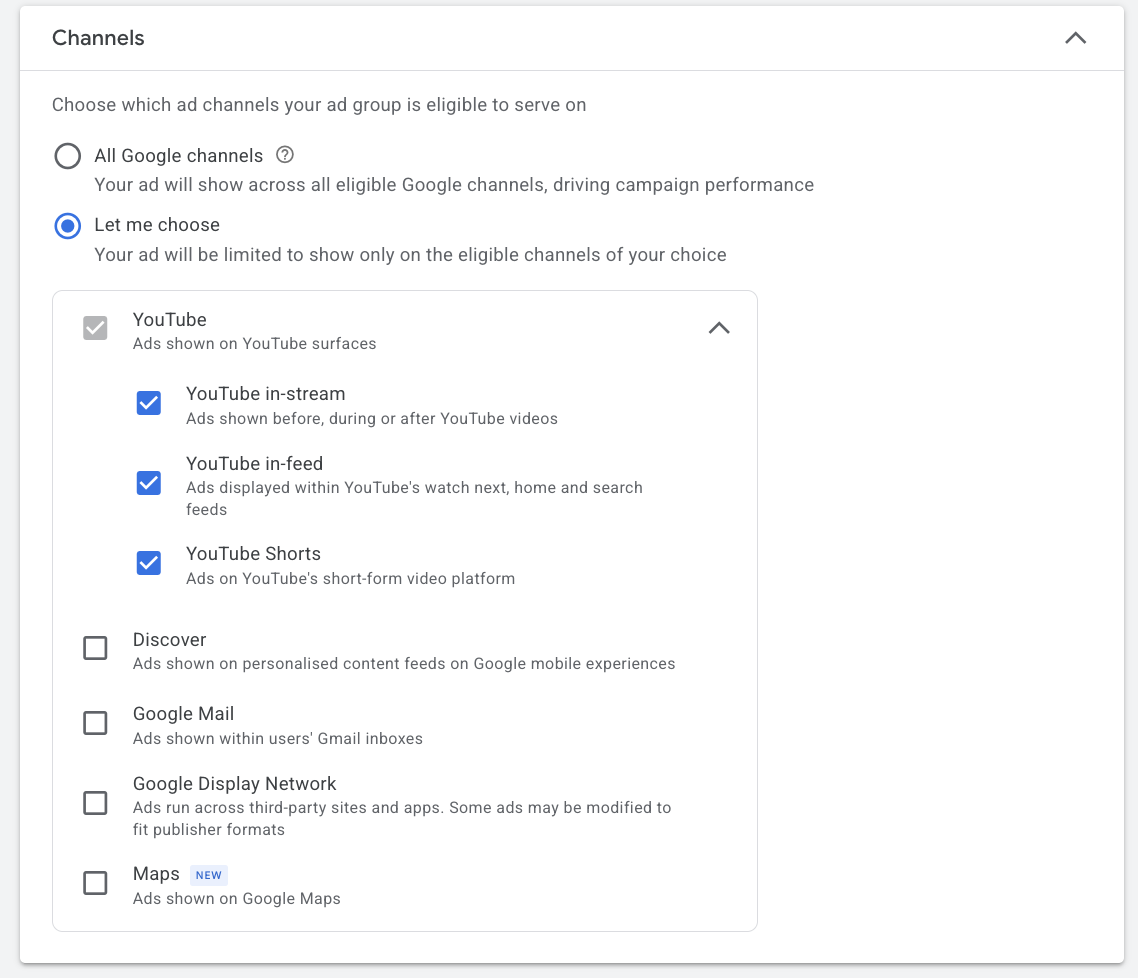
- Demand Gen: combines YouTube (incl. Shorts), Discover and Gmail placements, using visual creative to drive demand and conversions; good for advertisers who want both reach and results. After Google's recent update, Demand Gen lets you choose placements, so you can finally run "Maximise Conversions" on YouTube only. For a full walk-through of the campaign type, see our complete Demand Gen guide.
- Video View: focused on views, with a relatively low CPV, suited to the top of the funnel.
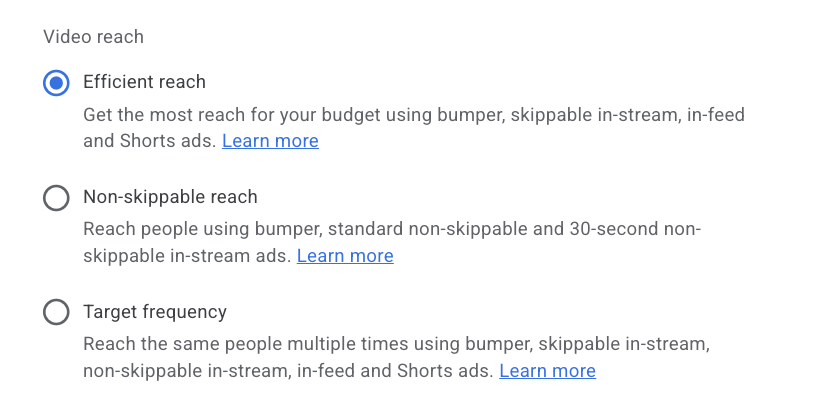
- Video Reach: offers Efficient Reach, Non-skippable Reach and Target Frequency strategies for reaching new audiences at scale. From our work with the Google team, Efficient Reach is often used at the top of the funnel for its cost efficiency; its CPM and CPV are generally cheaper than standard in-stream ads, and it builds a YouTube Viewer List faster.
What happened to Video Action campaigns?
They no longer exist. Google upgraded every Video Action Campaign into Demand Gen and did it in stages: from April 2025 you could no longer create a new one, from July 2025 Google began upgrading existing campaigns automatically, and the last of them were converted by April 2026. If an old brief or tutorial still tells you to build a Video Action Campaign for YouTube conversions, that setup is gone and Demand Gen is where the same job now happens.
The practical difference is placement and creative. A Video Action Campaign only ran on YouTube. Demand Gen serves YouTube (including Shorts), Discover and Gmail from one campaign, and takes image assets alongside video. If you want conversions on YouTube alone, use Demand Gen's placement selection to restrict it, as described in the campaign-type section above.
Video Views campaigns explained
Quick answer: A Video Views campaign is the YouTube campaign type built to buy views as cheaply as possible. It bids on CPV (cost per view) and, with multi-format enabled, runs one video across skippable in-stream, in-feed and Shorts at once, then pushes budget toward whichever placement returns the most views. Use it at the top of the funnel to build reach and grow a remarketing viewer list, not to chase last-click conversions.
Where Demand Gen is built to create demand and drive conversions, a Video Views campaign has a narrower job: get the most people to actually watch your video, at the lowest cost per view. A few things worth knowing:
- How you are charged: CPV. You pay when someone watches 30 seconds (or the full video if it is shorter) or interacts. In Hong Kong that view typically costs about HK$0.1–0.35.
- Multi-format delivery: one uploaded video can serve as in-stream, in-feed and Shorts at the same time, and Google shifts budget toward the format winning the cheapest views.
- When to use it: upper-funnel reach, launching a new brand or product, and building a YouTube viewer list you can retarget later with a conversion-focused Video 2 or a Demand Gen campaign.
- When not to: if your goal is immediate leads or sales, a Video Views campaign will look cheap on CPV but will not optimise toward conversions, so run Demand Gen or a conversion objective instead.
Video Views vs Video Reach. Both are upper-funnel, but they optimise for different things. Video Views maximises the number of views, which suits you when you want people to watch a specific message through. Video Reach maximises unique reach and frequency at the lowest CPM, which suits broad brand awareness. If the priority is watch-through of one video, choose Video Views; if it is putting a short message in front of as many people as possible, choose Video Reach.
How to set up YouTube ads, step by step (2026 interface)
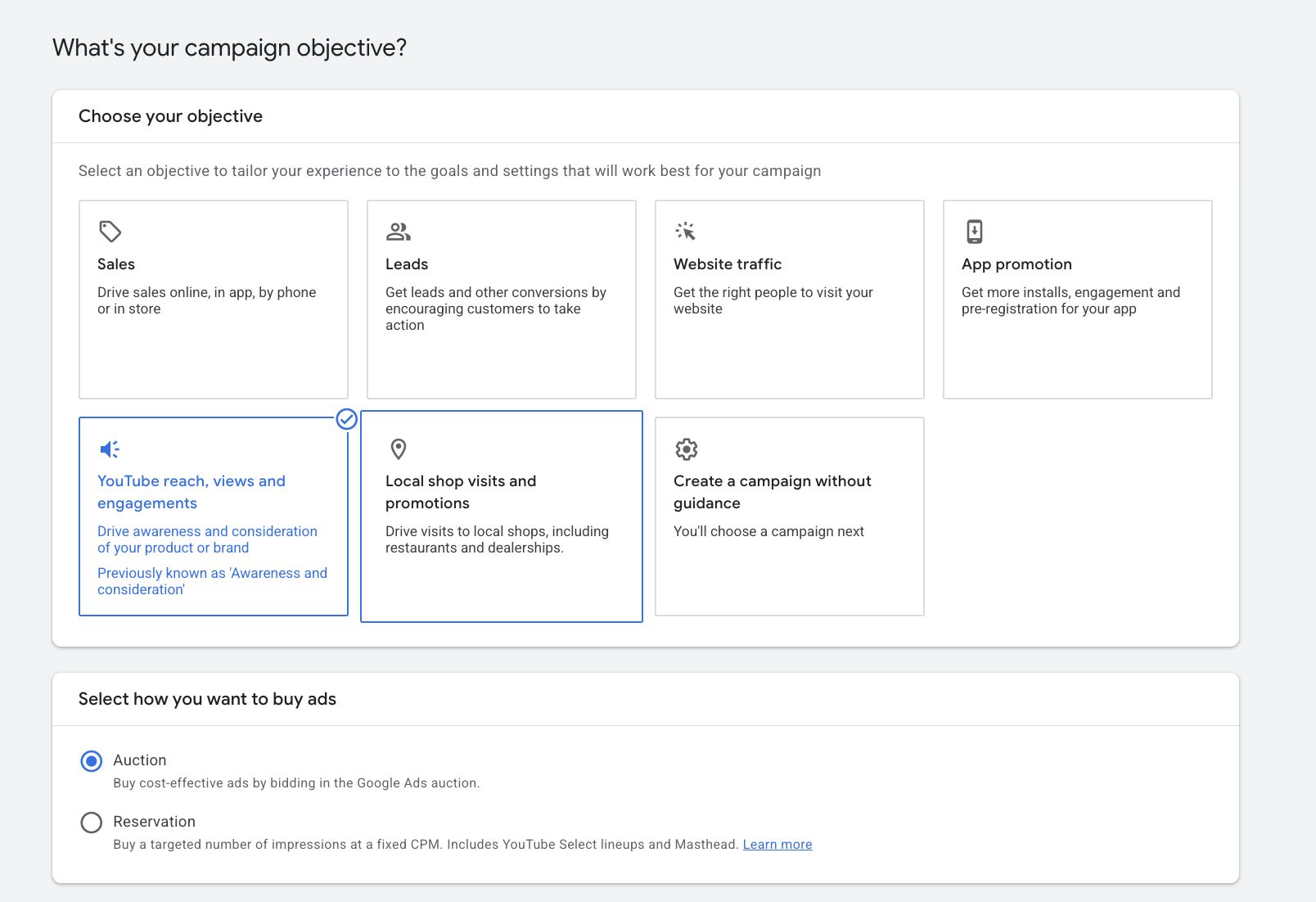
Step 1: Create a video campaign. In the Google Ads Campaigns page, click "+", and choose the "YouTube reach, views and engagements" objective (for sales / leads / traffic, pick the matching objective and the system will lean toward optimising clicks or conversions).
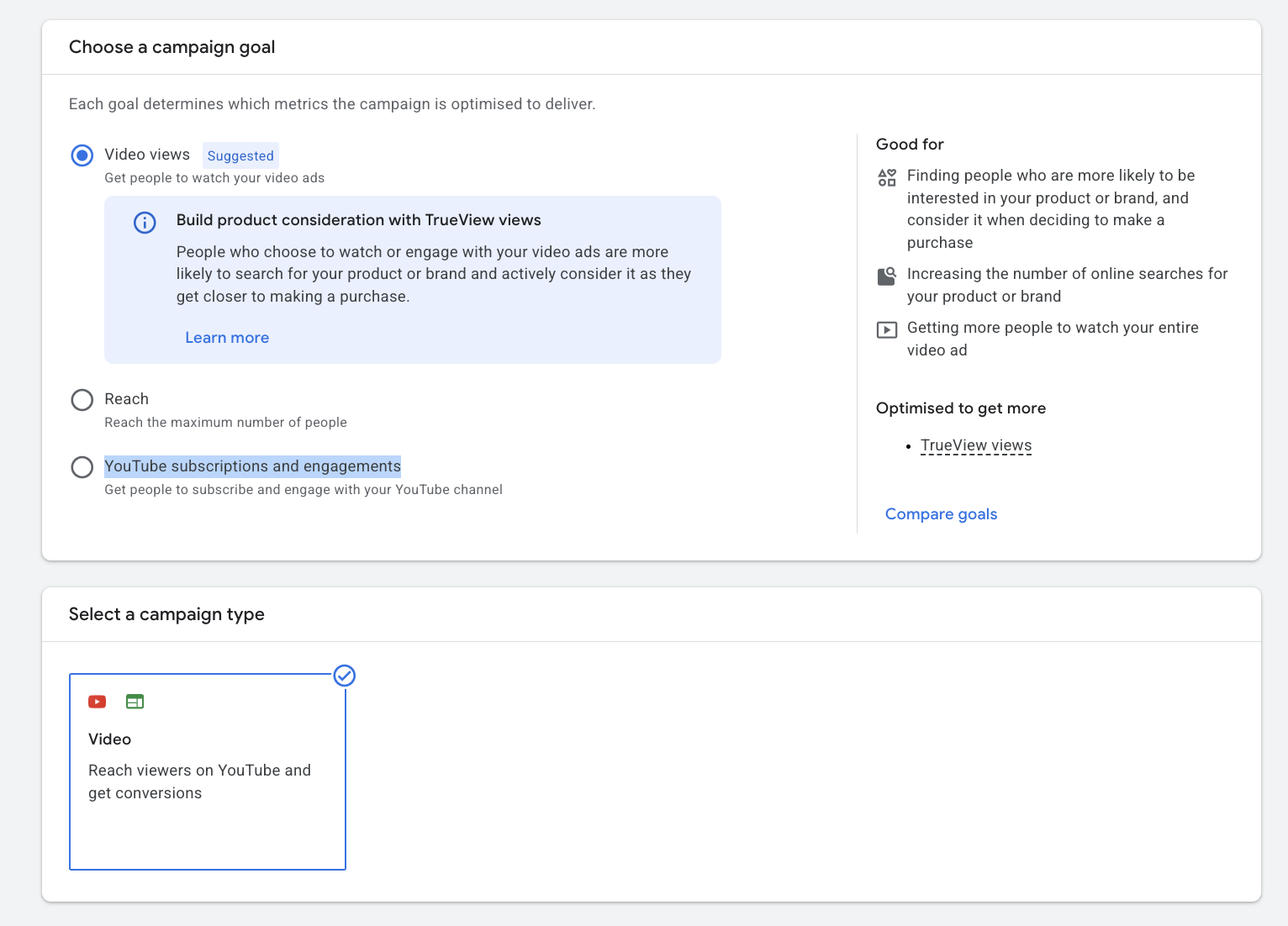
Step 2: Choose the campaign subtype. Pick Video View, Video Reach, or YouTube subscriptions and engagements, depending on your goal.
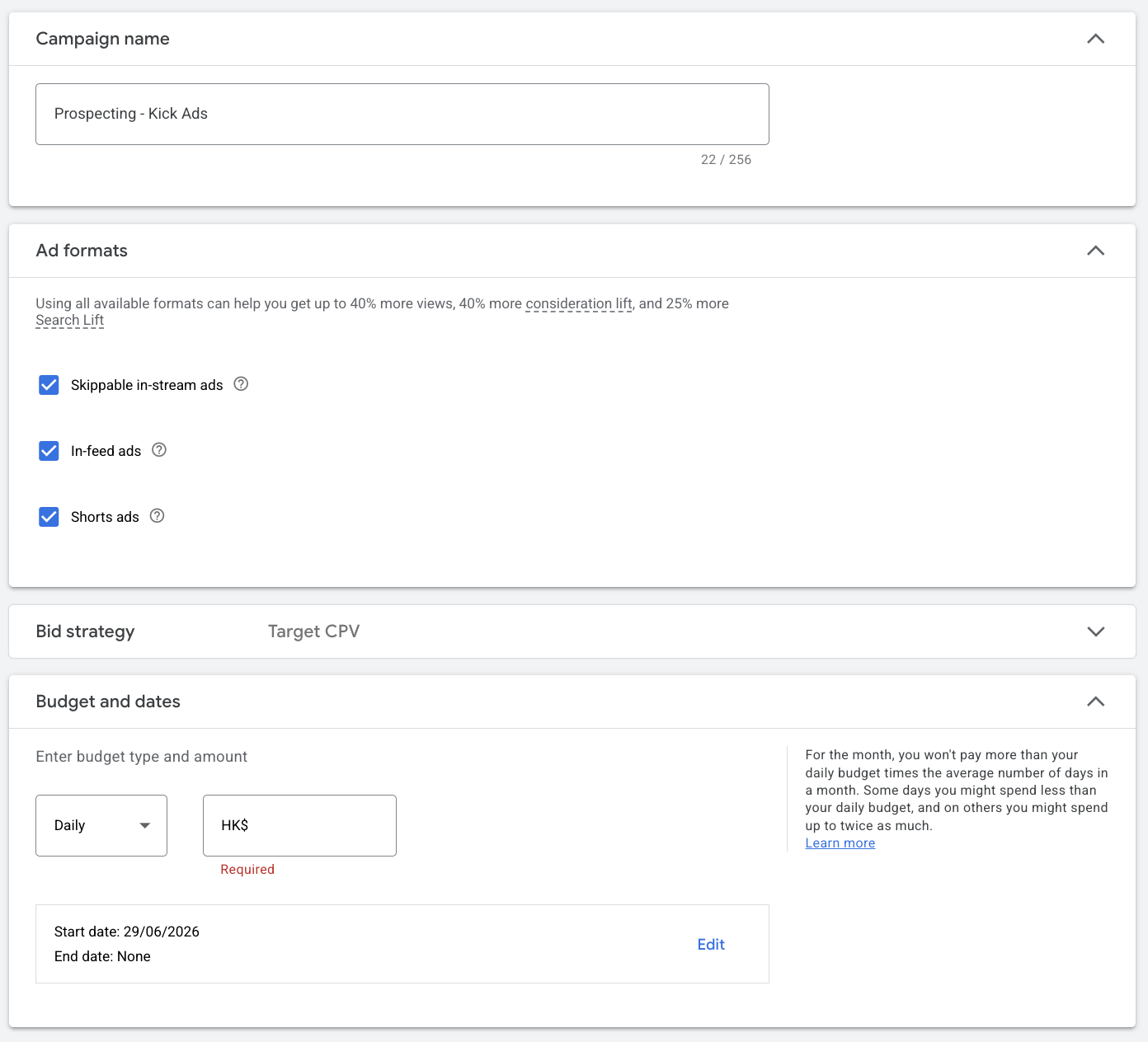
Step 3: Campaign settings. Name the campaign (e.g. "Prospecting -〔video name〕"). Under Ad format you can tick Skippable In-stream, In-feed and Shorts ads; untick any format you don't want. Video View defaults to Target CPV; start around HK$0.3, then set a daily or total budget and start date.
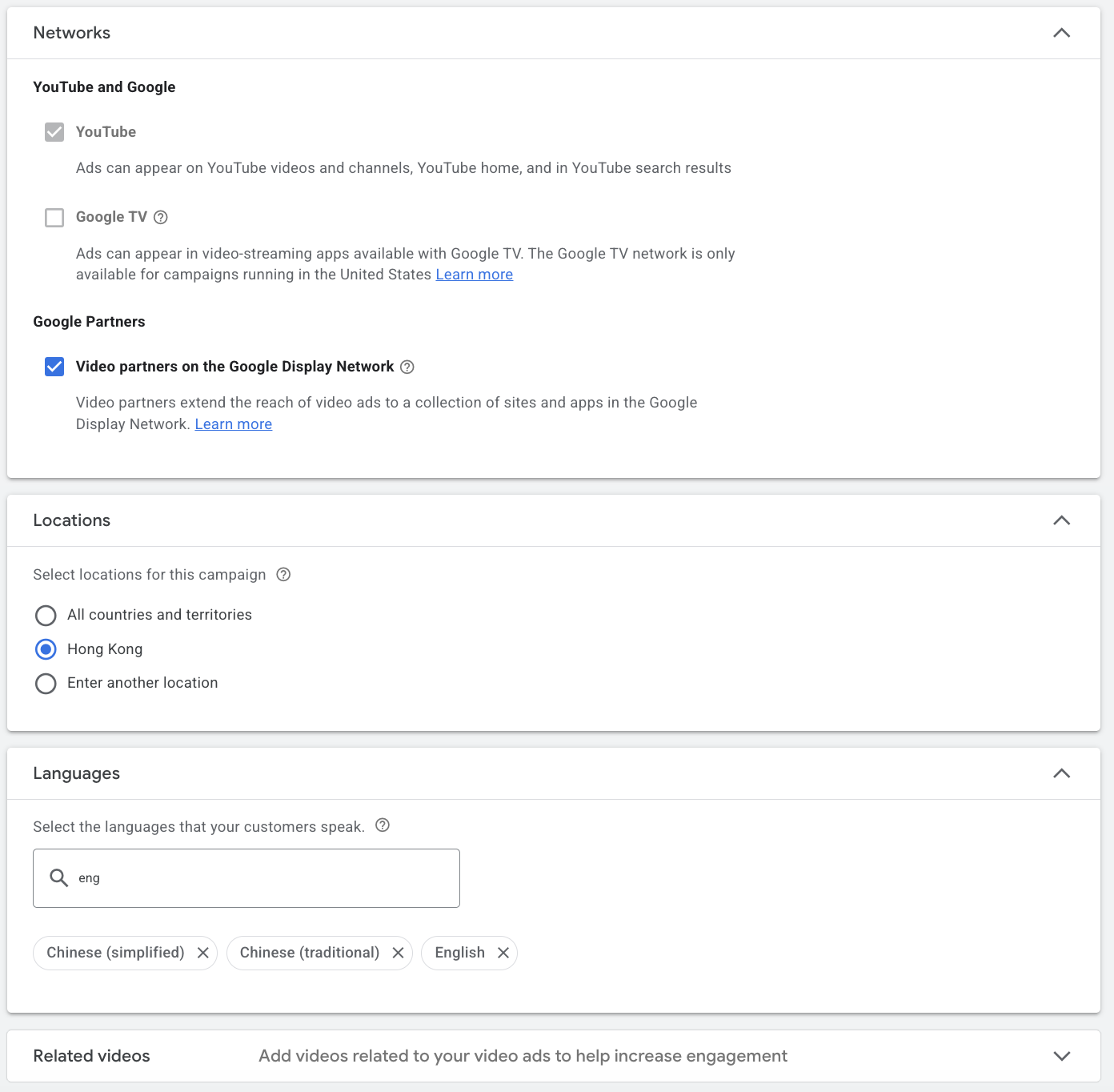
Networks must include YouTube; you can also add Video Partners to extend reach, but Kick Ads generally keeps it to YouTube only. Match language and location to your audience; for Hong Kong, choose Chinese and English.
Step 4: Ad group and targeting. Name the ad group (include the targeting method), set the audience (interests, custom segments, placements, etc.), and enable Audience Expansion if you want broader reach.
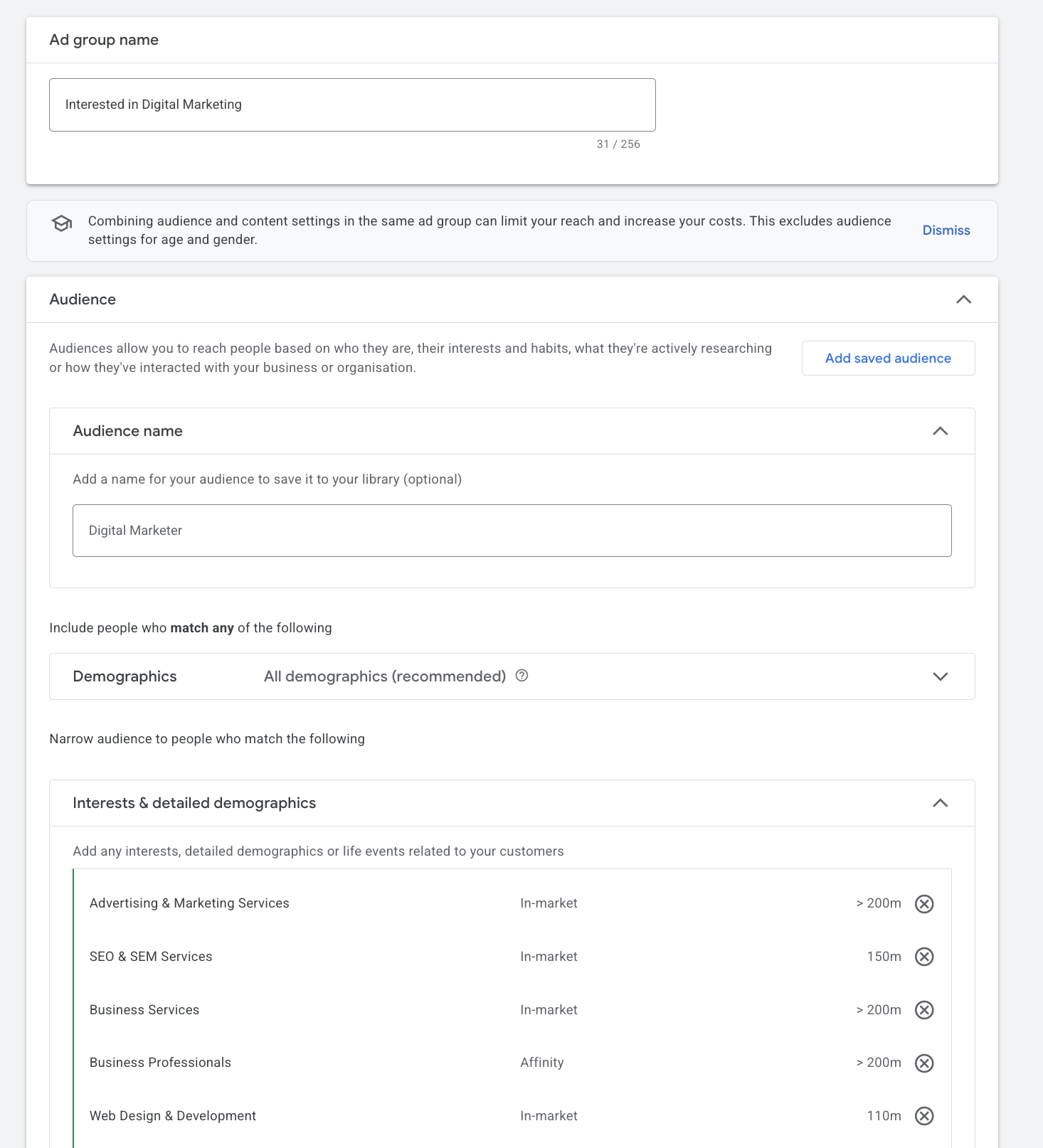
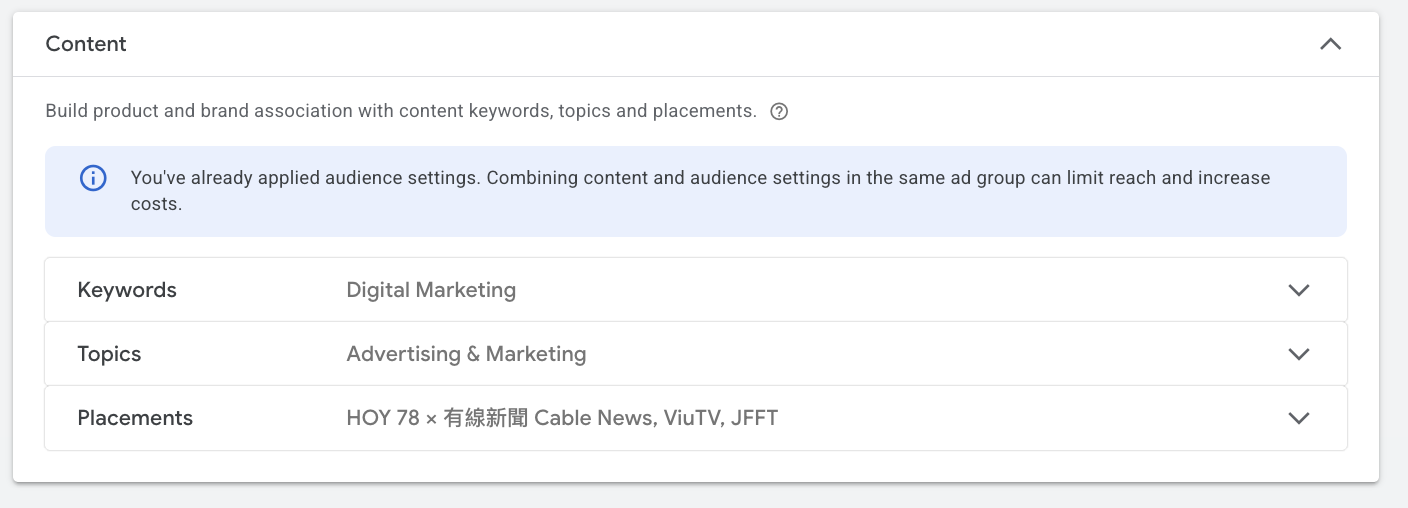
If you have specific keywords, topics or YouTube channels, you can set them here, but note that too many targeting conditions can throttle delivery and even push CPV higher.
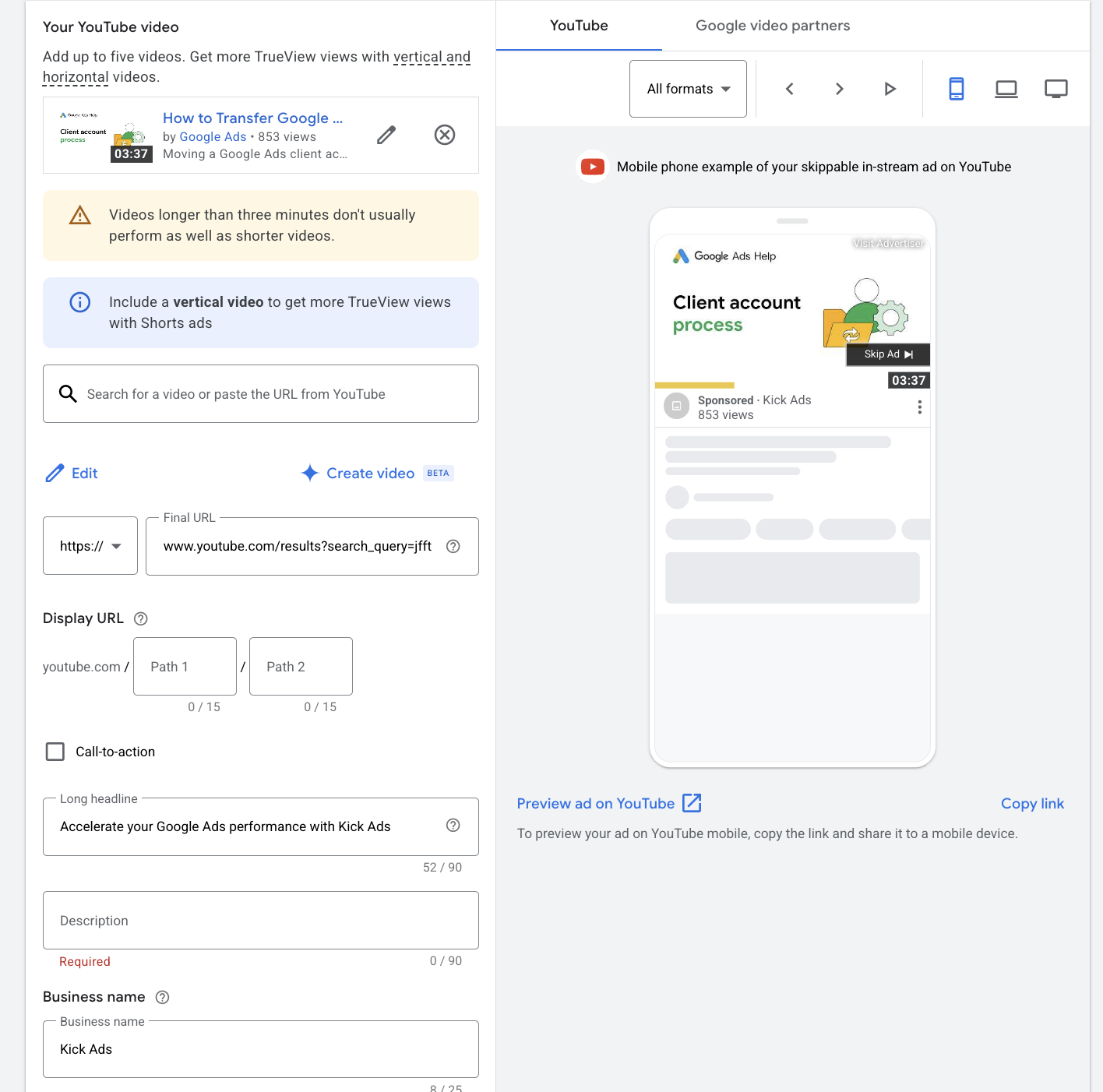
Step 5: Set up the video ad. Upload your video to YouTube, paste the link back into Google Ads, set it as the ad, and fill in the Long Headlines and Description.
Advanced: remarketing with video ads. Build an audience list in Google Ads (e.g. "Website Visitors"), select that list under Audiences (Similar Audiences was retired in 2023; lookalike expansion now happens via optimized targeting or Demand Gen lookalike segments), and serve YouTube ads to visitors who already know your brand to lift recall and conversions. Further reading: The Complete Guide to the Google Display Network (GDN)
What does a working YouTube ads strategy look like?
Two videos and a viewer list, in that order. Almost every YouTube account that works for us runs the same shape: a lifestyle-led Video 1 buys cheap upper-funnel reach and quietly builds a YouTube viewer list, then Video 2 retargets that list with the offer, the benefits and a clear call to action. One video trying to do both jobs at once rarely does either well, which is how a YouTube test ends up looking expensive.
Match the format to the job rather than picking a favourite. Bumper and non-skippable buy recall at CPM, skippable in-stream and Shorts buy watch time at CPV, and Demand Gen is where conversions belong. Budget matters less than sequence, but there is a floor: below roughly HK$5,000 / RM2,000 a month the system never gathers enough data to optimise, so the test reads as a failure when it was really just starved.
How to optimise YouTube ad performance
Targeting optimisation — regularly review performance by audience, placement and device, and concentrate budget on the lowest-cost-per-conversion segments; use exclusion lists to avoid waste. Accurate conversion tracking is the prerequisite — Smart Bidding can only optimise on the signals you feed it.
Creative optimisation — put the key message in the first 5 seconds, use a clear Call-to-Action, and produce different cuts for different audiences. In our HK/MY accounts we found that videos showing the brand and offer within the first 5 seconds lifted View Rate by about 7% on average.
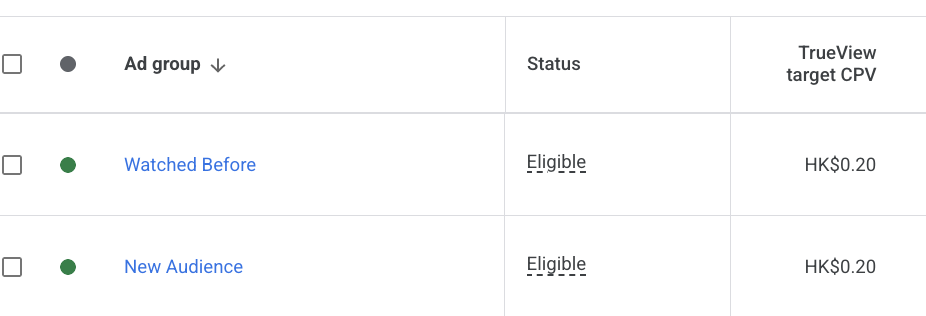
Beyond the creative, the funnel setup matters just as much — and it's the backbone of how we run YouTube advertising in Hong Kong. We first reach new audiences with a more engaging, lifestyle-led Video 1 to build interest and accumulate a viewer list; we then retarget those viewers with Video 2, adding clearer membership benefits, offers and a CTA — moving the audience from awareness to consideration and conversion. If you sell products online, YouTube also feeds Performance Max as one of its placements.
Real YouTube ad results
Lead generation case — after a lead-generation client added YouTube / Demand Gen in the second half of 2025, total monthly leads rose about 150% (H1 2026 vs H1 2025), and Demand Gen now accounts for roughly 60% of all leads.
Ecommerce case — while an ecommerce client ran upper-funnel YouTube Demand Gen and Video Reach, branded search impressions during that upper-funnel push were about 30% higher than in the weeks before it started — indicating upper-funnel video helped sustain branded search demand.
YouTube Ads vs Meta (Facebook / Instagram) video ads
| Factor | YouTube Ads | Meta video ads |
|---|---|---|
| Viewer intent | Active search / watch, clearer intent | Passive scroll, interest-triggered |
| Pricing | CPV / CPM | Mainly CPM |
| Length flexibility | High (6 sec to several minutes) | Prefers short |
| Best for | Awareness + top-funnel new customers | Remarketing + community engagement |
These aren't either/or; in a full-funnel strategy, YouTube reaches new customers and Meta handles remarketing — together they usually work best.
Any low-cost ways to shoot video?
Quick answer: Yes. A phone, natural light and a clear script are enough to produce a usable YouTube ad; what matters is grabbing attention in the first 5 seconds, not the production budget.
An even cheaper route now exists: in our 20-generation test, AI video with Seedance 2.5 came in at about HK$18 for a 10-second 720p clip. For the build steps, see we tested AI video generation.
Does YouTube Premium affect your YouTube Ads?
Quick answer: Yes, but the impact is limited. YouTube Premium subscribers watch ad-free, so your video ads can't reach them — but Premium users are a minority, and the vast majority of views and impressions still come from free (ad-supported) users, so ad reach remains huge.
- Premium users watch ad-free — in-stream, Bumper, Shorts and other formats won't show to them.
- But they're a minority; most YouTube watch time still comes from free users, so the reachable audience base is still very large.
- Unreachable by ads ≠ unreachable entirely: Premium users still watch your channel's "organic" videos. Running "paid ads + owned channel content" together covers both free and Premium audiences.
- Practical advice: don't hold back because of Premium; if your target skews toward heavy, paying users, complement with owned content, Search ads or other channels.
Frequently asked questions (FAQ)
How are YouTube Ads charged? On auction, by CPV (per view) or CPM (per 1,000 impressions) — there's no flat price; it depends on industry, targeting and video quality. In Hong Kong, CPV typically runs about HK$0.1–0.35.
What are the YouTube ad video sizes? 16:9 landscape, 9:16 vertical (Shorts), 1:1 square; file and length depend on the format (see the formats section above).
What's the minimum monthly budget? There's no platform minimum, but we suggest starting at about HK$5,000 / RM2,000 per month to gather enough data to optimise.
How is a View counted? Generally when a viewer watches 30 seconds, finishes a shorter video, or interacts with the ad.
How many YouTube ad formats are there? Six: skippable in-stream, non-skippable in-stream, Bumper, In-feed, YouTube Shorts and the YouTube Masthead. The first five are bought at auction; the Masthead is a reservation buy arranged through a Google sales rep.
How long can a YouTube ad be? It depends on the format. Skippable in-stream has no hard maximum (Google recommends under 3 minutes), non-skippable in-stream is capped at 60 seconds, Bumper ads at 6 seconds, and Shorts ads should stay under 60 seconds.
Are Video Action campaigns still available? No. Google stopped new Video Action Campaigns in April 2025, began upgrading existing ones to Demand Gen in July 2025, and finished converting the rest by April 2026. Use Demand Gen instead, restricting placements to YouTube if that is all you want.
Will YouTube Premium users see my ads? No. Premium subscribers watch ad-free, but they're a minority — most views still come from free users; your channel's organic videos can still reach Premium users.
Not sure if your YouTube budget is buying real attention or wasted views? We can review your account structure, bidding and audiences to find the spend that isn't working. Message us on WhatsApp or book a free strategy call →.

About the author
Frankie Chan · Co-Founder, Kick Ads
Frankie is an ex-Googler and paid media strategist. He has managed Google Ads and Meta Ads for ecommerce and lead generation businesses across Hong Kong and Malaysia since 2017, working closely on strategy, reporting and client growth planning.